Sorting by

×
Home Blog Page 13

5 Places to Find Expensive Udemy Courses for FREE [100% Discount]

4

Where to find expensive Udemy Courses for free [100% Discount] at any time!

Very often, Instructors on Udemy would put a discount on their courses for a limited time. The discount could be 10%, 100%, 86% or any percentage they want. It’s entirely up to them. These coupons would make the courses available for free for days, so, If you enrol when the courses are free then you get to own them for life. Just make sure you enrol when the course is free… Don’t save it or add it to cart… ENROL!

So, in this blog post, we will be looking at where to find priced Udemy courses for free without entering your card details or paying for anything. This is not a scam and everything I’m about to show you is legal so feel free to share it.

Here is a list of websites where you can find expensive Udemy courses for free.

Coupon Scorpion

Coupon Scorpion is the ultimate resource for 100% free Udemy coupons. They scour the web like madmen, looking for working coupons to save you money and the site is constantly being updated every minute.

Best Coupon Hunter.com

As I said before, coupons don’t last long. BestCouponHunter.com is one of the best websites to find 100% OFF Udemy coupons. You will be able to enrol 100% OFF free course for a limited time. You have to hurry and enrol when you find a course or you will have to pay money. Coupons don’t last long.

Online Tutorials

Online Tutorials is a website sharing online courses, and free online tutorials for free on a daily basis. You can find the best online courses and thousands of free online courses with certificates to take your knowledge to the next level.

AllMyCourses.com

AllMyCourses is a search engine for online free courses and it used to be known as Udemyfreecourses.org but they have expanded to also show you free courses on Coursera and other platforms. They search through the most important online course platforms to provide you with free courses. They currently have over 10,800 free courses on their platform, all in video-on-demand format.

Guru99.com

Guru99 strives to make quality education affordable to everyone. They have a webpage for Udemy courses on discount. You can access them by clicking here.

BONUS

Ebizfacts.com

Ebizfacts has an “ultimate list” of free Udemy courses that gets updated daily. They only show you Udemy courses that meet the following criteria:
– Listed as FREE in the past 24 hours
– Minimum of 50 ratings
– Top-rated courses first

That’s all for now. Don’t forget to check out my other post on how to Download Your Udemy Courses for Offline Study.

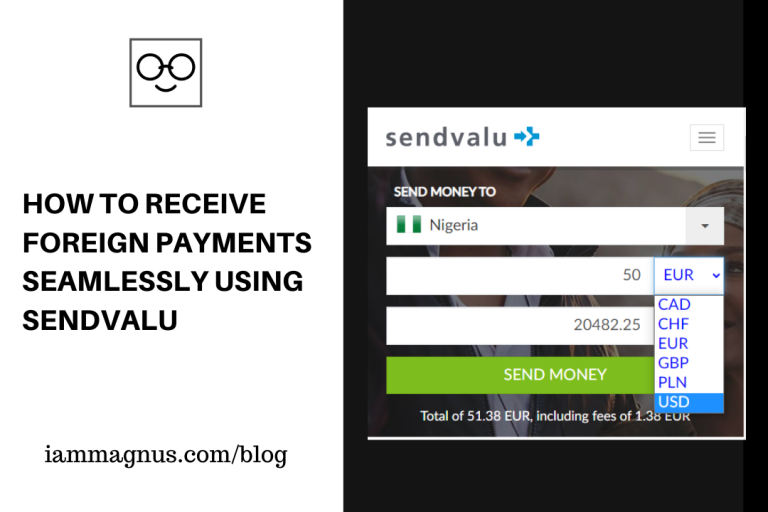
How to Receive Foreign Payments Seamlessly using Sendvalu

0

One of my many Nigerian dreams is living and working from home while earning in international currencies, and I believe it’s the same with most Nigerians as long as the international currency is of higher value than Nigeria’s currency.

But you have to agree with me that the process of transferring your money from international platforms to your local account can be very frustrating. With hurdles ranging from a long unending registration process, verification procedures that hardly go through, conversion rates that are far from the current market price, to the risk of being blocked or losing your account.

Trust me, I’ve been there before and I can completely relate with your plight, but what if I told you there was a medium by which you can get your money transferred from international platforms to your local accounts with the best market conversion rates, a verification confirmation process of fewer than six hours, one-step registration and never have to worry about losing your account?

Wait for it...

*Drum rolls...*

*Dramatic entrance...*

I present…  Sendvalu!

Sendvalu is an international financial institution that allows you to send money from one currency to another while providing you with the best market conversion rates and swift processing time. Sendvalu is operated by AWS Malta LTD which is licensed and regulated by the Malta Financial Services Authority.

How does it work?

Transacting via Sendvalu’s platform is very easy when compared to other institutions that provide similar services today. All you have to do is register, get verified and make your first transaction.

All these processes can be done and completed within the space of a business day or two depending on the time you initiate the transaction.

Registration

The registration process for Sendvalu is very simple, like most online platform, it just requires you to provide a valid email and choose a preferred password.

You can complete your profile registration later on or choose not to like I did.

Identification Verification

Like most online financial institutions, Sendvalu requires that you send in a proof of identification in order to prevent the risk of financial fraud. As at the publication of this post, Sendvalu accepts the National Identity Card of your country (NIMC in Nigeria), International Passport or your Driver’s License as a valid means of identification.

Sendvalu completes the entire verification process under six business working hours and activates your account for transactions, once your means of identification is valid.

Completing your first transaction

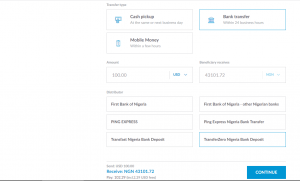
Initiating and completing a transaction on Sendvalu is pretty seamless. First of all, you select the country you intend to send the money to then you pick your transfer type. There are three ways of transferring your money through Sendvalu:

The first is the Cash Pickup, which I’ve never used and would not recommend. I don’t know how safe picking a thousand dollars in cash would be but I’m not ready to take that risk. Anyway, that medium takes the same or next business day.

The second option is via Bank Transfer which I use most of the time and will continue using as the case study for the remainder of this post. The second medium offers the best conversion rate and allows you send your money into your local bank account directly, this takes just 24 business hours, but from experience, 1-2 hours except if it’s your first 2-3 transactions.

The last option is Mobile Money. When I tried this, my money was sent via Paga and it gave me quite an issue because before then, I didn’t have a Paga account, so you would have to be registered with Paga to use this transfer.

These are the three transfer types that Sendvalu offers, but I will strongly recommend the Bank Transfer option.

Once you’ve picked your transfer type, input the amount of money you intend to send in the currency you‘re are sending from and it will immediately show you the amount of money the receiving country would convert your money into.

Then you select a distributor of choice, I will recommend TransferZero Nigeria Bank Deposit, they offer the best conversion rate and the cheapest transaction charge. As at the publication of this post a dollar is been changed for 435 Naira via their distribution, while PayPal is still on 330 Naira. There’s usually a little transaction fee that you have to pay then you continue the process.

For the next step, you have provided a name, email, phone number and address, then you select the bank of the recipient you wish to transfer to, then input the account number and select an account type.

For the next step, you input the card details of the account you are sending the money from, review the transaction details and confirm the process.

Transaction window and payment

Immediately, an invoice will be sent to you with a reference number that you can use to track your transaction with. Within 10 to 15 minutes (using Payoneer as a case study) the authorized amount of money will be deducted from your sending account and within the next hour to two hours the receiving account will be credited with the transferred amount.

During these processes, you can track the progress of the transaction via the generated reference number or on your Sendvalu dashboard, it tells you when your sending account has been debited when the money has been sent to the distributor, when it gets to a local collector and when it finally gets paid.

PS: Transaction time for the first and second time might take longer but will certainly be processed under 2 business days. From my experience with using the platform, the completion of a transaction typically takes 1 to 2 hours.

I’ve been using Sendvalu for over two years, and would strongly recommend them to you. With simple user experience and best market rate, Sendvalu is without a doubt the future of international currency transactions.

In the event of any further enquirers, kindly leave your questions in the comment session below or send me a message via Twitter.

Image Source: Sendvalu

How to Find Heavy Files and Free Up Your Google Drive Storage

0

By default, everyone’s Google Drive account comes with 15GB of free space. Then all that space fills up when you upload attachments to your Gmail, upload videos and photos to Google Photos and backup documents on Google Drive. They are all connected.

In this post, we’ll be looking at how to find heavy files on your Google Drive account and free up some storage space for more important stuff.

Step 1: Go to one.google.com/home

Step 2: Click on Storage

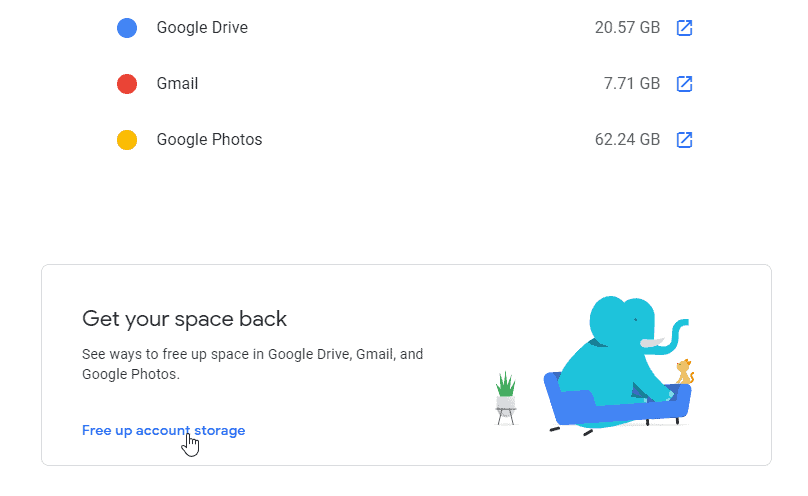
Step 3: Click on “Free up account Storage” like in the screenshot below.

Free up Account storage Google Drive

Once you click on “Free up account storage“, Your storage Manager will load up and show you large files and discarded files you need to delete.

[UPDATE]
Alternatively, you can go to: https://drive.google.com/drive/quota to see your heavy files and delete them from your Google Drive.

That’s it. You can then go ahead and delete those heavy files to free up some space. You can also upgrade your drive space on that page.

Recommendation: 6 Platforms That Let You Convert Airtime To Cash

6 Websites That Let You Create Resumes For Free

1

If you ever feel frustrated at how long it would take to create a new Resume while searching for jobs then this post is for you. We will be looking at 6 websites that let you create Resumes for free in no time. Some of them will take you 1 minute or 3 minutes, depending on how much information/experience you want to add to the Resume.

Note: We are not looking at websites that let you download CVs or Resume samples. That’s old school. What we will be looking at are websites you can visit, fill in your details and generate your resume for free.

Let’s get started.

ippy.io: ippy has been sold or updated. Please use FreeResume.io instead. This platform lets you create an eye-catching Resume in minutes. It has a range of templates you can choose from, fill in your deets, and you’re done!

ResumeMaker.online: ResumeMaker.Online allows users to create a resume through a smooth and straightforward experience. It’s also free and no registration required. You can also choose the colour and font for your Resume, change paper size, preview your Resume in 3D and download it in PDF.

Resume Builder: A free tool that lets you create a professional Resume in minutes. Resume Builder makes it dead simple to build a Resume, so you can get hired sooner. You can create a Resume with a template or Import your LinkedIn profile.

CakeResume: This platform believes that making your Resume should be a piece of cake. You can upload your Resume or CV in PDF format, then review and edit the imported information. Or you can just make your own Resume from scratch on the platform. To speed up the process, there is an option to import your LinkedIn information automatically and convert it to a Resume. CakeResume is not 100% free though. You can only create 1 Resume with it.

Ineedaresu.me: A unique thing about I Need a Resume is that you can create a Cover Letter with it, apart from being able to create a Resume for free. Visit the website, fill your details in the Cover Letter and Resume fields, then download both the finished Resume and Cover letter. It’s that easy.

LinkedIn to Resume: Rezi made a Chrome extension that basically converts your LinkedIn profile to a Resume. You should use this if your CV is really detailed and updated.

[Updated]

CVRest: A tool to give you all you need to show your skills. It helps you create an Online CV, PDF CV, Cover Letter, Messaging Tool, Portfolio, and more in one place. With full control of your data privacy and appearance. It supports many languages, and it is FREE.

Thank you for checking this out. Don’t forget to check out: 5 Websites that let you create invoices for free

How to Transfer your Facebook Photos and Videos to Google Photos

0

If you’re looking to save your Facebook photos and Videos while you take a break from the platform or delete your Facebook account then this post is for you. We’ll be looking at how to transfer your Facebook photos and videos to your Google Photos account for free in no time. Anyone can do this by the way.

What is Google Photos?

Google Photos was released by Google in 2015. It’s a tool that can store photos, videos and screenshots taken by your phone. It’s a solid media backup to have at your disposal. For me, it’s better than owning a hard drive. And, because it’s a cloud-based tool, it can free up space on your phone. Plus, it works on both Android and iOS devices.

Exporting your Facebook Photos and Videos to Google Photos basically means you would find these videos and photos when you log in to your Google Photos account with your Gmail details. That’s all. This does not mean the files will be deleted from Facebook.

Before we start, I would advise you do this on a computer, I’m not sure you would be able to access the transfer features on the Facebook app or your mobile browser. [Update] I was able to do this with the Facebook App on my phone. It might work for you as well… or not. I’m not sure. You can try it on your phone before using a computer.

How to Transfer your Facebook Photos and Videos to Google Photos

Step 1: Log in to your Facebook account and click on Settings or just click here to go to your settings.

Step 2: In Settings, click on Your Facebook Information or just click here 

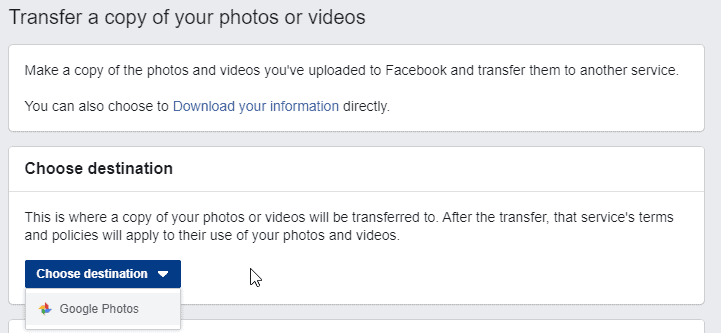
Step 3: You’ll find an option that says “Transfer a copy of your photos or videos”, click on it. It should take you to the Data transfer page https://www.facebook.com/dtpIt’s a page like the screenshot below:

Transfer your Facebook Photos and Videos to Google Photos
Step 4: Select the destination and confirm the transfer. You would be required to authorize the transfer from Facebook to Google. See authorization sample in the screenshot below:

Transfer Facebook Data to Google Drive

Once you approve that and follow the rest of the prompts, your photos and videos will start backing up. You will receive a notification on Facebook once the transfer is completed.

Will the Transfer delete the Photos and Videos from Facebook?

No. They will not.

Can I Transfer My Photos and Videos with the Facebook App on my Phone?

Yes. I tested this and it works fine.

So, now you have your Facebook photos and videos on your Google Photos account for life. Even if anything happens to your Facebook account. You will find these photos and videos when you login to your Google Photos account. Just make sure you’re logged in with the same email you used for the transfer. Go to photos.google.com to access your Google Photos account.

10 Places to Find Free Illustrations and Icons for Your Next Designs

0

Need more icons and illustrations? One of the really unsettling things about being a designer is having to go to the same source for icons and illustrations. At some point, you will like to try something new… or go somewhere new. In this post, we will be looking at the 10 places to find free illustrations and Icons for your designs. I also added a little parting gift at the end of the article, so be sure to check it out.

Now, I know there are lots of places out there and you probably have some that are not on this list, so please feel free to share the ones that are not on this list. Thank you!

10 Places to Find Free Illustrations and Icons

Iconstore: I got my Instagram highlight Icons here. Iconstore contains free Icon packs by First-Class Designers and you can download the icons in, Sketch, PNG, SVG, and other formats. Nanoline, Star wars, Flatflow, Facebook Emojis, Emotion Icons and more can be found on Iconstore for free.

FeatherIcons:  Has some of the most beautiful open source icons I’ve seen. The really awesome thing about feathered icons is that you can customize the size, stroke width and colours of the icons you want before you download them. There is also a “download all” option that lets you download all the icons on the website.

Ouch Illustrations: Now called Icons8. Icons 8 is one of the richest icons platforms on the web. You can find animated icons, editable vectors, icon fonts, photos, Music and more on Icons 8. You can also get the HTML code of an icon, find material design icons and many more on the platform. It’s very rich.

Many Pixels: Monochromatic, Isometric, Two Color, Flatline and more. Manypixels have some really work-related illustrations that you can download in either SVG or PNG formats. You can also opt to receive royalty-free illustrations to power up your projects every week. Use them in a commercial or non-commercial way for your landing pages, blog posts, email newsletters, social media graphics and more.

Squid Ink Icons: 5 different formats, 2000 Number Icons, 17 categories… Biggest Flat Icons Pack Ever. Each element was designed with vector shapes. Change colours or layer styles, move and re-size every single element in no-time.

Flaticons: The largest database of free icons available in PNG, SVG, EPS, PSD and BASE 64 formats.

Fresh Folk: An illustration library of people and objects. Each character comes with a range of poses, outfits and skin tones. This is one of my favourite places because I follow the creator on Instagram and she has not stopped creating. Leni Kauffman is a Japanese-American Illustrator.

Flat Icons: Not to be confused with Flaticons. Characters, Avatars, Cryptocurrency icons… Flat Icons contains Irresistible icons for your everyday needs.

Nordesource: Norde Source makes it easy to customize entire icon sets to fit your brand. It comes with amazing icons you can find using the search bar. You can change colour icons and resize them as well.

Blush: Blush makes it easy for anyone to add stunning illustrations to their work. With collections made by artists across the globe, there’s something for everyone and every project. All art is customizable—play with the variations to create something unique!

Control Illustrations: Bestseller of Craftwork! 108 illustrations in two styles that work for your startup. Compatible with Figma, Sketch, and Adobe Illustrator. Free version in PNG format. + 9 animations as a result of our collaboration with UI8.

A Parting gift

Anuj Adhiya has a FREE icon collection on Product Hunt that you should check out. It contains a list of more websites you can get free Icons from, for free. Click here to check out his collection.

Baffled About Deciding The Perfect Gift For Birthdays? Read Along For Creative Ideas

0

Everyone loves their share of cakes and yummy goodies on their birthdays. But, to really make someone feel special, you need to go that extra mile to find that perfect gift. However, deciding on the right gift is easier said than done.

You might have known this person for ages and yet feel completely at a loss over what to gift on his/her birthday. That’s okay because you’re not alone in this dilemma.

After all, you don’t want to hand over just another run-of-the-mill gift that doesn’t stand out and doesn’t show your efforts to make your person happy. The best birthday gifts are the ones that are unique, unforgettable, and extra special.

With that in mind, here’s bringing you the top seven creative gift ideas that will definitely come in handy for the upcoming birthdays. So, let’s get started!

7 Creative Gift Ideas for Birthdays

Any of these seven gifts will make a birthday more special and memorable.

Go for the Personalized Gifts to Make it Special

Personalized gift items are one of the most creative options that you can go for. The best part is that you can have customized gifts for anyone: friends, girlfriend/boyfriend, parents, and even colleagues.

You have a wide range of options when it comes to personalized gifts. What you choose depends on the preferences of the birthday girl/boy and your budget.

The Perfect Gift For Birthdays

You can gift personalized mugs, t-shirts, jewelry, wall art, and so on. Another great thing about these gifts is that you have the option to make them yourself or give up the responsibility to the companies who’ll do it for you.

Create Several “Open When” Envelopes

“Open when” envelopes are the perfect gifts to give someone who resides far away from you, though that doesn’t have to be strict criteria for choosing this idea.

All you need to do is to get a number of envelopes, a couple of favorite things of the person, and a few blank pages to write small notes or letters.

On each envelope, you’ll have to write phrases like “Open when you miss me,” “Open when you need a hug,” and so on. Now, fill each envelope with small notes of love and encouragement, old photos, family recipes, and things like that.

Make ‘Things I Love About You’ Cards

Birthdays are all about reminding people how special they are to you. And, ‘things I love about you’ cards can help you do just that. After all, it’s essential to remind a person that he/she means so much to you.

So, get a normal deck of cards and transform it into something thoughtful and creative. Paste colorful or white paper on the face of the cards and cut it according to the size of the card. Write one thing you love about the person on each card.

Thus, at the end of it, you will have fifty-two things listed that you love about your special person.

Throw the Most Amazing Surprise Birthday Party

Keep it all hush-hush and plan a surprise birthday party for her/him. Use Mickey Mouse invitation maker to make unique video invites and send them to all the people you want at the party. You will find some nice video invitation tools on platforms like InVideo, so get help from there.

Set up a venue, order the cake, and organize the rest of the things that you need for the party. You can decide the size of the party based on your budget.

Make the video invite fun and whacky and not something formal like financial advisor Facebook ad templates. Don’t forget to show this video to the birthday girl/boy at the party and laugh at it.

Gift Things Related To Their Favorite Hobby

You can also choose to gift things that are related to their hobby. This way, you will be gifting something functional to them. So, for instance:

  • Is your best friend an ardent shutterbug? Get her the new photography equipment she had been eyeing for a while now.
  • So, your brother loves exploring new places to eat in the city? Get him a few restaurant vouchers to keep his tummy happy when hunger strikes.
  • Does your mom love to paint or stitch? Get her new brushes or a book of stitching ideas.

It all depends on the hobby of the person you’re choosing the gift for.

Put Together a Spa and Pampering Box

Don’t let the words spa and pampering make you think that this is a gift given solely to women. Even your menfolk can do with relaxing time getting themselves groomed.

So, get a jar or a box and fill it with the finest spa products. You can include face masks, body oils, aromatic solutions, hair masks, and the likes.

You can even put in some spa coupons in the mix for them to go out and have a great time getting pampered.

The Perfect Gifts for Tea or Coffee Lovers

For the person who can’t start his or her day without a steaming cup of coffee or tea, the perfect gift would be a tea or coffee basket.

Fill a cane basket with different flavors of tea or their favorite type of coffee. You can also include a nice mug and even some cookies or other snacks in there to complement the basket.

Decorate the basket nicely with ribbons, paper balls, colored paper, and the likes. And, you have a beautiful caffeine basket ready to give. It is a great gift idea for colleagues, friends, as well as other such acquaintances.

EndNote

So, there you have it! The seven ideas that have you sorted for at least as many upcoming birthdays of friends and family members.

Remember that, at the end of the day, what counts is the thought that you put in your gift. And, the gift ideas that we have compiled here showcase your thoughts and efforts perfectly.

Now, go ahead and choose any one of the options detailed above to start putting together the most special birthday gift.

How to Increase and Decrease Udemy Playback Speed

0

As most of you already know, I’m a big Udemy fan (I hope that makes sense). Sometimes, an Instructor might sound slower or faster than you would expect them to sound while teaching you a course and you would want to change that. In this post, we’ll be looking at how to Increase and Decrease the Playback Speed of a video or a course on Udemy.

The importance of the Playback speed button is to get the Instructor to slow down or speak faster while you’re watching the course. I will be showing you how to increase and decrease Udemy playback speed on the Udemy App (for Mobile) and on the Website.

On the Website

Click on the Playback Speed icon like in the image below and select your desired speed. All videos are in 1x by default. I usually change that to 1.25x to speed up the video (make the instructor speak faster) and 0.75x to slow down the video (make instructor speak slowly.)

How to Increase and Decrease Playback Speed on Udemy iammagnus

On the Udemy Mobile App

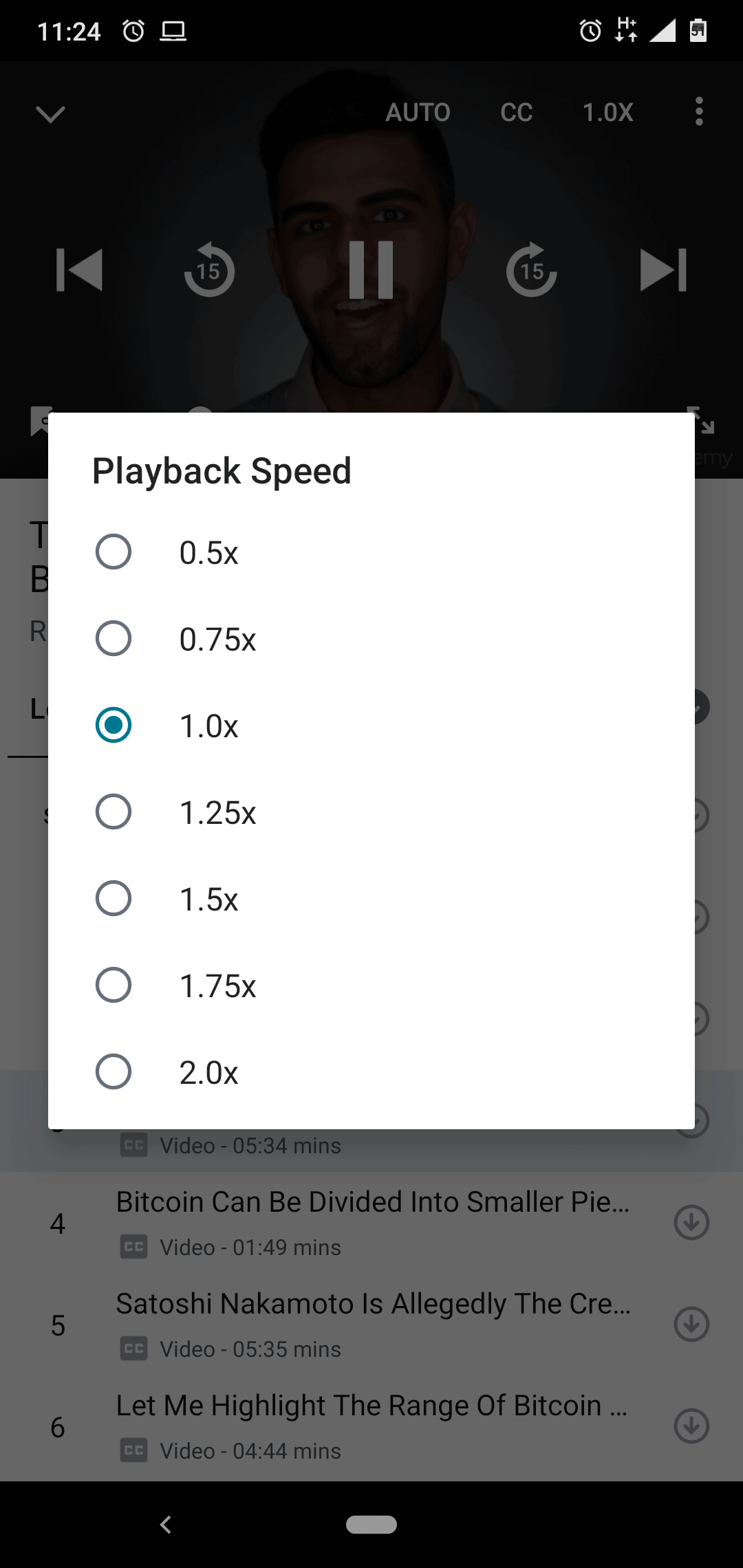
On the mobile app, the Udemy playback decrease and increase button is on the top-right part of your screen when you’re taking a course. It’s the 1.0x Icon on the top right. See the image below for clarity.

Increase and Decrease Playback Speed on Udemy

So that’s it, guys. Feel free to play with that feature. If you have any questions about it, please leave your comments here or hit me up and I will attend to you as soon as possible. Be sure to check out how to get Udemy courses for free. No credit card required.

The Best Linktree and Linkinbio Alternative For WordPress

2

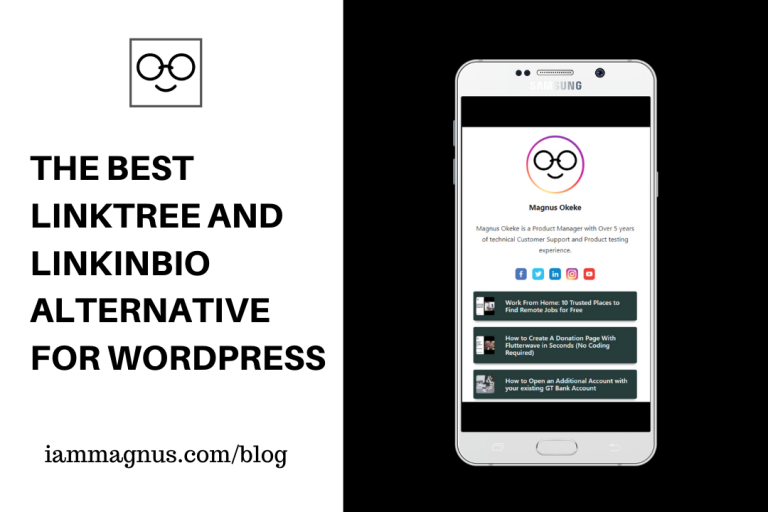
I recently stumbled on a WordPress plugin that is way better than Linktree, Disha Pages and LinkinBio. So, that’s what this post is about and I’m going to be as honest as possible from my experience so far. Here are the best Linktree and LinkinBio alternative for WordPress sites.

What is WP MyLinks?

WP MyLinks allows you to create a micro landing page that contains all the links you want to share to your audience with the tool you’re currently using and the domain name that reflects your own brand. It’s like Linktree but built into your WordPress so you don’t have to leave your site or learn anything new to use it.

Who Created WP MyLinks?

This tool was made by Walter Pinem who happens to be an SEO expert, Growth Hacker & WordPress Developer. So, he knows what WordPress site owners + LinkinBio/Linktree users really need.

Your most favourite social media usually limits you from showing multiple links on your profile. And you’re forced to use third-party services like Linktree and LinkinBio. WP MyLinks has options to add your Facebook, Twitter, Instagram and LinkedIn accounts in your micro landing page.

Now, you can build your own landing page to market your content, brand, products and anything under a single URL with the tool and resource you currently have.

Don’t Lose Precious Traffic

You can put the generated link on your external channels such as social media profiles and drive 100% traffics to your micro landing page. That’s not all.

Unlimited Links

First of all, you can create more than one landing page. It’s like owning multiple Linktree accounts on your WordPress Dashboard. You can fill your landing page(s) with links to market your contents, products, or anything you want… Anything at all. You can also add a thumbnail to each link that best represents it if you want. The landing pages you can create are unlimited. The links you can add to these landing pages are unlimited as well.

15+ Themes to Choose From

Choose how your MyLinks page will look like from 15+ pre-built themes. You can even create your own with simple custom CSS (field available).

Custom Scripts

Speaking of scripts, You can add custom scripts such as Google Analytics, Google Tag Manager, Facebook Pixel tracking code or any scripts you want to include in the header or footer sections of MyLinks page. Adsense should work too, so you can make money from your landing page as well.

Built-in View Counter

You can see how many times every MyLinks page is viewed.

Here’s a video of how to create your first Landing page with the plugin.

I could go on about this plugin but I’d like you to Install it on WordPress already. Let me know if you have any questions and feedback in the comments.

These Platforms Let You Generate Virtual Dollar Cards

2

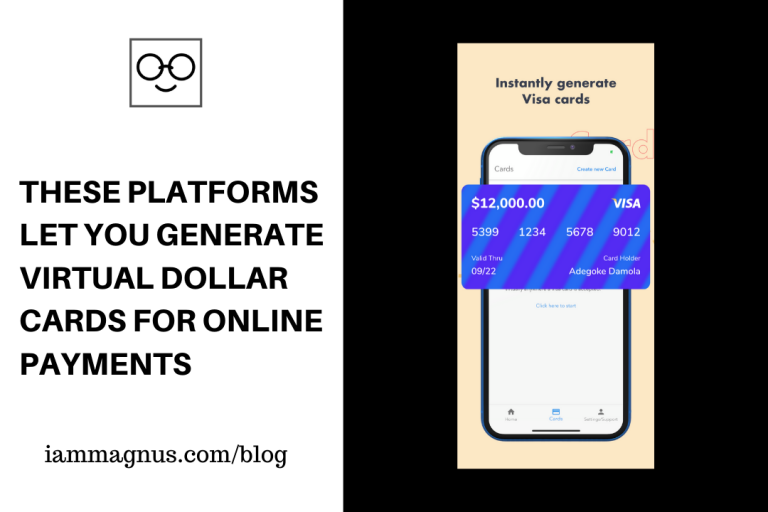
In 2020, some countries are still unable to carry out international transactions with their bank cards. If your country is one of these countries then you have come to the right place. In this post, we will be looking at some platforms that let you generate virtual dollar cards for international transactions.

Barter

Barter is one of the most popular platforms that allows you to generate dollar cards. One of the really cool things about Barter is that it generates a specific card for your needs. So, you can specifically generate a dollar card for your Netflix account or one for your Facebook Ads or Spotify account. You get the drift. I wrote about Barter awhile back. You can download the Barter app by clicking here.

Bitsika

Bitsika makes it easy for you to send and receive money from African countries. With your Bitsika wallet, you can: Receive and transfer funds from your wallet to other Bitsika wallets, deposit and payout Cedis using MTN mobile money, AirtelTigo cash and Vodafone cash, deposit and payout Naira using a debit card or bank transfer, Create a virtual Visa card for online shopping, buy and send airtime for all major networks in Ghana and Nigeria, send money between Ghana and Nigeria, buy and sell Bitcoin, BUSD (dollar stable-coin) and ABCD stable-coin using your Bitsika wallet. You can install Bitsika on your phone by clicking here.

Wallets Africa

Wallets Africa used to be Wallets.ng. They grew and now let you create Dollar cards within the app or on the Website. Click here to learn more and get Started.

ALAT

ALAT is Wema bank’s digital bank. You can open an account from home and have a physical ATM card delivered to you for free. Then you can activate the card for International and POS payments. I use my ALAT card for Facebook Ads and Google Drive Payments and it works fine. Here is a step by step guide on how to obtain and setup your ALAT card.

Eyowo

Eyowo is similar to Barter and Wallets Africa. You can use it to make payments, pay bills and receive money with your phone number. They also offer virtual dollar cards for users to make payments internationally. So, you can generate a Visa virtual card with Eyowo. They also have a service called “cardless ATM withdrawal” that lets you access physical cash without your ATM card.

Eversend

Eversend is a financial app that lets you send money to mobile money or Eversend accounts in Ghana, Kenya, Rwanda, Nigeria & Uganda. You can hold and exchange six different currencies: GHC, KES, NGN, RWF, UGX & USD with Eversend. Eversend also lets you create a virtual USD card for services such as Netflix, Amazon, Google, Facebook, Apple Music and more. To protect against fraud, the card can be frozen and unfrozen anytime, with the tap of a button.

That’s all for now. If there is a platform that should be on this list, please let me know in the comments. Thanks

Check out my YouTube videos

X