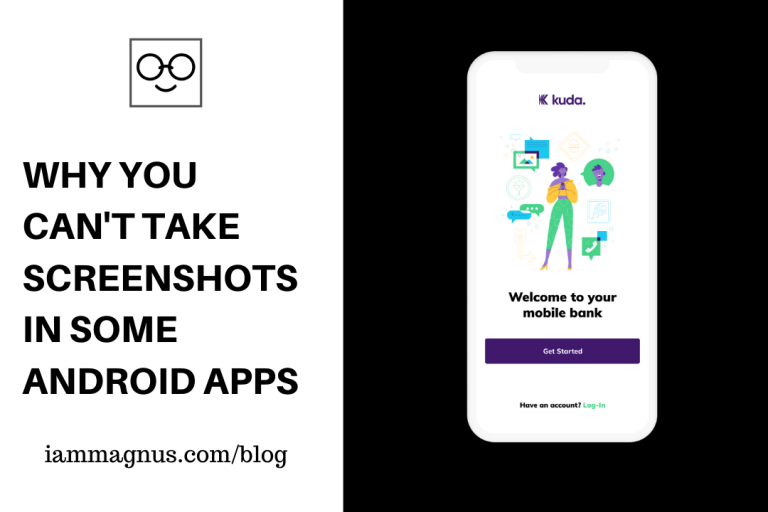
Real quick, I would like to explain why you can’t take screenshots in some Android Apps. This is a quick post:
You can’t take screenshots while using some Android Apps because the developers (of the app) built in an optional Android security feature called FLAG_SECURE which blocks screenshots and screen recordings.
– Chrome too. You can’t take screenshots in incognito mode on Chrome for Android 65 and above. As an attempt to increase security, Google has implemented this change.
I hear a lot of banking apps do this too. What other app does this? Do you think it’s a great initiative?
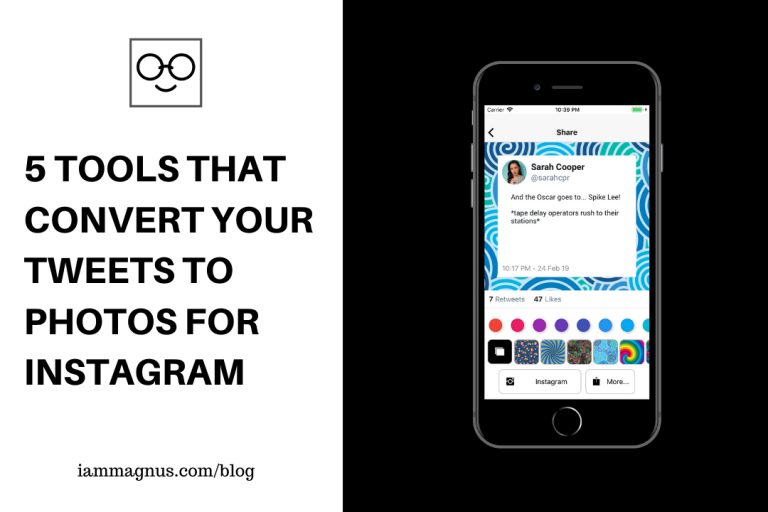
I recently realized that there are a lot of apps and websites that let you convert your tweets to photos in seconds for free. Cool right? Another awesome thing about these apps is that they do not have ads in them. Well, most of them.
Without further introduction, let’s take a look at the 5 tools that would easily convert your tweets to photos:
twinsta.ioIs a website that prints your tweet as a picture for you to share on Instagram.
twiger.launchaco.comis an app that shares your tweets on Instagram… in a pretty way. The application is available for Android, iPhone, iPad, and iPod.
Twipix.co: Is a web app that turns your Tweets into stunning visuals in seconds. It’s free and allows you to add a background and a verified Icon to your tweet. It has a lot of customization options that would suit your needs.
Tweet Cyborg:Convert tweet to Image. Just paste the URL to a Twitter post and you’ll instantly get an image of the tweet. Tweet Cyborg is a web app. So you don’t need to install anything to use it.
Twimmage:Twimmage quickly turns tweets into sharable images. Select a Twitter user; choose a tweet; add either a creative background, custom colour, or custom background; then share the image to Instagram/other social media. There is an Android App, iPhone App and Webapp version of Twimmage.
Tweet2Pic: Tweet2Pic is a small tool, which can be used to share your Twitter Tweets in the form of an image. No more screenshots. It’s only available on Android and I’m enjoying it because it doesn’t turn the links in my tweets to short links or something else.
That’s all for now. Did I miss any tool? Please share them in the comments below. Thanks!
Technology is making everything easier for everyone as we evolve and that’s a good thing, right? In this post, I will be showing you how to create a donation page (or donation pages) with Flutterwave. This is completely free to setup
What is Flutterwave?
Flutterwave is a company that lets you send, receive and process payments from all over the world. You can use it to accept payments on your blog, store and accept invoice payments too. Because they let you create invoices, payment links and donation pages for free.
Flutterwave is like Paystack, but with more options to accept payments. A Flutterwave account is free and you can create yours by clicking here
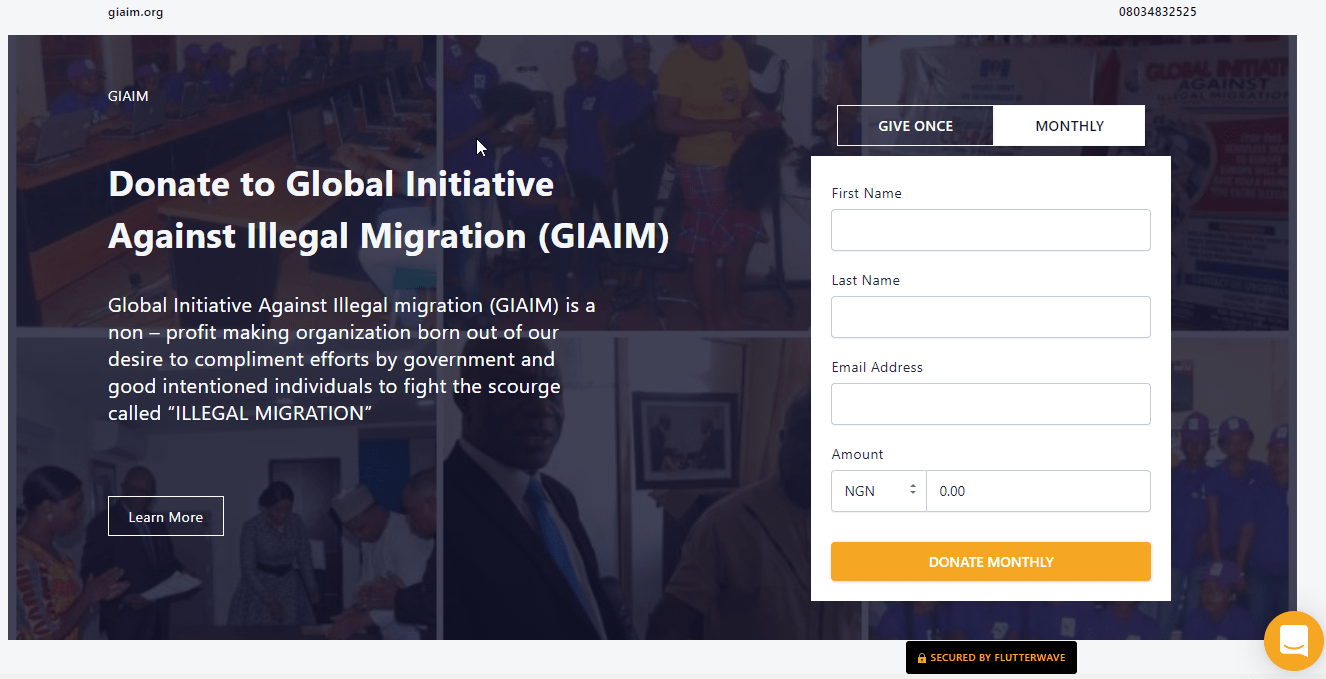
Before we get started, I would like to show you some awesome donation pages that were built with Flutterwave. I did not create these but I thought you might like them:
There are actually more donation pages out there but I thought there was no need to fit them all in this post. Now, let me show you how to create yours in seconds.
Please note that you need to have a Flutterwave account to do this. A Flutterwave account is free and you can create yours by clicking here
How to Create A Donation Page With Flutterwave in Seconds
Step 3: Click on “Create Payment Link” and select “Donation Page” Step 4: Fill in the Donation page details. I don’t think you should change the currency, leave it as it is so that anyone in the world can donate. You can also leave the amount as it is if you want the donors to donate any amount or set it to a specific amount if you want. It’s your call.
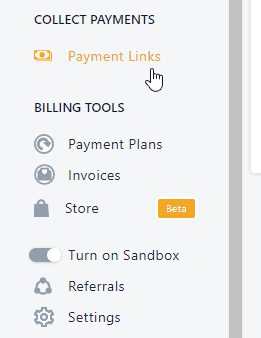
Step 5: Once you fill all the details, click on Create Page to launch your Donation page. The link would be shown on the Payment Links page.
How Do I Receive the Donation
This is easy. Just share the link to the donation page with anyone so they can start donating. The money will be sent to your Flutterwave account and later settled to any bank account of your choice.
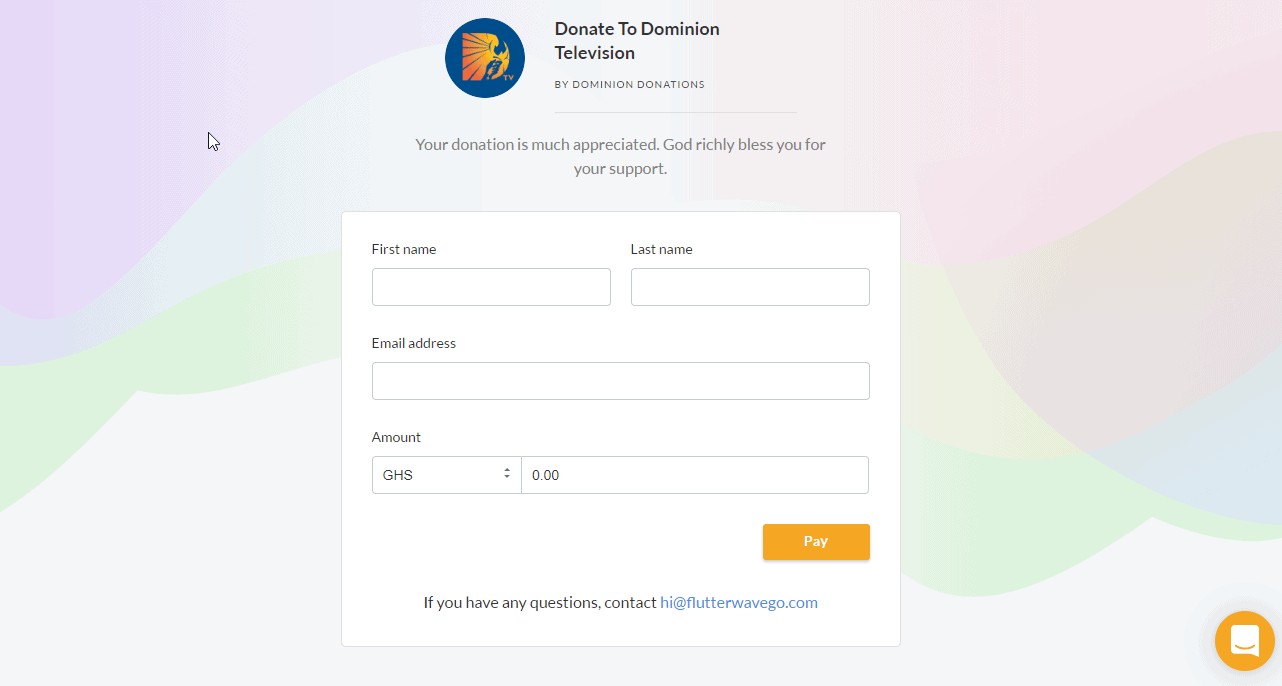
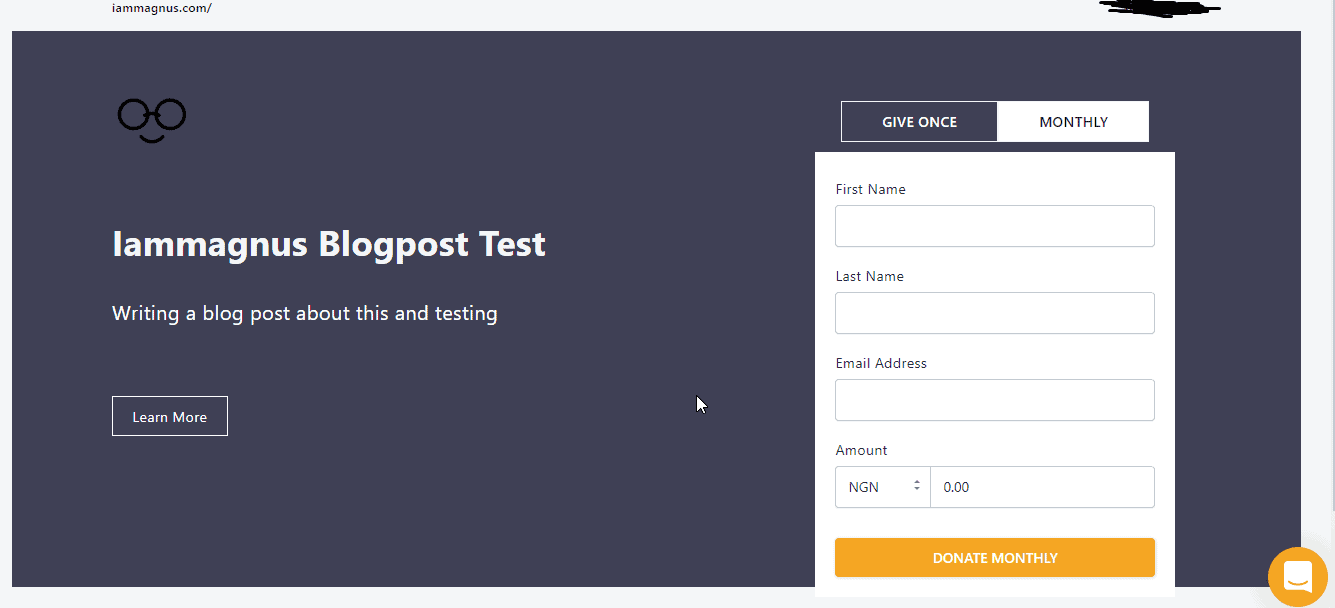
A Sample Donation Page Created in 40 seconds
I made this donation page just before writing this blog post.
I understand you might still have questions after reading this post, just leave your questions in the comments and I will get back to you as soon as possible.
An awkward photo you can’t unsee. – With Emily, the last day of Google’s Ux masterclass 2017. Learnt a lot here.
Anyways, things got serious so I had to take the job full time, learn more about what it means to be a Customer Supporter. I couldn’t have done it without some training. In this post, we will be looking at some of these places and how you can benefit from them.
Freshworks Academy was created by Freshworks, owners of the popular CRM tool Freshdesk. The platform initially housed tutorials of their products but it’s bigger than that now. You can find Marketing courses there as well and of course, some tutorials on how to become a better Customer Support agent.
Some of their courses would also earn you certificates. That is how I became a Freshdesk Certified Product Expert. I took some courses there because I wanted to understand everything about Freshdesk, how to setup, customize and update the entire software. It was worth it. You can check it out by visiting academy.freshworks.com
You can now take Udemy courses while on the go, thanks to the new feature that allows you to download the courses and watch them offline. There are thousands of Customer Support courses on Udemy and you would receive a certificate at the end of each course.
I highly recommend taking Peace Itimi’s Excellence in Customer Servicecourse on Udemy. It currently has a rating of 4.4 (from 82 people). I’m recommending it because this was where I learnt the 4 Golden Rules for Handling Customer Complaints: Listen, Apologize, Solve, Thanks (L.A.S.T) and other gems!
If you know what you’re looking for and maybe don’t want to take an entire Customer Support course then you should use Youtube. You can also find out about the differences between Customer Support and Customer Experience and other comparisons here. Also, you can find Customer Support Interview questions and answers on Youtube. Visit Youtube.com to get started.
LinkedIn Learning used to be called Lynda.com until it was acquired by LinkedIn which is now owned by Microsoft. The platform has tons of video courses in Software Testing, Data Science, Digital Marketing, Customer Support and more. Do you have a LinkedIn account? You should because you have to be logged in to get started. You can start by clicking here.
Alison offers free Customer Service training to anyone looking to grow in the Cs space. The free online Customer Service Training course will teach you how to build top-notch customer service skills. You can click here to take the free online course today to improve your communication abilities and ace any customer-facing role. You will also receive a certificate at the end of the course.
If you’re wondering what Customer Support buzz words like KPI, CSAT, SLA, CHURN are then you should check out this Customer Support Glossary by Grooveor this other one by Zendesk.
I currently work at one of the largest Gaming/BPO organisations in the world as a Recruiter and I do it from my apartment in Lagos, Nigeria.
In this post, I will cover the 10 places I know (and trust) you can find remote jobs in. These websites do not require you to pay a dime to apply for the remote jobs listed on their platform and you’re sometimes not even required to submit a CV – Yup, I hated CVs too. But most of them would want to see your experience and you would be applying to different companies with different needs so I would recommend you have the following:
A CV and/or Resume:I don’t know the difference between the two and I don’t care. They usually won’t ask for both at the same time. Just have a decent CV or Resume or something like that.
LinkedIn: You should have a LinkedIn profile. Put your experience, courses, trainings and places you’ve contributed/volunteered in there. Do it shamelessly!
Cover Letter (mostly optional): Most companies do not ask for this but just have it. A cover letter is a document sent with your resume to provide additional information on your skills and experience. The letter provides detailed information on why you are qualified for the job you are applying for. It sometimes accompanies each resume you send out.
GitHub URL:If you’re a developer. They might want to check out the projects you have worked on in the past and also see if you’re good at using version control and all that stuff.
Website or Portfolio (optional): Sometimes, employers want to see your past work before they hire you. Even if you don’t code, you should have a dedicated page, website, channel or document on the web where all your past works can be seen. Coders put their works on GitHub, Designers put their works on Behance or dribble, Photographers put their works on Instagram, Creators put their works on Youtube… etc. I do a lot of things so I designed this website and put my works in it.
NOTE: You do not need to have a degree or be a graduate to set these things up or apply for a job. A company that hires Customer Support Agents will most likely care about your Empathy and Experience than your level of Education.
Also, it’s a remote job. You would not cry all the way home if they say “No” to you… you’d most likely be at home to cry comfortably. It took a while to get my current remote job. I used to apply for 2 jobs a day, 5 days a week. I have a job now but I was still getting rejection emails as at last week because I applied to so many companies. I can’t even remember some of them. Most of these companies will not even get back to you at all, so don’t worry, its normal. Just keep applying for roles you’re interested in until you get the job you really want.
Here are 10 places (or websites) you can find remote jobs in for free:
This website is also known as WWR and it is very popular in the remote jobs community. WWR also has a Slack channel where you can meet other remote workers, Job seekers and employers who are looking to hire talents. I made a friend here as well. She had posted something about reviewing CVs for free and I reached out. She reviewed my CV and gave me a call on Skype to offer some advice. All of that for free. You will find all kinds of jobs on WWR, so be sure to look around. You can visit WeWorkRemotely.com to get started or join their Slack channel by clicking here.
Remotive helps you get remote jobs and they are family-friendly. That is, they list companies that let you make time for your family, especially if you have kids. Their mission is basically to help professionals go remote. You can check for jobs on Remotive by visiting Remotive.io.
Indeed helps you find jobs around you and sends job offers to your email once you sign up for free and upload your resume. If you’re in Nigeria, visit ng.indeed.com to get started. If you’re elsewhere then visit indeed.com. Indeed is also a comprehensive search engine for jobs, so you can spend some time there applying for jobs that interest you.
You probably hate that place or don’t know you can find remote jobs on LinkedIn but you can. Just make sure to enter “Remote” as your location on the job search page. See a sample screenshot below
Bonus tip: LinkedIn is a great place to search and connect with Recruiters in order to find the perfect job. You can use an email finder tool extension on top of LinkedIn to quickly gather information about the recruiter’s email and send a message directly. This can be an efficient way to get your resume in front of the right person and increase your chances of getting hired.
You can also find remote jobs on Angel.co. You do this by clicking on Jobs and choosing “Remote only” or companies that are not completely remote but are open to allowing employees to work from home. An Indian company was going to hire me from here but I wasn’t really fit for the role they were looking for – a travel writer. I am not a travel writer.
Dev jobs, mostly. And you will find companies who are willing to assist with Visa Sponsorship and relocation here. Visit stackoverflow.com/jobs to get started.
Golance is just like Fiver, Upwork, Freelancer, Guru, etc. but it is better because your bidding limit is UNLIMITED, membership is FREE, Processing Fee is 0%, and they only charge 7.95% as freelance fee. It’s basically like other Freelance platforms but cheaper and more flexible. You can choose to get paid via wire transfer, Paypal or Payoneer. I use Payoneer because it’s the best option for Nigerians, in my opinion.
Cross over’s mission is to connect the most talented professionals in the world with unprecedented access to high-impact, high-paying roles. They are offering over 40 different job positions in Engineering, Product Management, Support, Finance, Marketing, Sales, and Operations with compensations ranging from $10k to $1M USD/year.
Visa Jobs HQ’s platforms and resources make it easy for employers all over the globe to source talents in Africa – From the streets of Lagos to Nairobi, Accra, Johannesburg, millions of talented and highly-skilled young people innovate in tech, science, engineering, finance and management. The network singlehandedly accounts for the highest number of international job placement on the African continent annually.
13. Check your favourite companies/Cold Email
Another thing I have done in the past was to visit the websites of companies I love and find out if they are hiring. You can also shoot them a cold email, introduce yourself and ask them if they are hiring. They can only say “No” or Ignore you, it cannot be worse than that. So, try that as well!
UPDATE: I ADDED SOME MORE PLATFORMS IN THIS VIDEO
So that’s it. My list of trusted places you can find remote jobs in. If you know more and would like to contribute to this article, please leave your comments below and I will add your mention to the list. And don’t forget to shoot me a mail when you get that job. All the best!
uLesson is a very promising educational platform for learning subjects such as Mathematics, Physics, Chemistry, and Biology for now. One of the unique features of the product is that it’s deeply immersive and localized at the same time for Africans. Plus, you can learn offline without having to worry about internet subscription.
What is uLesson?
After months of teasing the uLesson App, the team behind the product finally announced the launch a few weeks ago. For those of you that don’t know, uLesson was founded by Konga’s ex CEO, Sim Shagaya. Wait… What are we discussing? I think I skipped… right, What is uLesson? uLesson is a very sleek educational product designed for anyone who would like to excel in Mathematics, Physics, Chemistry & Biology for Senior Secondary 1-3 and it helps in preparation for WAEC, JAMB and NECO exams.
Is uLesson Free?
Yes and No. I have been able to access some courses and features on the uLesson App for free. The courses are mainly videos that are really detailed. You see everything being taught on screen. You see your teacher as well. If you are looking to homeschool your kids with it or combine it with their school curriculum then I would advise you to subscribe for One Term from ₦5,000 or One Academic Year (Three Terms) for ₦24,500
and get access to all video lessons covering Senior Secondary 1-3 and much more.
You can install the Android app on your Android Phone by clicking here
or you can visit their website by clicking hereto get the complete uLesson bundle delivered to your school or country. I’m talking free delivery in Nigeria, Ghana, Sierra Leone, Liberia & Gambia!
Who is uLesson for?
uLesson is for everyone. I mean, I use the free version at the moment and I am begging for language courses on the platform as well. Please help me retweet!
Installed uLesson App a few days back and I love it!
A quick suggestion: Please teach other languages as well through uLesson (indigenous languages and languages of countries that border Nigeria – teach French) Youths (like me) will pay to learn… Thanks xD
You’re probably reading this post because your GOM Player is showing double subtitles at the top and bottom of the movie you’re watching. Correct? In this post, we will be looking at how to turn off the second or extra subtitle in your GOM Player.
There are two ways to do this:
The first option (While Watching the Movie)
Right-click on the movie you’re watching.
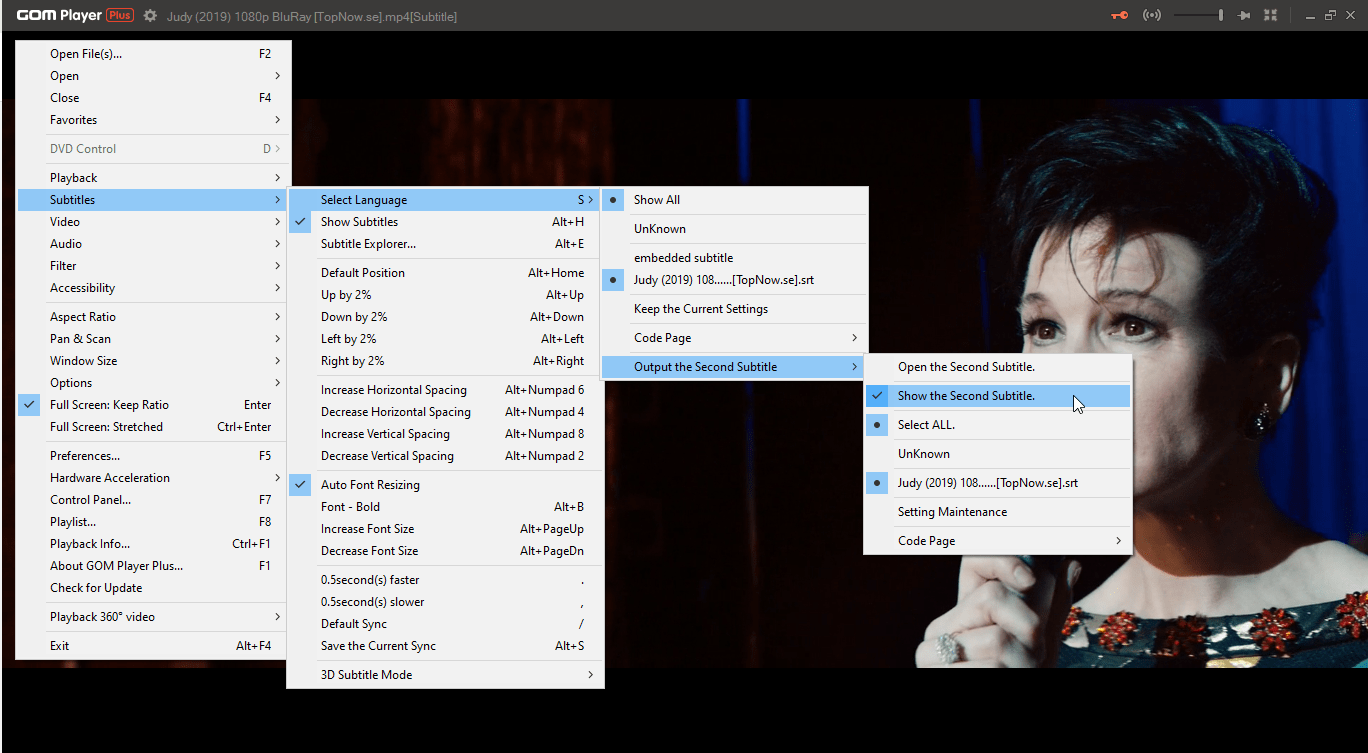
Go to Subtitles -> Select Language -> Output the Second Subtitle -> untick “Show the Second Subtitle”
That’s all. The second subtitle will no longer show. Please see screenshot below:
The Second option (Go to Preferences)
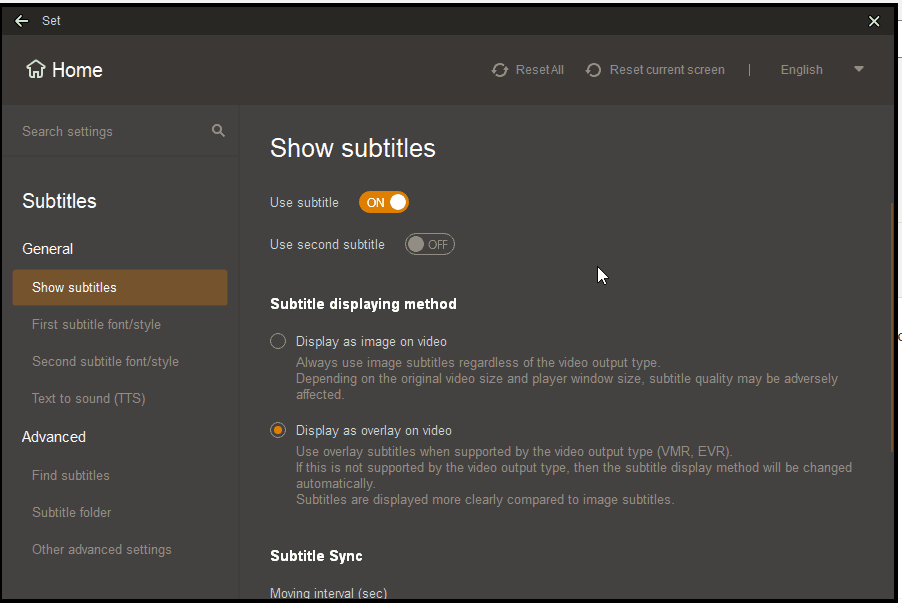
Go to Preferences on the player (You can do this with F5 on windows, last time I checked)
Click on Subtitles (to open the subtitles settings)
Then Turn off “Use Second Subtitle” – See Screenshot below:
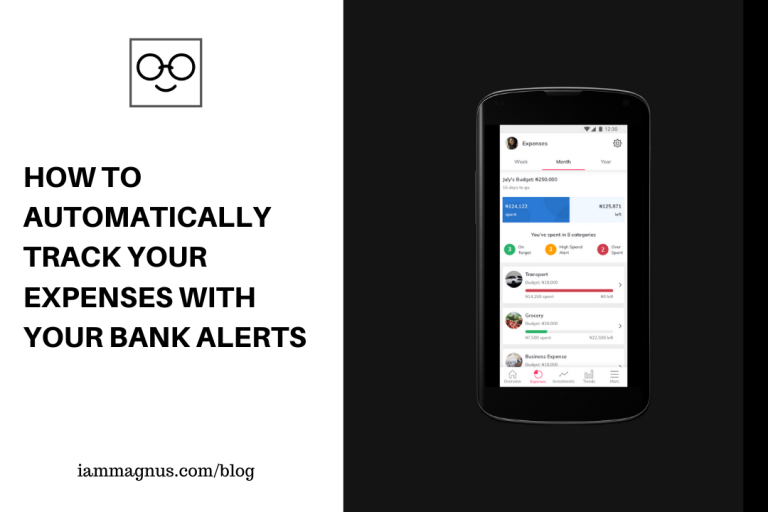
So I shared a Spreadsheet that makes it easy to track your Income and Expenses awhile ago. Have you cloned it yet? You might not need to because I later discovered an app that tracks your monthly expenses by checking the SMS alerts you receive from your bank. The app is called REACH.
I used my ATM card to pay for Chicken at Chicken Republic and this App found out through my debit alert. Then there was another expense tracked for Pizza… Pizza that I did not taste. It’s all good sha.
What is REACH App?
REACH is a mobile app that a lot of people use for expense management, collecting loans and growing their Investments. Apart from tracking how much you spend by peeking into your SMS alerts, you can also use it to create budgets and other things. It is a FREE App
Does it Ask for BVN?
Nope. I doubt it would… Maybe if you want to collect loans with it. But for any other reason(s), I guess not.
Is REACH App Free?
Yes it is and you can download it for your phone by clicking here. (Please use my code during sign up: IDL2UD)
Can I Plan and Invest With REACH App?
Yes, you can. It’s one of the additional features on the app.
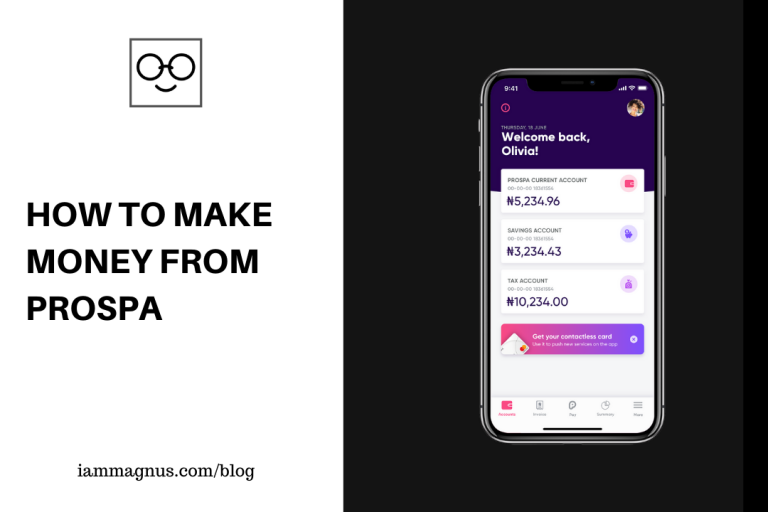
In my previous post here, I talked about Prospa, A Webapp that makes it easy for businesses (both small and big) to create bank accounts from the comfort of their offices and homes for free. Prospa also allows you create Invoices, Send, Receive and Earn money.
In this post, we will be looking at how to make some money with Prospa without spending a dime.
What is Prospa?
Prospa is a Nigerian startup that is making it easier for business owners to manage their business from the comfort of their homes. You can open a bank account for your business (corporate account), create invoices, create sub-accounts for other people, add team members to manage your funds, send money, receive money and many more from your Prospa dashboard.
Prospa is like Piggyvest, Invoice NG and your banking app all wrapped in one.
Is Prospa Free?
Yes. There is a free plan.
You can later upgrade your account to enjoy premium features and gain access to additional benefits.
How Do I Make Money From Prospa?
Open a corporate account for your business on Prospa between 25th February and 10th March 2020, using the referral code (ZYW4CT) and you receive a bonus of ₦1,000 to get your account started. Let me break it down:
Open an account for your business – use referral code (ZYW4CT) in the referral code section.
You will receive your account number in your company name in 5 minutes.
You will also receive a ₦1,000 deposit into your account immediately after registration.
You will also get your own referral code after registration, so when anyone creates an account for their business with your referral code, they’ll receive ₦1,000 and you will receive ₦1,000 as well.
Is Prospa Safe?
Yes. Prospa Technology Limited is a company duly registered under the Laws of the Federal Republic of Nigeria with RC Number: 1594615. Account numbers to all bank accounts opened on the platform are provided by Providus Bank Plc, a company duly registered under the Laws of the Federal Republic of Nigeria with RC Number: 198892 and duly licensed by the Central Bank of Nigeria.
Are Accounts on Prospa Insured?
Yes, all accounts on Prospa are insured up to the NDIC limit. Prospa works with NDIC-insured banks to store your deposits, namely Providus Bank and Alpha Kapital Microfinance Bank.
I Have More Questions
I understand. Most of the questions you may have are already answered here
You can also email: hello@getprospa.com or Call: (234) 907 2191 521
Reach out to the contacts above if you need help. They are always more than willing to help
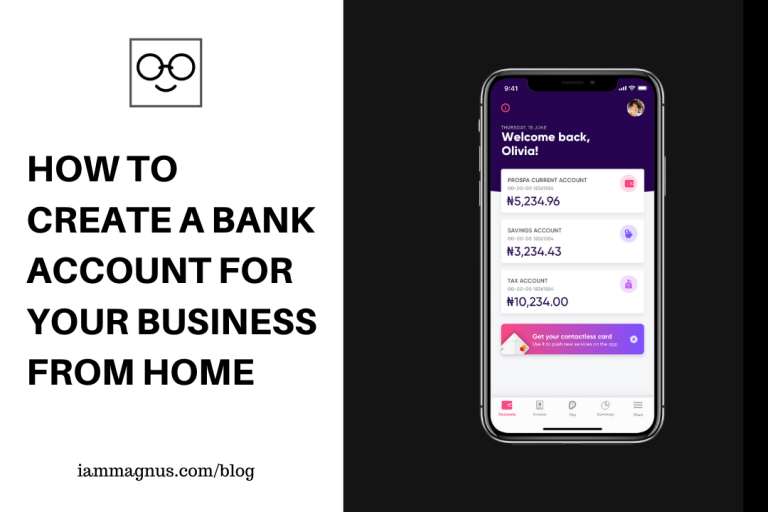
Prospa is a Web app that makes it easy for businesses (both small and big) to create bank accounts from home for free.
A friend and I started a business (4ward.ng) in 2016. It took another whole year to open a bank account for the business. We had the Corporate Affairs Commission (CAC) documents and all the usual stuff you’d need to open an account (like Nepa Bill) but more information was being requested by the bank when we’d visit to open an account. We succeeded in opening the account before 2017 ended. It was a lot of stress! I wish there were ways to make it easier at the time. There is now.
In this post, we will be looking at a Web app that allows you to create a business account (from bank accounts to invoicing tools) and manage this account from the comfort of your home. Before you ask, YES! It was created for Nigerians by Nigerians so you don’t need any “special documents” to use it.
What is Prospa?
Prospa is a Webapp that makes it easy for businesses (both small and big) to create bank accounts from home for free. But that’s not all. The platform has extra features such as Invoicing which allows you to basically request money from anyone or create invoices to pay your employees.
Personally, I like the fact that I can create a current account for my business and even other people’s businesses with Prospa. Saves me a lot of stress.
What Else Do I Get When I Open an Account?
The usual benefits you receive when you open a bank account for your business and even more, actually.
1. A fully operational Current Account
2. An account number
3. You can send and receive instant payments
4. Human support 365 days a year
5. A Debit Card
Is Prospa Free?
Yes. There is a free plan.
You can later upgrade your account to enjoy premium features and gain access to additional benefits.
Is Prospa Safe?
Yes. Prospa Technology Limited is a company duly registered under the Laws of the Federal Republic of Nigeria with RC Number: 1594615. Account numbers to all bank accounts opened on the platform are provided by Providus Bank Plc, a company duly registered under the Laws of the Federal Republic of Nigeria with RC Number: 198892 and duly licensed by the Central Bank of Nigeria.
Are Accounts on Prospa Insured?
Yes, all accounts on Prospa are insured up to the NDIC limit. Prospa works with NDIC-insured banks to store your deposits, namely Providus Bank and Alpha Kapital Microfinance Bank.
Can I save with it?
Sure. Every Prospa account comes with a bank account number you can receive money in. You can also send money with it. It’s your business account. Own it.
How do I register?
Visit getprospa.com Fun Fact: I have never stopped calling them “Get Prospa” lol
I Have More Questions
I understand. Most of the questions you may have are already answered here
You can also email: hello@getprospa.com or Call: (234) 907 2191 521
Reach out to the contacts above if you need help. They are always more than willing to help
My thoughts
I have always liked the idea of not going to the bank for any reason. I mean you already have to go through the stress of sorting your NEPA bill, registering your business name etc. in the name of setting up a business. Why should it be so hard to open an account and receive money from customers? I also like the fact that there are so many other features on Prospa – like the Invoicing feature. Sorry Invoice NG. I’m really looking forward to the other features they’re working on – and that business loan option too!