Sorting by

×
Home Blog Page 9

5 Trusted Apps For Saving Your Passwords and Credentials

0

When it comes to saving important things, we need to be careful. It is very easy to misplace very important things like passwords for instance. Your membership information, insurance cards, Wi-Fi passwords, all need to be kept safe. We can’t put all of this information in our heads and always remember them. It’s very hard. This means that you need options of places where you can keep all of this information and retrieve them when you need them. In this article, we will be recommending the top 5 places that have been tested and trusted by users, where you can save/store all your passwords and credentials. Let’s check them out.

Lastpass

LastPass is a secure website that can help you with storing all that delicate information. Since a lot is happening online, we now work online, chat with friends and family online, and do a wide variety of things digitally. LastPass allows individuals to stay safe through it all. With LastPass, you will have safe access to all of your passwords and credentials whenever you need them. You can use LastPass for yourself or for business purposes.

LastPass will also serve as an auto-pilot for all of your passwords, no matter the device you are saving from. All you need to do with LastPass, is to signup, log into your account and you’re good to go. The moment you save a password with LastPass, it will always be there. You can come for it, whenever you need it.

LastPass also makes online shopping very easy for individuals. Many times, filling information on shopping websites can be very tedious. Because let’s face it, they ask us to fill in a lot of information. So, once you have saved all of this information with LastPass prior, LastPass will automatically fill all your details for you. Your LastPass profile is all you need to stay connected. You can also share these stored data and information with co-workers, family or friends if you so wish.

Keeper

Keeper is a personal password manager. Keeper will help you to store all your passwords for all your accounts and by so doing, protect you from cyberthreats. Keeper is also a good option when it comes to cyber defence web tools. There is the Keeper Family package that allows you to protect your whole family from cyber thieves and hacks. You can also protect your business or corporation with the Keeper Enterprise package. Keeper is totally easy to use and is a very flexible security platform.

Dashlane

Dashlane is a very good option for you to entrust with your password storage. Dashlane will help you to generate very random and strong passwords for your cybersecurity needs. Dashlane advises their users that the more random and strong their online passwords are, the more secure they become online/in the digital world. Dashlane does not only create passwords for you, it will also save these passwords for you and autofill your passwords! This means a very simple and easier life you will be having online.

They also promise to never sell your private information and their platform is completely ad-free. Dashlane is rated by top web companies like Trustpilot, Wired, etc. There is also the Dashlane for Business package and the personal Dashlane manager for you in your profile.

Passwarden

This is a good password manager and security company that you can also put trust in. The platform is totally easy and safe to use. You can access your passwords and information from multiple devices in one Passwarden account. The data you store with them are safe with efficient encryption protocols. You can also share your data with your team and family securely. You can store personal information like SSN, ID cards, driver’s license, etc. You can store payment information like credit card info etc. All with Passwarden.

Google Passwords

Google the Lord of digital creations also has a very good option for you. And we assure you, you can completely trust Google. Google Passwords has a Password Checkup tool that helps to run a check to see if your passwords were exposed in any third-party breach situations. It will also advise you whether to change your passwords or not, depending on the situation. Google Passwords will save your passwords, autofill for you, keep a record of all the sites you have passwords for etc. All you need to get started is a Google account.

Conclusion

Conclusively, all the 5 recommendations above are fantastic options that you can entrust your information with. Whether the information is a password, credentials, payment info, etc. They are really effective at their security job.

Recommended: 5 Websites That Let You Create Logos For Free
5 Places to Generate QR Codes for Free

0

QR is an acronym that stands for Quick Response. QR codes are fully called Quick Response Codes. They are matrix barcodes that first originated in Japan in 1994 for the automotive industry.

QR codes can be read by machines and are optical labels that usually carry information or data about the item onto which they are attached. QR codes are important in today’s world because they are more efficient, useful and store much more data than the standard and old-school bar codes.

QR codes can also store different types of data ranging from URL links to geodata to texts etc. Also, you don’t necessarily need an old-school hand-held scanner before you can scan a QR code. QR codes are scannable by most modern smartphones. This gives QR codes a huge advantage over the standard bar codes. The rise in the use of cell phones in today’s world and mobile applications has given rise to more need and usage of QR codes.

Putting all that definition and introduction aside, let’s move on to the reason you’re reading this piece. Below, we will be listing our top 5 recommended free-to-use QR generators for you. There are a number of tools on the internet that are available for you to generate your free QR codes. Whatever purpose the QR codes will serve for you, these tools we recommend below will generate the QR codes for you effectively and for free too.

Table of Contents

VisualCode

This is a free QR code generating tool that enables its users to create QR codes both on iPad and iPhone devices. Also, after generating your QR code with VisualCode, you can store the QR code, share the QR code or even print it out on whatever item you want it on. You can also use Siri, your Apple assistant to display your favourite QR code. This online QR generation tool makes the top on our list because of how easy it is to use and how effectively it gets the QR generation job done. The QR codes generated can be scanned by most Android devices, hand-held bar code scanners, barcode scanning apps, iPad camera etc.

Quick QR Code Generator

This is a Chrome extension that can only be used on your PCs. The QR generation tool is able to run offline and it has many functions. It can convert any page that you are working on into a QR code. All it takes is just one click. The extension is entirely free to use by everyone. It offers realtime QR code generation, you can customize the colour and size of your creations, you can also create a QR code with a logo of your brand attached. This QR code generator is very handy and useful for you and you can get the work of QR code generation done real quick and without any hassle. It is used by up to 300,000 users and it also runs offline.

Link to QR

This free QR code generator allows for full customization of your generated QR codes. You can choose to attach your brand name to the QR codes you generate, you can change the border shape of the QR code from a perfect square to a perfect circle, you can give the QR code a transparent background or a plain white background depending on your taste. Also, the QR code can exist in any colour of your choice from the standard black colour of QR code to green, pink, purple or any other colours. Once you have successfully designed and created your QR code, you can save it to your device, share or print.

Visualead

Visualead will help you create your own visual QR code for free. Visualead said on their website that their aim is to create and allow for better interactions between brands and their customers. Visualead does not only deal in the generation of QR codes, but they also deal in scalable cloud architectures, machine learning, security and encryption process etc. The company is from Israel and they have partnered with many top brands like DailyNews, eBay, Alibaba and more. They are also constantly developing new technologies and innovations to improve their QR code generation game.

QR Menu Creator

This website allows you to share a QR code with your customers and they will instantly be able to see your menu once they scan it. You can also update your menu at any time and it will automatically be updated in the QR code. You don’t need to reprint the code again. Menus, as in Restaurant menus, can be made digital using their tool.

Also, due to these COVID-19 times, you can create a digital menu instead of a physical paper one that has the risk of spreading COVID. Top restaurants like The Red Cafe, Relish, Sushi Street, etc., already use QR code menu to show their customers what they have in their restaurant to serve them.

Conclusion

These 5 tools we shared with you are really fantastic QR code generators. You can pick the tool you prefer especially based on the type of QR code you need, and for the purpose, you need it for.

Recommended: Turn Your Blog Post Into a Twitter Thread in a Single Click

7 Websites That Let You Generate Privacy Policies For Free

0

Writing privacy policies for your app, website or product used to be a really difficult task because it required you to check out other platforms that have done it before (including your competitor’s) and sometimes copy them, even. You would then go on to modify their policies to match yours. At least, that’s how I did it until recently.

Let’s take a quick look at 7 places to generate privacy policies for free.

Privacypolicygenerator

Privacy Policy Generator is free, and it is one of the platforms to generate Privacy Policies, with no-frills option. All you need to do is to fill out some fields, which will take you not more than 60 seconds and after that, your privacy policy is ready to use. If you’re in a hurry, then this is a good option, also, this is by no means comprehensive. Later on, you might likely want to include more robust details that meet GDPR requirements and other pertinent laws that might eventually affect your business.

Freeprivacypolicy.com

Free Privacy Policy includes several provisions and sections to help you effectively in protecting your customer’s privacy.

Steps in Creating Private Policy.

  1. Firstly, Generate your Privacy Policy
    This is done by answering a few questions about your business and your Website Privacy Policy. More so, it takes less than 15 minutes in answering these questions and your Website Terms and Conditions agreement is created and ready to be on your website.
  1. Secondly, Download your Privacy Policy.
    After generating your Privacy Policy, you Log in to your account, and you then download the Privacy Policy you just generated. Free Privacy Policy saves each Privacy policy that’s been generated on their systems, making it easier for it to be accessed at any given time.
  1. Thirdly, Update, or Edit your Privacy Policy.
    To update your Privacy Policy, simply log in back to your account and then click on update your Privacy Policy. Editing also doesn’t ask for much, make sure you’re logged in to your account, click on edit, then edit your Privacy Policy.

Free Privacy Policy is known to be the most popular Free Privacy Policy Generator. Over 1,030,043 site owners have been helped in creating custom, easy to read, and highly effective Privacy Policies.

Livechat Privacy Policy Generator

Live Chat Privacy Policy Generator gives you a sample to follow, which should be a starting point for one who wants to generate Privacy Policy. The templates on the site can be modified to your paste. It covers all the basics, but as a business owner, you will know what exactly suits you the most. It takes only two steps and two minutes to generate Privacy Policy on live chat.

Firstly, fill in the form correctly. Note, the site doesn’t know the details of your business, thus legal advice can’t be provided for you, or any legal documents adjusted to your particular requirements.

Secondly, you generate your Privacy Policy, make sure you go through it to be sure that’s what you want and it’s applicable to your business and it meets the necessary requirements. Private Policy are also updated here on Live Chat, keeping your privacy policy up to date can save you a lot of trouble, and Live Chat tool is accessible and available to everyone.

Docracy

Docracy is an open-source, a standardized privacy policy that can be used to generate and customize Privacy Policy. The standard Privacy Policy was provided by experts and hosted by Docracy, and can provide a good starting point for many common app types. To customize or improve, branch the document. Then when you submit your apps simply link to your policy. More so, the best starting point can be selected from this open-source:

  • When using Geolocation
  • When showing Ads
  • Just the Basics

For App Developers:  Docracy can provide a good starting point, and host your actual policy. Major App stores are now required to inform users of app privacy policies. App Developers can just pick any of the three listed above options, then Branch and customize it, you then link to the mobile URL in the app store. Your users will see the latest version, as you update your Policy on Docracy.

TermsFeed

TermsFeed is the best legal pages generator online. However, it’s not for everyone, and its free templates will only get you so far. TermsFeed auto-generates your documents based on your answers to questions regarding your business. It’s quite simple. Just click Generate Agreement and choose from the menu.

Next, TermsFeed makes you fill out a questionnaire about the nature of your services. For example, whether or not you collect email addresses or ask for location data.

TermsFeed constantly monitors the legal landscape. If the law changes, you are notified with the required updates instantly.

Avodocs

Avodocs is the perfect solution for startups and small businesses. They propose free access (really, no strings attached), user-friendly interface and easy to start solution for those who need to draft the documents fast and cheap. The content is good and balanced.

Avodocs is not a law firm neither a substitute for an attorney or law firm. They also provide self-help services at what you need specifically. Communications between Avodocs and the people using the site are protected by the Privacy Policy.

App Privacy Policy Generator

This app is also known as Firebase App Policy Generator. You can download and use Firebase if you’ve created a mobile app that collects personal information from people. Just enter a few details and you’re done, the tool lets you create a Privacy Policy for both android and iOS apps. Firebase also creates privacy policies for free, open-source, freemium, ad-supported, and commercial apps. Google Play services are also included in the privacy policy of third-party.

More so, it’s a simple tool that instantly generates privacy policies for an app without even requiring for an email confirmation.

Recommended: 5 Free Plagiarism Checkers You Should Check Out Today

5 Tools For Enjoying Netflix With Friends

0

Your Netflix Experience can be optimized in simple ways, even when you don’t know what to watch. We will be looking at some really awesome tools for supercharging your Netflix experience alone or with friends. Let’s get through these 5 tools to help you enjoy your Netflix experience with friends.

Netflix Hangouts

Netflix Hangouts is a new Chrome extension that makes it easier to get away with watching Netflix while you’re supposedly said to be busy with work. During work hours, all you need to do is to click on the show you what to catch up on during work hours, and then press the extension’s icon in your Chrome menu to bring up a fake four-person conference call. Then the show would be displayed in the window’s bottom right feed while three fake colleagues display on your screen, and you sit back and watch the show with ease.

Netflix Offline

You can download select TV shows and movies on the Netflix app to watch offline later. Watching downloaded titles offline does not count toward the concurrent streaming limit of your plan. To find TV shows and movies to download:

  • Open the Netflix app and tap Downloads. Select See What You Can Download, Find Something to Download, or Find More to Download.

To download:

  1. Open the Netflix app and select a TV show or movie. Not all titles are available for download.
  2. From the description page, tap Downloads

To download from Netflix, you need:

  • An active Netflix account
  • An internet connection
  • The latest version of the Netflix app. (If you don’t have the latest version of Netflix app, you’d develop difficulties in Downloading)

Netflix Party

Netflix Party (now Teleparty) is a new way to watch TV with your friends, relatives, or loved ones online. Video playback is synchronized by Netflix Party and adds groups to Netflix, Disney, Hulu, and others.

Steps on how to use Netflix Party (now Telepathy)

  1. Firstly, you have to install Teleparty
    Follow that link above, you start by clicking the “install Teleparty” button. Then you would be redirected to the Chrome Web Store, click on. “Add to Chrome”. Then Teleparty would be installed
  1. You then Pin Teleparty to Chrome Toolbar
    The Tp button would be next to your address bar, after the installation of Teleparty.
  1. Open a Video
    Go to Netflix and open a video, or any other streaming sites, then start playing the video.
  1. Create a Teleparty
    To create a Teleparty, click on that red “NP” icon located next to the address bar. Then you click on “Start Party” to get the party started, to invite friends, you then share the party URL.
  1. Join a Teleparty
    To join a party click on the party URL, which will redirect to Netflix’s website. Then click on the “NP” button next to the address bar, and you should automatically join the party.

Trim: IMDB Ratings on Netflix

Trim shows you IMDB and Rotten Tomatoes ratings of movies on Netflix. Two users can also chat while watching the same movie together. Make sure you rate a show or movie after you have seen it. You get a better recommendation to offer with the key data Netflix has on your interests. So by rating, this movie your interest becomes known to Netflix.

TRIM Features:

Allow two users to chat alongside watching the same movie together and this brings another Netflix Experience.

It switches on and off IMBD ratings

It also shares the extension on Facebook and Twitter

Provides links for Netflix to IMBD if available

Also provides links for IMBD to Netflix of available

Mate

Mate lets you easily translate Netflix subtitles. You can save any word, phrase or sentence from subtitles in one click. Export saved data to Reji or a CSV file for further learning. Mate is available as a browser extension for Safari, Chrome, Firefox, Edge, and Opera. Mate has over 103 languages, also gives perfect pronunciation.

How does it work?

  1. On words or select phrases with the mouse to translate. Translation can be seen right in the player. Coupled with synonyms, phonetic transcription.
  2. Words are automatically categorized by series and episode names, distinct features.
  3. Saved Vocabulary: It can be exported and be converted to a CSV file.

Scener

Scener is a free service that enables you to watch shows and movies socially from any major streaming platform in perfect sync

5 Websites That Let You Write a Letter to Your Future Self

0

Where do you want to be in 5 years? or rather, where do you see yourself in 5 years? Don’t tell me. You can write a letter to your future self about your aspirations and find out how much has changed when you receive the letter in the future.

Futureme.org

You’re allowed to send Letter to your Future self on FutureMe.org. It let’s you create an email time capsule to be delivered at any date up to Fifty (50) years in future. Images can be added to your message if you see the need to, and the option to post your messages anonymously on the website is also available. FutureMe also has an option where you can decide to share your message publicly, which gives anyone access to read it. Other users messages can be read as well.

You can register on FutureMe with your email address. Your letter will be locked until the time you chose in the future. Just be sure you input the correct email.

With FutureMe.org, you can remind yourself of the dreams you once had, write about your feelings on current events, send yourself birthday greetings, or ponder classic questions like “Where do you see yourself in few years to come?” The contrast between what you think about your current situation now and what you will remember about it in a few years can be stark.

Letter to Yourself

Letter to Yourself helps to write a letter to somebody else about something to remember or something that’s very important to you right now. Anything can be sent through this platform, really

A delivery date is always set here, you choose a date you want the letter to be delivered. Also, you can choose an approximate date in the future and the letter would be sent when the time has come.

Receiving the Letter: When the time has come, a message will be sent to you as a physical letter to the provided address. The letter will contain your message framed by a beautiful design from Letter to Yourself

Letter From You

Letter from you handwrite your letter and mail it on the chosen date with sealing wax. Your letter is been prepared by them. You can write about your business and add your own custom logo for wax seal, this is applicable for the business plan only.

You can also write to your clients how much you appreciate their business, you can ask questions too, on how to be better and also on how to serve them more. You can also send a handwritten letter to your family and friends through Letter to you, telling them how much you love them.

There are so many other Letters that can be written on this platform, go, write, to that your lover, express yourself. A Letter to your Future self can also be addressed there

The Self Club

Self Club is a platform created so you will never forget the core lessons and values that provide a sense of direction for your life. Self Club believes in your ability, on you being the best advisor and guide, you being wiser than you know, Self Club believes it’s all inside of you, let your light shine, by writing this Letter to your Future self.

How to write:

  1. You write a  letter to your future self in the future, with an email format! Goals, reminders, visions, predictions, love messages, realization, thoughts, wishes…whatever your Future Self needs to hear. What do you not want to forget in a week, a month, a year, a decade? Self Club gives you the room to write whatever you want to write.
  2. Choose the exact date in the future when you want it to be sent. Then Click Send!
  3. Click on the confirmation email you will receive to verify your email address.

All set! Go on and live your life.

Self Club doesn’t share email or any other letter data with third parties, so your email text is confidential. Not all public letters will be published.

Letter to my Future Self

Letter to my future self is a service that was created to help people send a letter to their future self.

The setup is simple. All you need to do is draft a letter to yourself, put in your email address and pick when you want to get the letter – for example, in a week, a month, a year, or even up to 10 years later.

No one else can see the words that you’ve written, so you can write whatever you want here, share you wildest thoughts and imagination, and have peace of mind that no one will be judging you for it. Your message is stored encrypted.

You might want to write a short note to motivate yourself on a weekly/monthly basis, or you can write a more detailed letter and send it to yourself a year later, how you use this service is up to you. The choice is all yours.


Turn Your Blog Post Into a Twitter Thread in a Single Click

1

Some days you might not feel like sharing links to your blog posts on Twitter. Some days you just want to share excerpts or an entire blog post on Twitter so your followers wouldn’t need to visit your blog. In this post, we will be looking at a tool that let makes it easy for you to turn your blog post into a Twitter thread in a single click.

Turn Your Blog Post Into a Twitter Thread

This tool is a chrome and firefox extension called Chirr App. Chirr App allows you to automatically convert a blog post into a Twitter thread. That’s all it does and all you have to do is install the extension on your Chrome browser or Firefox.

Is Chirr App FREE?

Yes and No. You can use it for free but the free version supports only 10 tweets per thread. You would need to upgrade to the pro version to add more tweets to a thread, schedule tweets, add tweets to queue and many more.

You can learn more about Chirr App here

Don’t forget to check out my other post on: 10 Places to Create Ready-to-Print Certificates For Free

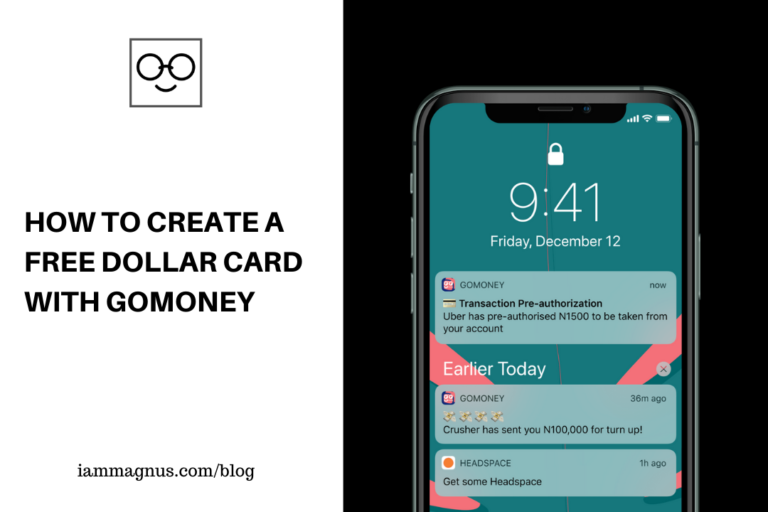
How to Create a Free Dollar Card With Gomoney

0

I’m not sure when they launched but I discovered Gomoney when I was looking for Nigerian banking apps that would let me generate Dollar cards for free. This is not a sponsored post by the way.

Some of my guys use Gomoney because they can easily generate dollar Mastercards with it and I hear their rates are decent. But that’s not all there is to the app.

What is Gomoney?

Gomoney is a banking app that lets you save, send money, receive money and pay your bills. It’s similar to other banking apps you might know. To me, it’s a mix of Barter App and KudaBank because you can also generate dollar cards, send money to your contacts and pay your bills with it.

Is Gomoney Free?

Yes, it is. You can sign up for free and start saving or paying your bills with it almost immediately. The app is available on Google Playstore and iOS Appstore for iPhones.

How to Create a Free Dollar Card With Gomoney

The cards! You can create a Virtual Card for online payments and subscriptions to merchants like Netflix, Apple, Uber etc. You can also create a Physical Card that would be shipped to your location. You can create a free dollar card with gomoney by swiping left on the homepage after you have signed up.

You get to create a free card when you join the platform! Here is what Gomoney had to say about their cards.

Every user is entitled to one free virtual card: This means that the first card you create on your gomoney account will be FREE, but subsequent cards will cost N850.
Maximum of 3 cards per month: Every gomoney user can now generate a maximum of 3 virtual cards every month. Virtual cards are also limited to an international spending limit of $100 per month, regardless of how many cards you generate.
Tier 3 account for virtual cards: Originally, gomoney users with a Tier 2 account could generate a card. But, at the moment, CBN only allows Tier 3 customers to carry out online transactions. Since you can only use virtual cards online, we updated our card creation requirements to ensure that every virtual card can be used once it is created. Now, gomoney customers need to upgrade to a Tier 3 account to be eligible for a virtual card.

Can you use Gomoney without BVN?

No. You’d have to enter your BVN for verification. This is required at some point and Gomoney is not the only platform enforcing this. I think it’s a requirement on every fintech app these days. If you don’t enter your BVN at first then you would be required to upgrade (with BVN) later.

Is Gomoney Safe?

Gomoney is in compliance with all of the CBN’s guidelines and all deposits are insured by the National Deposit Insurance Corporation. For added security, they’re also ISO 20000-1 and ISO 22301 compliant, and PCI-DSS compliant. This just means that they take you and your money very seriously and have taken all the necessary precautions to ensure that you never have to hear long story.

Can I save with it?

Yes, you can. You can receive money from any Nigerian bank. Your bank name will be “gomoney” and your account number is the last 10 digits of your phone number.

How do I register?

Please visit Gomoney.global

My Thoughts

I think their features are pretty great and you should try the dollar card feature. I’m also looking forward to more features on the app. Another thing I’m wondering is if they would have investment options in the future. If they don’t then it’s cool too. There is nothing wrong with being a platform that lets people save, send and receive money, and create cards. Especially for free.

5 Places to Find Companies Hiring Around You

0

A while ago, I made a post about 10 places to find remote jobs for free and I had people asking about non-remote jobs, especially the ones in their city. In this post, I will be showing you 5 places to find companies hiring around you.

Pace.Africa

Pace Africa’s Job search page lets you choose jobs by salary range, employment type, level, company size and many more. One of the cool things about Pace Africa is that all the information about the job you’re applying for are laid out and the location/city is specified as well. On the Job search page, you can input a location and jobs in that location will show up.

LinkedIn

LinkedIn search allows you to search for jobs by location, industry, language and many more options. All you need to do is to use the search bar at the top of the site, then apply the filters. Another interesting thing about LinkedIn is that you can check if your favourite companies are hiring by searching for them and clicking on the Jobs tab, like in the image below:

Spin jobs vacancy linkedin iammagnus

Indeed

Indeed’s search page allows you to choose your city and country while searching for a job or company. Indeed is also one of the few job websites that let you upload your resume while searching for jobs in your city or in a particular location. Indeed also shows you company reviews, so you can get to know what people are saying about a company before you apply.

Facebook Jobs

Facebook Jobs allows you to find vacancies and apply for jobs around you with your Facebook account. Jobs on Facebook is just a page and you can find all categories of jobs there. It shows you jobs in your “current city” first but you can change that location to anywhere you want. You can also subscribe to be notified about new job openings on that page.

Angel.co

Angel.co is also known as Angel list. The platform gives you access to startups, businesses and new products that are about to launch.
You can easily apply for jobs on Angel list. If you are looking for jobs around you then use the search feature. This search feature lets you search for roles by location and other filters.

You can also track roles you applied for, check messages and find companies that might be interested in you on Angel List.

Jobs on Google Search

This is a bonus. You can find jobs around through Google Search. Simply go on Google search and type “Jobs near me”, you’ll find companies hiring around you. You can also search for: Hiring around me, Jobs around me, etc.

5 Free Featured Image Designers For Your Content

0

Have you created an awesome content like a blog post or YouTube video and you need a featured image to help you sell your message? Well, you have come to the right place because I would show you five free graphic editors that you can use to create your featured image.

Pixlr

Pixlr is a strong, free program for photo-editing. It’s incredibly close to Photoshop with minimal functionality. It’s one of the most convenient GUI picture editors available on the market. The tools used in Pixlr are different because they can also open the PSD extension file, making it the most awesome program available. For several purposes in business use, Pixlr is the best tool to easily edit pictures, you can delete shadow of images and create new images in jpeg, png, and other formats.

Pixlr is also able to adjust the image background colour without affecting the image itself, and for business logo and social promotion, you can easily create a transparent image. The app is stable and easy to manage for image editing with lightweight tools. With all these powerful features, creating a featured image should be a breeze.

Canva

With a beautiful and instinctive UI interface, Canva is so simple to use. The user experience is great as well. It has a free edition with design models that are readily available and that only needs to be personalized according to your liking. Compared to those in the same group, it is relatively an inexpensive software. Canva also has mobile apps that lets you make on-the-go designs and synchronize all the designs you have made, regardless of the platform you have used.

It also makes it so simple to build your YouTube, Facebook, Instagram, LinkedIn featured image as well as posters you use to advertise offline, Canva is commonly used by content creators (e.g. bloggers, YouTubers to create video thumbnails), so a large audience uses Canva as a program for photo design. It’s really simple to use and gives you a lot of free design material. You don’t usually need to check for photos outside of Canva, but if you like, you can. It has the ability to export to PowerPoint for presentations.

Desygner

Desygner is a powerful app for designing excellent posts and featured images. You’re not going to have to pay for it. The app has so many layouts and templates preloaded and split according to their type, such as social media posts, billboard art, graphic design, etc. It has official templates that can easily be edited and customized by simply clicking on them.

The app also gives you the option to choose the output file format and the best quality. You can join the creator community and post your templates there. You can also purchase premium templates if you need them. The post or design you create through this app can be used for any professional printing because of its A-grade quality.

PicMonkey

PicMonkey provides tools for graphic design and picture editing, as well as featured images, wedding invitation, design templates, announcements, thank you cards, business cards, etc.

Although free users can access most of the tools and features on the site, membership is required for the complete workflow of design and photo editing, including saving, sharing with social media such as Facebook and Twitter, and access to the integrated cloud storage choice of PicMonkey. It has a great selection of stock photos and graphic creation. PicMonkey has the ability to quickly create a collage of photos and add some filters, text, stickers. In order to incorporate its tools directly into a website, PicMonkey has an open API for developers.

Easil

Easil is like Canva on steroids, with higher functionality, better models, and great customer support!

The best way to create digital & print graphics is with Easil. Pick a template, and in just minutes, drag & drop to change. With Easil, an application that allows you to create your own customized graphics for social media or print, you can simplify your design process and amplify your message. To inspire you, you can find thousands of ready-made models, so you can make beautiful, personalized pictures that are totally special and simple to share. It provides an option to create layers in such a way that components can be grouped, renamed, and arranged visually, with the ease that the components do not need to be deleted, but only concealed.

Check out my YouTube videos

X