Sorting by

×
Home Blog Page 7

5 Places to Find Free Responsive Email Templates

0

Need free responsive email templates?

Email marketing is a big business in the internet marketing world. If you own a brand that you are trying to promote online, then trust me, you don’t want to miss out on the real deal of it, which is email marketing. Email marketing as a form of marketing is a huge strategy used online nowadays to get audiences to patronize a service or business.

We just defined what email marketing is to you, in very simple English. Based on statistics published in 2018, email marketing was ranked the most effective channel through which businesses can promote themselves. Yes, that was in 2018, but that data is still relevant today in 2021. Trust me, the experts know what they are saying.

Once you have managed to gather those subscriptions into your email newsletter, the next thing is to start sending very attractive emails to your subscribers. Your motive is to get them to first like you and trust your business, and then you can start pitching your products and services at them. There are 4 major types of marketing emails. They are; Information emails, digital newsletter, product update and transactional emails. Each type of email serves an entirely different purpose from the other.

Because email marketing has become a “hot cake” in the internet marketing sphere, many tools and web services have been developed to help business owners harness their email marketing potential. If you want to captivate your subscribers, you need very creative and beautiful email templates.

5 Places to Find Free Responsive Email Templates

There are some businesses on the internet that, once you see their email template alone, you will swoon and be utterly compelled to at least buy something. You can be one of those extremely charming businesses too. So, it was in that light, that we compiled this list of places where you can fetch some really intriguing email templates.

Really Good Emails

Really Good Emails has over 7,000 email templates in their collection. Their email templates show off both design and code and are very attractive to the eyes. In order to access their huge collection of email templates, the first thing you need to do is to subscribe to their own email listing. Their email templates are classified under different categories. From E-commerce to fashion, to email templates like brands of the likes of Pinterest, Apple, Invision, etc. There are free email templates and there are premium templates for those that want something doper.

Unlayer

Unlayer has really attractive and free HTML email templates. You can choose to either opt for free ones or a premium one depending on your pocket and the quality you want. To get started with Unlayer, you will need to subscribe or sign up to be their member. Once you have signed up, you can start choosing the templates of your choice. Unlayer boasts to be the best drag and drop email template builder in the market.  Their tool can help you build mobile-responsive email templates.

Email Octopus Email Templates

EmailOctopus has an online tool that can give you some really cool HTML email templates for free and at a price, depending on the quality that you want. You can get started with EmailOctopus by downloading some free email templates once you sign up. Creating HTML email from scratch is not the “most fun” thing to do, especially when you just want to concentrate on marketing. But EmailOctopus has filled up this barrier and done the hard part for you. Their email templates work across all email management systems including MailChimp.

Beefree

Beefree has a whole lot of email templates for you. They have a collection of up to 590+ email templates. You can also design your own email template on the platform, who would have thought? There is the blank template feature which allows you to design your own email template. They have the Pro email templates and email services which you can also buy if you want.

Campaign Monitor Email Templates

Campaign Monitor just like their name implies helps you to successfully launch your email campaigns to your subscribers and hence, make more sales. With their free email template builder, you can create very attractive and stunning HTML email templates by yourself! All their email templates are absolutely responsive on mobile as well as desktops. And they have the drag-and-drop editor to create your email template from scratch in about a minute.

Have you read: 5 Websites to Find Free Email Marketing Courses

Conclusion

These five places above are some of the best of the best places on the web where you can source for free email templates that you can use for your email campaigns. You can decide to create your own or use their ready-made free ones.


[bctt tweet=”This blog post will show you amazing places to find free responsive email templates. Awesome!” username=”iammagnus1″]

 

5 Places to Find Free Pitch Decks From The Best Startups

1

Need free pitch decks? 

So, pitch decks are a sort of presentation that tell the audience or investors about your business and gives a good summary of your company. Pitch Decks are presentations that are very brief and are usually created with the aid of MS-PowerPoint, Prezi or Keynote. These three tools help business owners to be able to create visually stimulating and expository presentations to potential investors or clients that might have an interest in putting money in the business.

When entrepreneurs are seeking for finances from investors, they are usually asked to create a pitch deck and submit it. On average, a pitch deck usually has between 10 to 20 slides in it. These slides are units of a single presentation and are useful for containing information about the business or the entrepreneur’s brand.

A pitch deck is also commonly referred to as a Pitch book or a Confidential Information Memorandum. Apart from being used by entrepreneurs, it is also used by investment banks, corporate firms, and business brokers to advise others on the sales or the disposal of the business’ assets or shares. It is very common for startups to create pitch decks when trying to gather angel or venture investors. Your pitch deck is meant to showcase your company’s products, technology, potential and team to these investors.

The content of your pitch deck depends on the purpose of the meeting with the investors. There are different possible agreements such as, for raising capital, making a sale, forming partnerships and more. So, depending on the type of agreement, the pitch deck will vary.

5 Places to Find Free Pitch Decks From The Best Startups

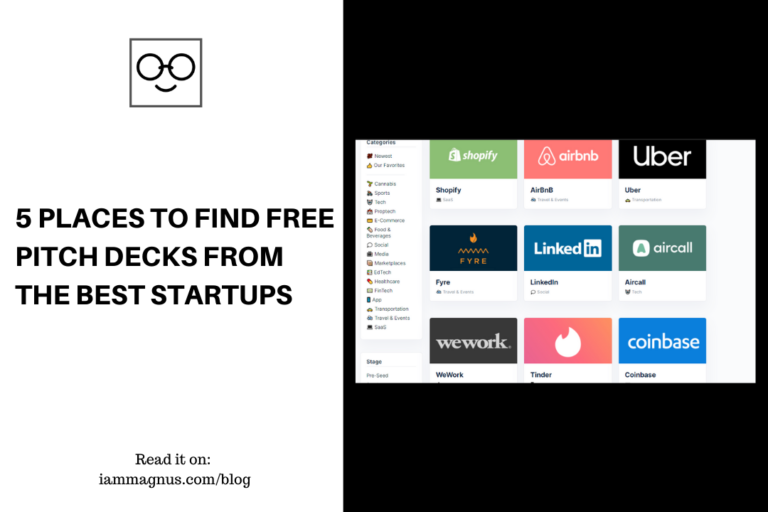
In this article, we will be recommending 5 different places where you can get free pitch decks from. These 5 places have free pitch deck ideas from some of the world’s best startups, that you can use too. Let’s see them below.

PitchDeck Database

Just like the name implies, this web tool is a huge database of pitch decks and the good thing is, it’s available to you for free! You can free yourself from the time-consuming process of searching for investor decks all over the internet with this amazing tool of theirs. PitchDeck Database has up to 700 pitch deck examples for you to choose from. All for free, and that is rare to find. All these 700 pitch deck examples are located in one place. They also offer the service of connecting entrepreneurs with Angels and VCs from across the world. You can sample pitch decks from successful startups with their incredibly useful tool.

Cirrus Insight

Cirrus Insight’s article linked above offers you up to 19 awesome pitch decks from successful startups. They also offered key observations about these pitch decks in the article. You get startup pitch decks from brands like Airbnb, Buffer, Crew, Facebook, Foursquare, Uber, and more! Now, if that’s not amazing, we don’t know what is. All the pitch deck examples you have been seeking, are right there in Cirrus Insight waiting for you.

Startup Decks

Startup Decks is another online tool that will get you funded in no time. With their tool, you can view investor startup decks and even submit your own. What they do is that you can order to get your own startup deck for your business crafted professionally just for you. They promise and guarantee you the best quality startup deck so that you can be a part of those incredibly successful startups out there and win those investments.

Pitch Deck Hunt

PitchDeckHunt has up to 150 plus pitch deck examples for you as an entrepreneur. These pitch deck examples were chosen from the best and really successful startups. Their collection is not a small number at all, up to 150! That means you have hundreds of amazing pitch decks to sample from. Also, they add new pitch decks every week so that you don’t run out of inspiration for your own startup pitch deck. They have pitch decks for different categories and stages. Just make your pick.

Opendeck

Opendeck is the perfect web tool for you to steal inspiration from for your own pitch deck. They have up to 1,200 startup pitch decks for you! Now, that is something. These pitch decks are sorted by category, so you can easily find the one you are searching for and the best of it? It’s free! You can choose from any category such as Product, Cover, Vision, Value Proposition, Competition, GTM, Roadmap, Business Model, Market and more. You can also add your own amazing pitch deck and contribute to the huge and useful database.

Chagency Startup Funding

With the help of Chagency, you as a founder can have a successful venture capital pitch deck for your new business. Chagency has a huge and carefully curated library of pitch decks for you to browse through. You can even browse through a particular category called “Failed”. There, you will see examples of pitch decks that haven’t been successful in winning investors. YouTube, Uber, Square, Dropbox and others, are examples of startups whose pitch decks are featured on Chagency.

Conclusion

The six websites recommended above are amazing options to pick from for your own pitch deck. They have a huge catalogue of startup pitch decks as you can see. And they make perfect inspiration sources for your own pitch deck. Goodluck.

Recommended: 15 Apps For Tracking Your Subscriptions And Managing Expenses


[bctt tweet=”Airbnb, Facebook, Uber and more. Here are 5 places to find the world’s best companies’ free pitch decks.” username=”iammagnus1″]

5 Places to Find 404 Page Content Inspiration

0

The 404 page is a landing page and it communicates just one single thing to your web visitors, “the page requested does not exist”. Sometimes, it does not necessarily mean that the requested page does not exist, it could mean that the page is not accessible at that period of time. What this means for your website user is that they will not be able to find the particular information that they need when they need it on your website. Now, this is not a good thing, is it?

One thing you don’t want to have too much on your website, is “too many” error pages aka 404 pages. This is bad for user experience and for ranking on search engines. If search engines, for example, Google, gets to know that there are too many 404 pages on your website, it can result in low search engine rankings and as a result, lower traffic being sent to your site. Trust me, you don’t want this to happen. But that is not the main point of why you’re here.

5 Places to Find 404 Page Content Inspiration

Once in a while, a web visitor is bound to stumble on a 404 page while browsing through your site. Just once in a while of course. You should make this rare event be a memorable one in the mind of that web visitor. The good news is that you can! Who said that 404 pages had to be boring? Not us. Your 404 pages can be dope and interesting. We recommend the following 5 places on the web to get some 404 page content inspiration for your website.

Oops Pages

A curated showcase of the best error pages on the web. Oops, pages is actually a subpage on the Tumblr platform. If you’re familiar with Tumblr, then you know that Tumblr is a social media network where users express themselves and also go into microblogging. This means that individuals can go into publishing content in any niche of their choice. And so, Oops Pages is on the Tumblr platform and the site has curated pictures of the best 404 error pages ever on the web. The site is a showcase of some of the best 404 pages you could ever find. Oops Pages promises to give you some of the best 404 pages ideas. And honestly, you should check them out.

404 Illustrations

404 Illustrations has some really trendy ready-to-use images for your 404 pages. You just have to go their website and download the images, and the plus side is that to download is entirely free! These 404 illustrations were created by the team at Kapwing who have created many tech solutions in the past apart from this one. There are so many awesome ideas in the images that you will download. You are bound to love them.

Better Error Pages

Better Error Pages is a free online tool created by the folks at Statuspage. With this tool from Statuspage, you can start building those really beautiful and free 404 pages right now. Also, your maintenance pages don’t have to look boring and yawn-inducing, they offer great content inspiration for those too. All you need to do is follow the three steps outlined on their website and you’re good to go!

404 New Tab

404 New Tab is a desktop extension tool that allows you to create some really interesting looking 404 pages. This tool is a great content inspiration for site owners, web developers and designers. The tool was created by developer Cjinghong and it allows you to see really cool 404 pages when you open a new tab on your desktop.

Nishi

Nishi is a directory that contains images of several websites and their amazing 404 error pages. What this means for you is that, you can visit the Nishi web page if you want to design, build or create powerful-looking 404 pages.

Bonus

Canva has a page containing 50 of the most creative 404 pages on the web. If the above 5 recommendations of 404 page content inspiration do not do enough justice to what you want for your 404 pages, you can check out our bonus link to an article written by the Canva team. This article has done all the work for you. In it, is curated top 50 of the best 404 pages on the internet. Now, that’s a huge list for you to get enough 404 page content inspiration from, isn’t it?

[bctt tweet=”Are you working on a 404 page for your website? Here are some places to find inspiration!” username=”iammagnus1″]

Trading Stocks And Investing For Nigerians: Where to Start From

1

You can trade Stocks and invest with any amount and also, you don’t have to give anyone money to buy Stocks for you. This information is very important, that’s why I’m starting this post with them.

So, what I will be doing in this post is listing a couple of steps to follow if you would like to buy Stocks and own shares in companies.

Step 1: Investing in Stocks (Investing 101)

First of all, I need you to watch this Youtube video to get a sense of what Stocks are and how to trade them.

Step 2: Some Tips for Beginners Looking to Invest

Then, you have to watch this guy who would give some solid tips on Investing.

But, Wait, What is the difference between Forex and Stocks?

Please watch the video below to understand the difference between Stocks and Forex.

Step 3: Resources for Anyone Looking to Buy Stocks

  1. Get this app called: Learn: how to invest in Stocks – It’s available for android here and iOS here.
  2. Watch the Bamboo Webinar: The Bamboo Webinar is a 3-part webinar organized to explain the basics of stock trading and investing for Nigerians. We mostly talked about the Investbamboo App. You can watch it here

Step 4: Trading Stocks And Investing For Nigerians: Where to Start From

First of all, If you’re in Nigeria, you can buy stocks with any amount. To do that, you can either use Bamboo, Trove, Chaka, RiseVest or Trading 212. They are secure apps like Piggyvest, except, you use them to buy and sell Stocks. I use Bamboo currently. Please click here to Learn about Bamboo and how to sign up. Click here to learn about Trading 212 and how to sign up. I use Investbamboo because It’s closer to home. They have an office in Lagos, Nigeria and they have been endorsed by popular Nigerians such as: Jason Njoku, Victor Asemota, Subomi Plumptre and many others.

Step 5: Additional Resources for Growth

Make sure to follow or keep up with investment news and updates to know what companies are not doing well in the Stock Market and what Stocks to buy. I do this by watching Stocks and reading Stock news on Yahoo Finance, The Motley Fool, Investing.com, Investopedia and also follow Bamboo on social media because I use them.

Bamboo has a Telegram group/Community. Click here to Join

Speaking of Telegram: Here is a telegram bot that can send you Hacker News (https://news.ycombinator.com/) stories by keywords. Click here to add it to your Telegram. You can enter keywords such as Stocks and Stock to get the latest news about the Stock Market.

That’s enough to get you started. If you have any questions, please leave them in the comments below or reach out to me anywhere with @iammagnus1

Goodluck!


[bctt tweet=”I just learnt how to Buy Stocks in Nigeria with Bamboo and other platforms. You should check this detailed blog post out” username=”iammagnus1″]

15 Apps For Tracking Your Subscriptions And Managing Expenses

1

15 Android and iPhone apps for tracking your subscriptions and managing expenses

With the advent of the internet, there have been many services at our beck and call. And we have subscribed to these services – I’m talking about your Netflix, Medium and other products that are important to you. So, many yearly and monthly subscriptions that we have signed up for. But how does one keep up with all these? Honestly, it can get very tiring.

The same thing goes for our expenses too. Because it has become so easy to spend money nowadays (due to being in the digital world), we find ourselves trapped in so many expenses. There is always one expense coming up or the other at the end of the month. There is a need to keep track of everything. In this article, we present you with 15 awesome apps for tracking your subscriptions and managing your expenses. Most of these apps are free by the way.

Let’s get started

Subscriptions for Android

This app is only available for Android users and It’s on the Google Playstore. This app is specially tailored to help you manage your expenses, especially the regular ones. It also allows Android users to effectively manage their payments and ensures that they never miss a payment. If you don’t want to lose track of the amount of money you actually spend, this app is a sure bet for you. Whether it is your Netflix subscription plan, or Spotify, whatever it is, this app can effectively assist you.

Billey

Billey also lets you easily track and manage your subscriptions. The App is available on Google Play store as well as App Store for iPhone users. For all your recurrent subscriptions, to get statistics and charts of your spending, to set reminders for important payments and more, Billey is a great subscription tracker to check out. It has a rating of 4.4 on Google Playstore as one of the best apps for tracking your subscriptions and managing expenses.

Reach

Reach is a great option for subscription tracking. But what is special about Reach is that you can easily track all of your expenses with just your bank alerts. Reach checks your SMS Debit and Credit alerts automatically and allows you to track expenses that way. Reach is one of the best apps for tracking your subscriptions and managing expenses. And the best thing? This amazing app is free to download for Android users only for now.

Budg.co

Budg says it is the perfect tool that you need to track all of your subscriptions. And truth is, Budg gets the job done. Budg is installable on your mobile phone’s home screen, you can access Budg from your browser on your desktop, Budg is available in different currencies from the USD to EUR etc. You can also switch between dark mode and light mode while using it. And it is absolutely free to use.

QuickBudget

QuickBudget is a nice option for getting an expense breakdown at the end of the month. It will also calculate your income after deducting tax. All you have to do is adjust the settings. It also looks at other expenses like housing, utilities, food and groceries, etc. You can add the web home page to your home screen for easy access. It will also help you to calculate your total monthly income as well as annual income.

Outflow

Outflow helps individuals to effectively manage the complexities of recurring subscriptions. You can also set up notifications on your phone in order to receive alerts before a subscription is due. Outflow is available on Apple store only for iOS users for now. You can track days effectively and get suggestions from your Gmail account.

Bobby

Bobby is a fantastic option for tracking all “trackables” . With Bobby, you can get deep insights on your fixed expenses and get alerts when billing is due. Bobby is only available for iPhone users for now. The app is beautifully designed and will keep you updated on your subscriptions.

Truebill

Truebill helps you to take charge of how you spend your money. Truth is, though managing finances can be downright hard, Truebill assures you that, they are here to take care of things. You can stay on top of your financial life and lower your bill costs. The webapp is available for Android phone users and iPhone users.

Billbot

With Billbot, you can track all of your recurrent expenses and also create different expense profiles, there are also hundreds of templates for free to use. Also, you can customize your Billbot app profile. Whether it is your Netflix, Spotify, Dropbox, Dribble subscription, or whatever, Billbot is a great option. It is available for both Android and iPhone users.

TrackMySubs

TrackMySubs is a very cool subscription tracker that you will love. Their website is also very, very cool. They have this tracker bot that helps you to cancel bills that you forgot to pay. So, you can cancel bills that you don’t need before they hit your credit card.

Dimeshift

Dimeshift is one of the best apps for tracking your subscriptions and managing expenses. It is a very easy way to track your expenses right from their website. That is, right from your desktop browser or phone browser, you can turn on these subscription alerts and stay on top of your finances. Dimeshift also promises that you don’t need to register for an account before you can start using it.

Spendee

This is a very efficient and effective money manager that works really well. Spendee is the only app that will help you get your money into the desired shape. With Spendee app, you can manage money on the go. Spendee app is available on Apple store and also available on Android’s Google play store.  You can also use their smart budgets feature to save up money for something.

Hiatus for iOS

Just like the name indicates, Hiatus for iOS is only for iPhone device users. To start using Hiatus, you will need to sign up for it. Hiatus promises to help you simplify your financial life. You can link your accounts to Hiatus and track your large expenses. You can join their Android waitlist to see when they will release the App version for Android.

Budget.cool

With Budget.cool, you can create customizable budgets and build better money management techniques. You get to sign up for free and get their amazing features at your fingertips. From managing budgets to tracking your expenses, to checking your analytics, and more.

Subscribly for Android

Subscribly is available on Google Play store. The app is very light, hence, will download real quick. It has an intuitive dashboard that allows you to quickly access the important features. You can track your online payment subscriptions, and edit them easily.

Subscribly also has a very intuitive and interactive dashboard where you can access summaries and many more features of the app very easily. There are default subscriptions like Netflix, Spotify and more but you can also add a custom service to the list of services. Especially if you can’t find the particular service you are looking for in their list. You also get alerts, notifications and summaries of subscriptions that are due very soon to prevent such service from expiring.

Conclusion

These are most of the best apps and websites for tracking your subscriptions and managing expenses on the internet right now. These 15 tools are available for download on their respective app stores. If you need an online tool for tracking subscriptions and managing your expenses, then these 15 tools are perfect.

Why Trading 212 is the Best Stock Broker for Nigerians

2

2020, a year so different they named it twice. The year 2020 took a lot from different countries around the world but it also gave Nigerians a lot of opportunities; especially in the financial/money market.

From a large influx into the Foreign Exchange to Nigeria being the second-largest investor in Crypto Currencies all over the world to the opportunity to invest in global companies around the world via the Stock Market, the year 2020 will serve as the starting point towards financial freedom for most Nigerians.

With four home-based platforms/brokers in Invest Bamboo, Trove, Chaka, and RiseVest, trading and/or investing in the stock market has never been easier but like it is with everything all over the world, there is always an alternative to a working system, most times a better one. In this blog post, I will be sharing with you everything I know about trading and investing with Trading 212, from the experiences of my colleagues, other seasoned investors/traders and from intensive research about the platform.

Best Stock Brokers in Nigeria
Overview of Invest Bamboo

Disclaimer: The content of this post does not in any way serve as Financial Advice and should not be taken as such. Ensure to contact your financial advisor before making any decisions based on the content of this post.

Note: For the sake of this post, we would be focused on the Invest and ISA options of Trading 212, and not Contracts-for-difference on forex, commodities, stocks, and indices. The content, advice, and suggestions in this post are only related to trading/investing and funding in regards to stocks.

Introduction

Using a modern cross-platform experience, Trading 212 offers real stocks, ETFs, and CFDs across a variety of asset classes. Based in London and offering a retail-only account on a zero-commission model, Trading 212 is being regulated by two international organizations and continues to be a leading trading app in the UK since 2016.

Overview of Trading 212

Trading 212 was founded in 2004 and is being regulated by the UK Financial Conduct Authority (FCA), and the Financial Supervision Commission (FSC). Trading 212 accepts traders and investors from over 100 countries worldwide, including the UK, the UAE, Japan, Australia, Spain, Singapore, Netherlands, Germany, Romania, Poland, and Nigeria.

Pros of using Trading 212 (Why Trading 212 is the Best Stock Broker for Nigerians)

  • Client Fund Protection; Traders funds are kept in separate bank accounts and are protected under the: Financial Services Compensation Scheme (FSCS) – Compensation up to £85,000 Investors Compensation Fund (ICF) – 90% compensation up to €20,000
  • 5,000+ global stocks, ETFs, and CFDs
  • Beginner-friendly app with a great user experience and interface
  • Zero commission on trades and funding except the 0.7% charged by your funding source
  • $/£/€1 minimum deposit
  • Up to 50,000 demo account credits
  • Copy Trading/ Trading Pie
  • Prompt dividend payment

Cons of using Trading 212

  • No direct phone support
  • Only 8 cryptocurrencies available
  • Withdrawals are limited to the method of funding
  • Stringent verification process
  • Limited funding options (for Nigerians)

Which Account Do I Use? CFD, Invest or ISA

Trading 212 offers 3 different types of accounts for users to operate. Personally, I would not advise you to open the CFD account because I for one have never traded on that platform. The CFD can be a very dangerous financial instrument if you are a novice and many people lose their money through it, moreover, the CFD account is not free to use, and this is where Trading 212 makes the majority of its profits from.

The ISA and Invest accounts are almost the same, the only difference is that the ISA is tax efficient. Although most beginners don’t have enough money invested to pay tax anyway. When you invest through the Invest and ISA account you own the underlying investment.

Registration and Verification Process (Using Nigeria as a case study)

The process of opening an account with Trading 212 is almost the same all over the world but may slightly vary depending on the laws of individual countries and acceptable means of identification. The procedure listed is tailored to the Nigerian spectrum and can be applicable to residents of other countries.

  • The first thing you need to do is to visit https://www.trading212.com to set up an account.
  • You will need your full names, email address, house address (ensure this address is the same as the one on your bank statement), telephone number, and TIN (Use International Passport No. in place of this).
  • Then you upload a picture of your valid ID data page (currently, International Passport is preferable as they rarely accept other means of identification), then you take a selfie and upload it to confirm your identity.
  • For proof of address, you have to upload a recent 3-month bank statement with your house address on it (do not forget that this address should be the same as the one you used in creating your account) in the event that your house address and account statement address are different, request for an address update/change from your bank.
  • Next, you need a digital bank statement, to get the statement for Guaranty Trust Bank, you;
    • Visit https://www.gtbank.com/personal-banking/ways-to-bank/internet-banking
    • Enter your user ID and password
    • Go to the “Account statement” section and enter the period of statement you want
    • Scroll down and change the format from EXCEL to PDF & SIGNED
    • Press Generate to download

For other bank users, kindly find out from your bank how to generate your bank account statement.

The verification process takes just a few hours, if all your documents are valid and right, your account would be verified and ready for trading within 4-6 hours and you will receive a confirmation email from Trading 212 congratulating you for successfully verifying your account.

Funding and Withdrawal Process

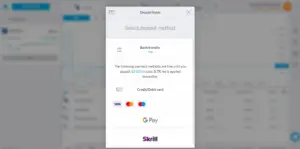
As of the time of publishing this post, Trading 212 offers four payment methods in Skrill, Credit/Debit card, Bank Transfer, and Google Payment. I would advise you to make use of the Credit/Debit card or Google payment option.

The charges on the bank transfer from Nigeria accounts are outrageous, and investors who have tried using Skrill have encountered too many complications which I feel is not worth it.

Using a Credit/Debit Card

Trading 212 only allows deposits from Master cards, Visa cards, and not Verve card, in fact only selected Nigeria Master and Visa cards are accepted tho most times you would have to try different cards before you find which one will go through.

PS: Please do not use a card that is not registered in your name as this is against Trading 212 policy and you could get penalized for that.

Using Google Payment

Visit www.pay.google.com then log in with the same Gmail address you used in registering your 212 trading account. Go to Payment Methods, add your card. If you already have a card added, ensure it is the same card you want to use for 212 transactions. If not, remove and add a new card.

Log into your Trading 212 account and click on Deposit Funds. Then, enter the amount and select GPay as your payment method and complete the funding process. Under normal circumstances, your deposit reflects immediately.

List of cards that you can fund your Trading 212 account with

  • Guaranty Trust Bank Platinum card
  • Zenith Cards
  • Fidelity Cards
  • UBA Cards
  • Payoneer Cards
  • All Nigerian Domicilary Cards
  • Certain virtual cards

But over time, cards that were not accepted eventually go through as Trading 212 enlarges their coasts.

Withdrawing from Trading 212

Login to your account, click on Withdraw and your money will be sent to the card added to your Payment Method. It takes about 2 Business Days for your withdrawal request to be executed.

Trading 212 deposits your withdrawals via whichever medium you used in funding your account. That means, if you made a transfer to them, your withdrawals would be sent to the account your transfer was initiated. If you made use of a credit/debit card or via Google Payment, your withdrawals would be sent to the account associated with the cards you used to pay.

So ensure you make a deposit at least once with a card at a favorable exchange rate so that you can make your withdrawals through this medium and enjoy your profits.

How does Trading 212 make profits?

Trading 212 typically makes their money through the bid/offer spread, the spread is the difference between the bid and offer price, it is the amount of money you would lose if you bought and immediately sold an investment.

Trading 212 also makes money from traders who trade the contract for difference and are of little knowledge of the ‘how to’.

Conclusion

I have been using trading 212 for well over five months and I haven’t had any hiccups with their service, their platform, and mode of handling business best suits a trader if your other options are Bamboo, Chaka, or Trove but you can also use the account for long term investing, create different pies for different goals and copy trade other successful portfolios.

If you have any further questions about Trading 212 or you need further clarifications, you can reach out to me via Twitter or leave a comment below.

No Download Required: 7 Free Screen Recorders You Can Run With Your Browser

0

Screen recorders allow anyone to record their Computers and mobile phones, depending on the screen recorder you’re using. These screen recorders allow you to share a part of your Computer or screen with anyone by saving your recording in video format.

The difference between a Screenshot and a Screen Recording

A screenshot can only capture images of the computer screen. The main objective is to record what is on the screen in form of a video so that, viewers can view all the elements on the screen recording. Screenshots are limited in what they can capture since they are just images. But screen recorders are able to capture videos and these videos are almost limitless in terms of the number of elements on the computer screen that they can capture.

In this article, we will look at 6 awesome screen recorders that you can grab from the internet today, and use them right from your browser. You won’t need to download these screen recorders that we recommend below. There’s no need to eat up space on your device. You can use these screen recorders straight from your browsers. With these tools, you can start recording your computer screens and sharing the recordings to co-workers, friends or for your own personal use.

Keevi

Keevi is a screen recording tool that can be used on either Windows desktop or Mac OS. Depending on the device you use. Do you want to capture the whole screen or only a section of the screen? Keevi promises to do this effortlessly for anyone. How does Keevi even work, how do you use it? With your Computer or Macbook, go to Keevi’s home page, pick a layout that suits the purpose of your screen capture and start recording.

Keevi allows you to capture your screen, audio and webcam as well if you would like to appear on the screen recording. It also has an option to share your video on social media after recording.

Veed.io

Veed is an awesome screen recording tool that allows you to create stunning videos for customers, co-workers, family and friends. With Veed, you can also add subtitles to videos that you have created, add progress bars to videos, draw on a video, filter video and do lots more. All with their awesome video editing tool! Veed is truly an all-in-one creative toolbox that has all you could ever need to edit those creative videos that you have spent time creating and shooting.

ScreenRecorderApp

It’s a modern and minimal Progressive Web App. 100% Free. Private. No Watermarks. No Ads. No Recording Limits.

The app is accessible on your desktop browser and can be used directly from the browser without needing to download it. You will need to select a particular screen to start recording. You can also choose to activate the “record audio option”. Or simply deactivate it, if you don’t wish to speak in the recording.

Kap for MacOs

This is an open-source web browser screen recorder that was created exclusively for MacOS users. The tool requires an operating system of MacOS 10.12 and above in order to be able to use it. Programmers can contribute to the source code on GitHub which is why it is open-sourced. You are also able to export your screen recordings in many formats.

Scrnrcrd

Scrnrcrd is a great tool that allows you to record your desktop screen right from any desktop browser. There is absolutely no need to install this tool before you can use it. It is used right from your browser. It also does not have annoying watermarks, restrictions or baggage. Right from their website, you can start your screen recording. Simple and productive.

Screenity for Chrome

This is an incredibly useful desktop extension that was exclusively built for the Google Chrome web browser. You can screen record any tabs or screens from your Chrome browser with this handy tool. The extension is highly rated and has been used by up to 200,000 users. The extension runs offline and it helps you to flawlessly capture, edit, annotate and do more on Chrome.

RecordCast

RecordCast is a new & free online screen recorder that helps you easily record your screen and Webcam as well. It is completely free and you don’t have to download anything to use it. You can capture your whole screen, application windows, or browser tab as you need. They have options for you to review your screen recording and add text, music, widgets, and transitions to enhance it. Then you can download your screen recording or screencast when done.

Conclusion

These 7 tools are really good options to pick from for browser-based screen recorders to use on your desktop. We stated the particular tools that need an exclusive Mac desktop and those tools that welcome both Windows and MacOS computers. So, feel free to pick anyone and start recording.

10 Free Mockup Generators You Can Use Right Now

0

Need free mockup generators? Step into the spotlight!

Mockup generators help to create prototypes of your UI or UX design for you to share with others or use for future purposes. When trying to create a design mockup on your device, you need specific types of tools to do it. Mockup generators can create scaled models of your design on any smart device that you use. Mockup generators create really nice mockup templates for you and could be used either in-browser or in apps. Mockup generators are very handy when trying to create high-resolution screenshots of your mockup design.

10 Free Mockup Generators You Can Use Right Now

In this article, we will be looking at 10 free mockup generators that you can use to generate those amazing prototypes for your design and save them simultaneously whether on your desktop, smartphone, or wherever. Let’s have a look.

Mock Magic

Mock Magic allows you to choose different kinds of devices that you will like your mockup to have while you create them. You could use the iPhone 12 Pro phone frame, iPhone 11, Apple iPad, Samsung, Huawei and more. You can also choose the colour that the device will come in whether silver colour, gold-framed, pacific blue, graphite etc. All you have to do is to select your preformed design from your phone file storage, upload it and then Mock Magic will work its magic on your design and transform it into a mockup. Then you can download the end result.

Mockup Bro

Create product mockups with this online mockup generator. Just choose a mockup, upload your design and download your image without a watermark. You can create mockups of bags, CDs, Vans, Phones, Laptops and many more.

MockuPhone

MockuPhone is a very simple screenshot mockup generator that allows you to generate very simple device mockups right from whichever device you have or use. All you need to do is to upload your screenshot or photo into a mobile frame. You can choose the iPhone 12 phone frame, Google Pixel frame, laptop frames, tablets, and other phone design frames. The MockuPhone online mockup generating tool is developed by the company Oursky.

Applaunchpad Mockup Generator

Applaunchpad lets you create high-quality mockup product designs in a few clicks. The platform is free to use and you can choose from a variety of device resolutions to work with. There are various templates to work with, depending on your taste and preference. The rest is pretty easy from thereon. It’s one of the free mockup generators that do not really require explanation because the platform is clean and detailed.

Dimmy.club

Dimmy.club is a classic device mockup generator for those screenshots that you want to use on Social media or basically anywhere else. Whether you want an Apple MacBook Pro 2016 system’s frame for your design, or you want a real desktop frame. Whichever frame it is that you want your design wrapped in, Dimmy.club has it.

ScreenPeek

Did you know that if you wanted to capture a particular website’s design and save it within a device frame, you can do it smoothly and very easily using ScreenPeek? ScreenPeek allows you to simply enter the website URL in a search box on their website tool and a high quality mockup of the website will be generated in minutes.

Device Shots

Device Shots helps you to create device mockups in just few seconds in high resolutions that you would love. Whether it is the screenshot of your personal website, a mobile application or any other products. These can all be created for free. All you have to do is to select a device, insert a screenshot, select the social media platform you want to share to and Device Shots will automatically resize the picture to the social media platform’s aspect ratio.

Marvel App

First of all, you should know that Marvel Marvel is not just one of those free mockup generators out there. It is richer and a bit more technical than the tools listed here. It is a very solid Prototyping too for design teams and you can achieve a lot with it. Marvel app allows you to rapidly prototype and test different designs as you create them. Marvel also transforms the way digital products are designed and makes the whole work easier on design teams.

Threed 3D Mockups

With threed.io‘s tool, you can upload designs, adjust the canvas settings, and then, when you are done, you can download the resulting mockup from the Threed tool into your device. It’s so easy to understand, don’t worry.

Qurb

Qurb is a web-based mockup generator that can be used for free. On the web page, you can see the “select device” option and then subsequently add screenshots. Once you are done, you are to save the mockup you have successfully created.

Morflax Qlo

Qlo is entirely different from all the previous recommendations above. Qlo allows you to create wonderful digital avatars on their platform. Also, Qlo claims to be the first 3D clothing builder on the internet.

Conclusion

In conclusion, these 10 free mockup generators are absolutely useful to product designers on whichever device they choose to work with, anytime, any day.

Recommended: 6 Platforms That Let You Convert Airtime To Cash

5 Websites to Find Free Email Marketing Courses

1

A newbie to email marketing? Look no further, we present to you, 5 websites to find free email marketing courses.

Email marketing is an essential and indispensable part of internet marketing. Without it, many sellers on the internet will be unable to reach their potential clients to market their products. When a company has gathered enough email subscribers and also can devise a reasonable game plan to sell their products to these email subscribers, then chances are in their favour that they will make sales.

Email marketing involves sending commercial emails to customers who had previously subscribed to a product or service through email. Usually, these emails are in the form of advertisements, sales solicitations or for donation requests.

So, many internet sellers nowadays want to know how to market their own products through email. This then calls for the production of email marketing courses for willing learners. But if you are also a newbie to email marketing and you want to know how to market your products via email, then we present to you, 5 websites on the world wide web where you can find free email marketing courses.

Mailerlite Academy

If you want to get a powerful starting in the email marketing economy, then you can try Mailerlite Academy. Mailerlite offers free online courses to learn all the beneficial basics of email marketing. With Mailerlite, you get to acquire very useful and marketable skills that will be useful to you in your internet business. There are instructors and experts willing to guide you while studying with Mailerlite. Mailerlite might offer you a competitive edge because they claim to teach their students to stay on top of marketing trends. Also, the new email marketing skills will help to improve your product campaigns and boost your internet selling career.

Hubspot

Hubspot is a free online learning platform for learning email marketing. The Hubspot Academy has courses such as Inbound Marketing Certification course, Content Marketing, SEO, social media promotion etc. You can also decide to take advanced lessons on any course that you want. All these are offered for free by the way. With Hubspot, you can start your journey into email marketing learning for free and with ease.

Email Mastery

With Email Mastery, you can subscribe for an email lesson if you like. Or you can just learn on the website itself without going down the email route. If you subscribe for their email lessons, you learn to understand email marketing in simple terms, learn how to grow an email list, learn the different types of email, and know how to use email analytics and metrics. There are also courses on their main website like The Spotify Email Marketing Teardown, The YETI email marketing teardown, and more. The whole course system depends entirely on what you want. And yes, it is free.

Udemy

Udemy is the standard when it comes to online courses and every internet savvy person out there knows that. Udemy has up to 100,000 plus online courses and most of these courses are in high demand. All you need to do is find an instructor for your chosen course on Udemy. Udemy is one of the largest online learning platforms on the internet. So, for your email marketing learning interest, Udemy definitely has many courses for you in the email marketing learning niche.

Also, there are various sites that offer you free Udemy learning coupons like we linked above, sites like Coupon Scorpion for example. With these coupons, you will be able to get email marketing courses for free or almost free.

Youtube

Of course, YouTube is the ultimate place to get free videos on virtually everything. And this includes free email marketing tutorials and lessons from YouTubers or Vloggers experienced in email marketing. These videos are visual, and therefore, it will be straightforward to learn lessons or follow what is being taught since it can be seen on the screen. And yes, YouTube is free to use for everyone and that goes for the email marketing videos you will be watching as well.

Conclusion

All in all, these five places on the internet that we just recommended above, are perfect places to learn email marketing for free online.


6 Places to Sell Domains You No longer Use

1

Looking to sell domains? If you have a domain name you bought in the past but no longer use, and you wish to sell it off to another interested buyer, then you have come to the right place. In this article, we will not beat around the bush but instead show you immediately, 6 awesome and confirmed places to sell those domains that you no longer use. Come with us, let’s show you!

Flippa.com

Flippa is a top marketplace for buying and selling domains on the internet. You can sell blogs, Amazon FBA stores, affiliate sites, Shopify sites, eCommerce stores and more. On Flippa, you can engage in what is called, “digital real estate”. You can practically become an entrepreneur just from buying and selling domains.

Flippa is that perfect domain shopping site that is good for you if you want to sell domains. All you have to do is to make a listing of your business/domain and start selling. You can view a particular listing or domain, watch the listing’s performance over time and so on.

In order to sell your domain that you no longer use, you will need to create an account on Flippa. After you have signed up, you can then log into Flippa and create your own domain listing. Flippa’s payment system is also designed to give you a restful mind and they have a sales support team as well.

Side Domains

On Side Domains, you can sell domains that are from your abandoned side projects and make your money back. If anybody wants to buy your domain, they will indicate and boom, you have an extra side income in your pocket. You don’t have to pay any money in order to list your domain.

Side Domains has confirmed that listing a domain is free forever. Also, if you go for the Pro version, you can reach buyers directly through the Side Domains email list, get a clean looking landing page for the domain that you wish to sell, they will handle all your selling transactions for you, and if anything goes awry, they will take responsibility for it.

Selldom.io

With selldom.io, you can sell whichever domains you have and start making a good side income. Selldom.io allows you to make money from any unused domain that you have. You state the minimum price you wish to sell a domain and wait for a buyer to show interest in the domain. For all the domains that you list, buyers will offer to buy at a price. Then you will select out of the available offers, the winner with the price that most suits you.

Auctions by GoDaddy

Godaddy itself is a website where you can buy domains and host your websites. They are a leading company in the industry of domains and hosting and are very popular in that regard, but that’s not all. You can also sell domains through their auctions portal. In order to start selling, you need to first join the Auctions platform of Godaddy. After signing up, then you can list a domain of your choice. You can place the amount of time you want as the limit before you finally sell it. Also, you can mention the minimum price that your domain will sell for or leave it open to buyers.

Sedo

Sedo is a good domain name marketplace where you can sell domains that you no longer use. You can also get free domain appraisal in order for you to know your domain’s value. This is a very good feature because when you know your domain’s value, it becomes easier for you to sell it at a reasonable price. Sedo assures domain sellers that with their platform, they can turn their unused domain names into money, they also allow sellers to use a broker for premium domain marketing, sellers can earn domain with domain parking, and so much more.

Dan.com

Dan is a good option for you as a domain seller. With dan.com, buyers can buy, rent or lease your unused domain from you. New domains are added every day to the platform and buyers buy every time. Also, the platform is very safe for buyers and sellers both. Adyen processes all payments.

These 6 places listed above are perfectly effective marketplaces for selling your domains. Buyers abound on these platforms and you are sure to get some reasonable bids for your unused domains and start cashing out.

Check out my YouTube videos

X