Sorting by

×
Home Blog Page 4

10 Websites and Ways to Add Subtitles to Your Videos

0

If you are a video content creator, then you are definitely aware of how strenuous it can get trying to add subtitles to your videos. If you publish your videos on YouTube, for instance, many of your viewers will request you to add subtitles to your videos for easy watching. But if you are a one-man team for your YouTube channel, it can quickly get tiring to keep doing this for every video.

Many video content creators just outsource this strenuous part of content creation to a staff who gets paid for the service or an AI web tool. Many websites that offer the service of subtitle addition use special AI tools that are able to automatically translate a human language into text subtitles for your videos. The advantage you get is, your videos can get subtitled very easily and without much stress on your part. 

So, in light of this, we bring you the best 10 websites on the internet that let you add subtitles to your videos. These websites usually use high-quality technology or sometimes AI technology to help their customers get the subtitles done.

Subtitles.love

Subtitles.love is a AI powered subtitles editor which promises to help you grow your audience through your video content. With this tool, you can successfully add subtitles to videos, do simple editing of subtitles on your videos, gain access to their auto speech recognition tool and add subtitles in more than 10 languages.

Auto Subtitles by Type Studio

With typestudio.co, you can add subtitles with ease. Typestudio helps you to generate subtitles from your videos with just the click of a button. Subtitles can be added automatically, you can customize the subtitles that were auto-generated in cases of errors and more. Getting started is free and all you need to do is drag and drop your video file. 

Add Subtitles by Kapwing

The Kapwing Subtitler helps you to easily add subtitles to your videos without the annoying addition of a watermark. You can burn subtitles into any video that you want to share on Kapwing Subtitler, this is so that anywhere you share your videos, the subtitle automatically shows. This website also has an AI automatically generated subtitle system for users.

Zubtitle

Zubtitle is an effective tool you can use to add subtitles to your videos. Apart from subtitles, you can also add top border headlines and progress bars to your videos. You can also add your subtitles as either headlines or captions depending on your taste. Zubtitle offers affordable price packages to users to access their tool.

Quicc

Quicc is a useful video editing that promises to lift the heavyweight of your video content editing. With this tool, you don’t need a media team to manage your videos anymore. Quicc boasts to have all you need for video editing including adding subtitles to your videos. If you just want to be creative without being trapped in post-production edits, then Quicc is a great tool to try. 

Veed.io

Veed.io makes your video editing process very simple. With just a single click, you can add subtitles, transcribe audio and even create entire videos. They offer you a sample to try without creating an account. You don’t need training to use their tool as you can get your subtitles in one click.

Editr

Editr lets you create automatically generated subtitles which mean that even when a viewer watches your video while it’s on mute, they still get the message you’re trying to pass. You can get started with Editr for free, all you need is an account with them. With Editr, you can create subtitled videos and your viewers will thank you for it.

4K Video Downloader

With 4K Video Downloader, you can download videos as well as their subtitles in just a few seconds. To get started, you need to install 4K Video Downloader on your PC. The software is available for macOS, Linux and Windows. Then you go to the video you want to watch and copy the video’s URL and then paste it inside the 4K Video Downloader. You will need to adjust the settings to your taste. 

Downsub

With Downsub, you can download video subtitles from any video sharing platform such as YouTube, Viki and VOU very easily. With Downsub, you don’t need any other third-party application to download your subtitles. The tool is completely efficient and is all you need. All you need to do is copy the URL of the video, paste it into Downsub, click the download button and start the subtitle extraction. 

Yousubtitles

Yousubtitles allows you to download subtitles and CC (closer captions) of videos from YouTube. All you need to do is to enter the URL of the video you want to use into the site’s download box and click enter. You can also download subtitles in different languages and formats using this tool.


5 Apps For Identifying Your Dog’s Breed Instantly

0

Identify your dog’s breed instantly with ease

If you have just gotten a best friend and you want to know what breed they happen to be, then worry no more. In this article, we will be referring and redirecting you to five awesome apps that you could use for identifying your dog’s breed instantly or maybe in just a few seconds. You might even have had your dog for a while and not quite had the time to figure out what type of breed it is.

This question of “what breed is my dog?” is actually a fairly common question asked by dog owners all over the world. Some dogs are so mixed that it becomes very difficult to figure out what breed exactly it is. But thanks to technology development, you can figure out your dog’s breed more easily and faster. 

If you purchased your dog directly from a breeder, then you can just ask the breeder what breed type your dog is. But if it was not gotten from a breeder, then you have to find it out yourself. The following five apps can help you identify your dog’s breed very fast. 

Big Visual Search

This is an application or an online web tool created by Microsoft’s Bing to help you identify your dogs’ breeds. With their tool, you can discover the dog’s temperament, find and see dogs that look similar to your dog, you can find out your dog’s breed and do much more. All you have to do is take a photo of your dog with your phone and upload it to the site. The application uses visual search technology to figure out the breed a dog is. Also by providing your dog’s photo and using their search engine, you can help to improve the efficacy of their search engine so that other users can benefit from a much better service. 

Dog Finder

With Dogfinder, you can easily find your dog’s breed and also view its dog breed relatives. All you have to do is upload your dog’s photo on their web tool and the system will automatically scan for what breed your dog is likely to be. You can also select from a sample of dog pictures that are available for use on their website or application. This tool works very fast and easily. You also avoid any complicated processes as their app is user friendly. 

Todogs

Todogs is a great app to use to identify your dog’s breed fast. The app is available on Google Playstore for you to download. With Todogs, you can collect all the breeds of the dogs you see. When you see a lovely dog, simply bring out your phone and take a photo of the dog. Automatically, the Todogs’ system will recognize the breed to which the dog belongs. Once you have your long list of dog breeds, you can share your list with family and friends. On Todogs, there are up to 117 dog breeds to search within. 

Wand

Wand is a popular application that is available for download on the Apple store for users. If you want to identify your dog breed, find its relatives, or see pictures of dogs that are similar to your dog, Wand can help you with that. The user interface of the app is also very friendly and easy to understand. This application is only available on the Apple store and for iOS users. But this is a great option for identifying dog breeds. 

Dog Identifier

Dog Identifier acts as a dog ID camera and it can be used by users/dog enthusiasts to instantly identify dog breeds. The app operates live and is specifically designed for iPad devices. The app is completely free to download and it identifies your dog breed entirely in real-time. All you need to use a Dog Identifier is your smartphone’s camera. The app can identify up to 100 different dog breeds. 

Conclusion

The five apps or web tools enumerated above are very useful apps that you could use to identify any dog’s breed. It doesn’t really have to be only your dog. Any dogs in your neighbourhood that you make friends with can be identified using these tools. The plus side of the above apps is that they are mostly free to download and use. This means that you don’t have to pay a dime to identify the breeds of your favourite dogs. We hope you found our recommendations useful. Happy dog-loving.

7 Places to Learn SEO For Free Right Now

7

Looking to learn SEO for free?

SEO which is short for Search Engine Optimisation is simply the process of optimising a website or content so that it gets more organic traffic. Organic traffic simply means traffic or website visitors from search engines. The main target of optimised organic traffic is to gain unpaid traffic rather than direct traffic or paid traffic. If you own a website, it is important to at least know the basics of SEO and how it works as it will be useful in ranking your website so that you get more traffic.

Without the basic knowledge of SEO, it will be hard to rank your website and hard for your potential customers or website visitors to locate you. As a website owner, you have two options. It’s either you outsource the SEO ranking of your website to an expert to handle for you, or you learn the important aspects of SEO by yourself. So, if you are going for the latter option, there are a number of places on the internet where you can learn SEO very fast and easily. Whether you want to become an SEO specialist to sell the skill to others or you want to learn it for your website, these 7 places are great options to learn SEO for free right now!

SEO Marketing Hub

This learning platform was created by Backlinko and it is your sure plug for SEO knowledge. If you are a total newbie to SEO, you will find their course very useful and easy to understand. If you already know the basics of SEO and want to further your knowledge, this hub is also right for you. On SEO marketing hub, you will learn about the SEO fundamentals, strategies for keyword research, strategies for content optimisation, technical SEO, and more.

You will also learn about useful tools for SEO and advanced strategies for SEO. It’s amazing the level of SEO training you can get from Backlinko’s SEO Marketing Hub. They pride themselves on offering learners the best and next-level SEO training. Learners also get strategies for link building and backlinking. If you have never really understood the concept of keyword usage, bounce rates and other website SEO terminologies, SEO Marketing Hub will completely expose you to them. 

Semrush Academy

With Semrush Academy, you can get free online SEO courses to further build your digital skills and improve your website’s performance on search engines. Semrush Academy is an excellent place to learn SEO for free because they integrate that knowledge into teaching you about Digital Marketing too. They have a course currently titled, “Semrush SEO Toolkit Course” and this course will take you about 3 hours to complete. The course will teach you how to use Semrush tools to boost SEO and it consists of video lessons. Semrush Academy has several courses on SEO apart from the one we just mentioned. So, we suggest taking a look at the link above to know more. 

Googlers tweets & answers on SEO

With this platform from SEO Asked, you can easily find an answer to an SEO related question that you have very fast and easily. This tool works more like a search engine for SEO questions and answers. It is an archive of all the tweets, answers and contents of Googlers all stored and frequently updated in their database. This means that whatever SEO related question that you or a member of your team have, you can easily search for it and share the answer with your team. You can find answers about technical SEO, On-page SEO, Off-page SEO and the latest Google algorithm updates

This 2-hour SEO course on Youtube

Of course, YouTube is a great place to look when looking for SEO tutorials. With loads of course contents being uploaded everyday on YouTube, it will be weird if we don’t mention a YouTube video course. This SEO course lasts for 2 hours and although it was published in early 2019, all the information shared by the YouTuber is still very relevant today in 2021. SEO, Keyword research, search engines etc., were all discussed in the video. 

Google’s Digital Skills for Africa

Google offers digital skill training to people and since SEO is a relevant digital skill, you can learn it from their website. You get to learn SEO online with a trusted web company like Google and thereby boost your skill set or website’s ranking. Google’s Digital Skills training encompasses many different areas of the digital world too.

HubSpot’s SEO courses

Part of the many resources that HubSpot offers its users is digital training courses. HubSpot is a popular technology website where readers can learn about blogs, blog monetisation, search engine optimisation, keyword usage etc. The website has taken it further as they now offer specialised courses like Digita; Marketing Certification course, SEO training course, Content Marketing certification etc. 

YouTube:

YouTube offers several digital training courses that are put out by expert content creators for other viewers to learn. The good thing about YouTube is that, learning is entirely visual and you can see whatever demonstration the YouTuber is teaching on the screen. Skills in the digital world such as Technical SEO courses are available on YouTube. 

Conclusion

These seven platforms listed above are great resources on the internet to begin or continue your journey of SEO learning. You cannot learn SEO for free in one day. It takes time and consistency with whichever course you enrol in. Please keep that in mind.

How to Setup a Free Online Store From Your Phone With Bumpa

0

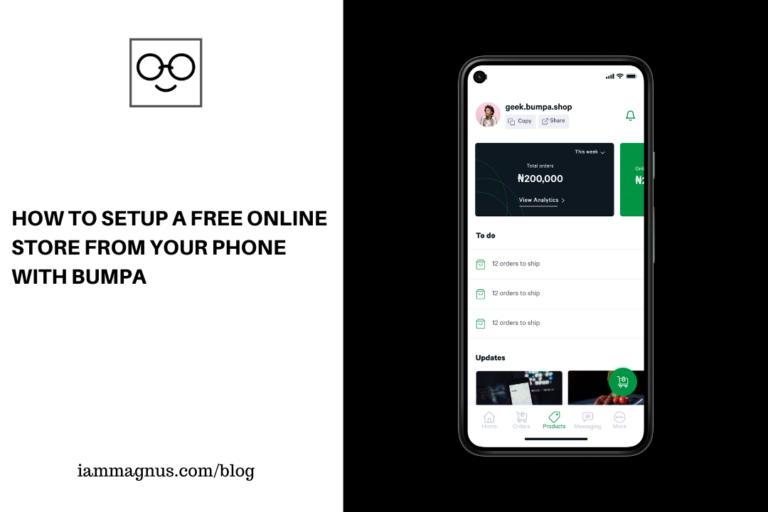
Being someone who likes to show you how to make money and get things done from the comfort of your home, one of the things I haven’t been able to share on this blog is how to set up a store from home without hassle. Forgive me, I hadn’t really come across any platform out there that lets you do so from your mobile phone for free until I discovered Bumpa earlier this year. I even created a store with it – I’ll attach the link to my store at some point in this post.

First of all, I would like to walk you through this amazing platform, show you how to set up your own store and let you know why everyone is excited about Bumpa!

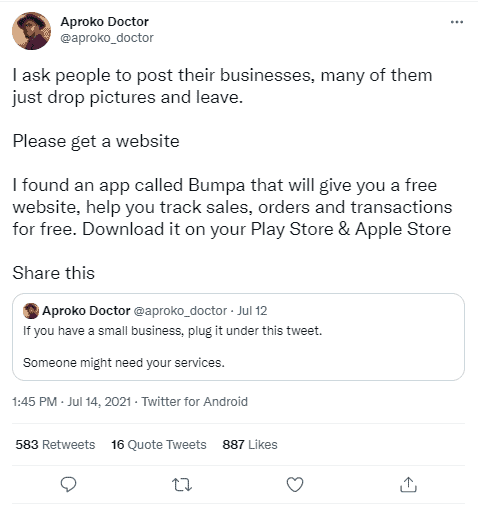
iammagnus.com Bumpa Aproko doctor twitter

What is Bumpa?

Bumpa (or GetBumpa) is a platform that makes it easy for you to create a store, manage orders and sell virtually anything online. It doesn’t matter the size of your business or what you sell. The platform facilitates every good, service and product out there, even if its just a T-shirt you made and want to sell.

It doesn’t end there, you can track orders, engage customers, track deliveries, receive payments & manage your inventory with Bumpa. And because it is tailored for small businesses, you don’t have to worry about Search Engine Optimization (SEO) when creating your store. The platform also provides free SSL and Whatsapp/SMS notifications for your store once you sign up.

Is Bumpa free?

Yes, It is free. There are no signup fees and you can install the app for free on Android and iPhone by visiting bumpa.app

Why everyone is excited about Bumpa?

Mostly because of how easy it is to register, create your store and add anything you would like to sell instantly. Then you can share your newly created shop with your friends. The entire process is quite easy and it only takes a few minutes. You also won’t see any codes or have to add any code while using or setting up Bumpa. The entire platform’s inbuilt features are neat, automated and work seamlessly.

Another reason everyone is jumping on the platform is because of how independent it makes them feel. When you create a Bumpa store, you have total control over it. You determine your prices and shipping fees. You can sell your old shoes, the new artwork you recently made, your new ebook, a bag of rice etc. You can sell anything on Bumpa!

Bumpa-getbumpa-iammagnusBumpa-getbumpa-iammagnus

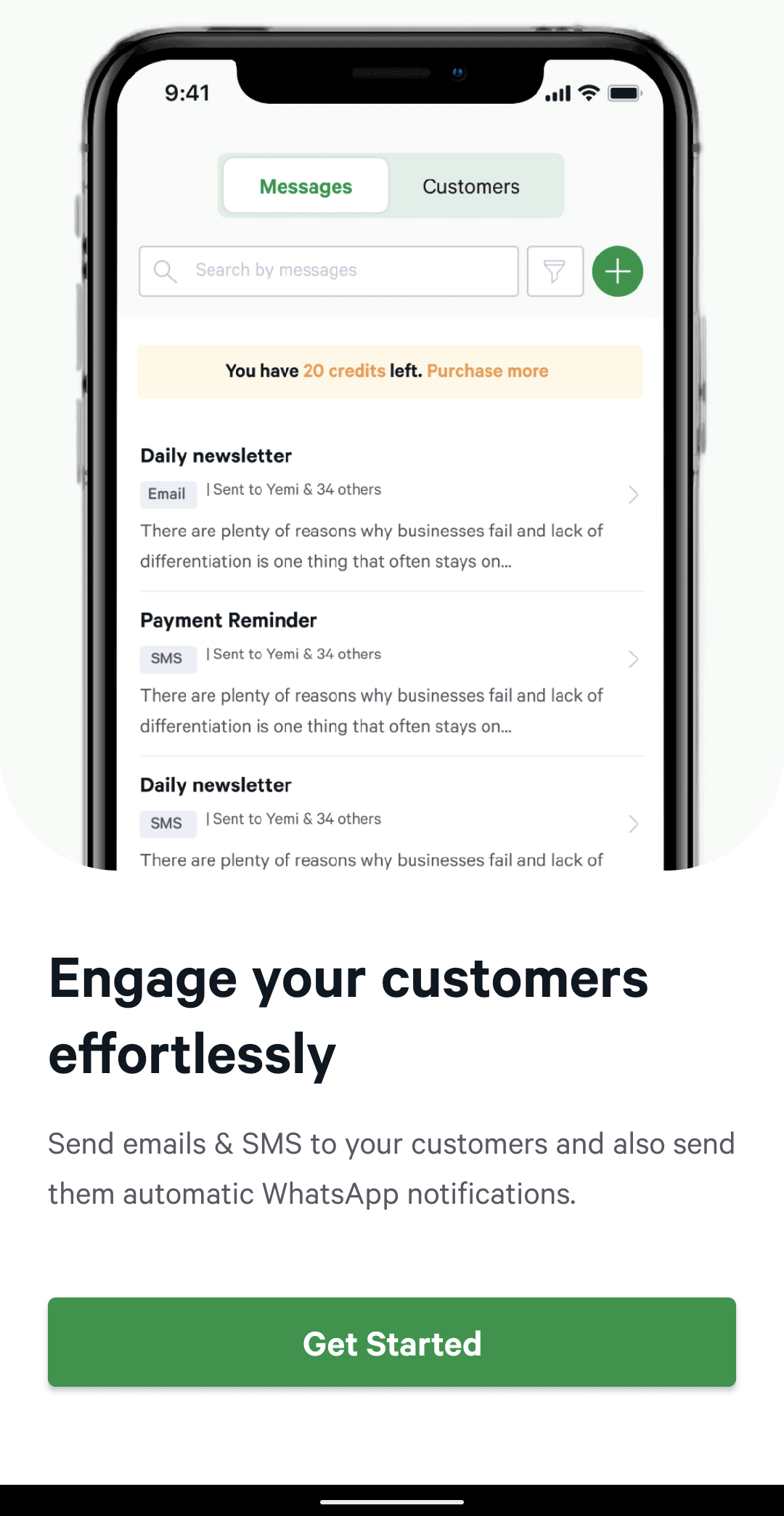
That’s not all. You can also send emails, SMS and Whatsapp messages to all your customers from the Bumpa app. This makes it really easy to engage with them, fulfil their requests and even receive feedback to grow your business. For this part, most businesses and business owners would use a newsletter platform to send emails to Customers, but as I mentioned earlier, you can do this from the Bumpa app.

One last thing I really love about Bumpa and would like to mention is that you get to set the shipping fee of each product, and, also choose a dispatcher from within the app. What other platform is currently doing this? None. Bumpa gives you the option to choose from some delivery services that you can use to ship your product from its location to the customer’s location. So, you don’t have to stress about finding a dispatch rider.

Can I use Bumpa without a physical shop?

Yes. Of course, you can.

Can I sell anything on Bumpa?

Yes, you can. I recently started selling a few things there myself. Here they are

Can I use Bumpa Without a business account?

Yes. Think of it as owning a website. You don’t need a business account for that. Your money will be paid to whatever bank account you fill in your store settings after you create a store.

Can I join Bumpa without a BVN?

Yes. BVN is not required to register on Bumpa

How do I get Paid?

Simply go to Settings on the app and add your bank details. Payments will be settled into that account every time you make a sale.

How do I join Bumpa?

You can get the app on your phone and register with it. It will only take a few minutes. You can download the Bumpa app on bumpa.app

How do I contact Bumpa?

All social media platforms: @getbumpa
Bumpa’s official WhatsApp line +234 807 552 0621 (WhatsApp call)

My thoughts

I love Bumpa. It’s very different from similar platforms and payment processors that let you create your own store. I like the fact that you can set up and manage your store from the app. I also like the fact that you don’t need technical or legal requirements to join the platform. The platform simplifies e-commerce and its processes. To use Bumpa, you just need to download the app, create a store, list the products you want to sell & share your website link on social media.

This Bontel Flip Phone Should be Your Backup Phone

0

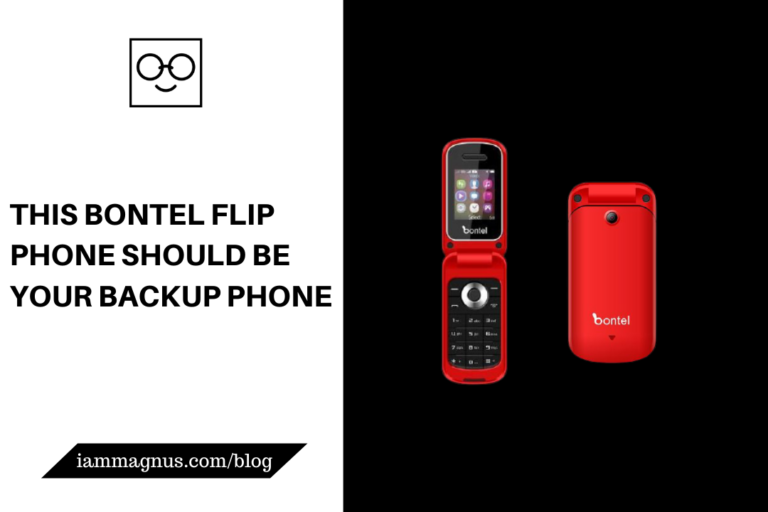
I’ve been an evangelist of backup phones since my Nokia 6.1 Plus started having issues. The Nokia crashed on me one day and I was completely stranded. Then it happened again a few more times until I realized it was a general issue with Nokia phones at the time. I made a post about it here. This post is about my new Bontel flip phone.

This Bontel Flip Phone Should be Your Backup Phone

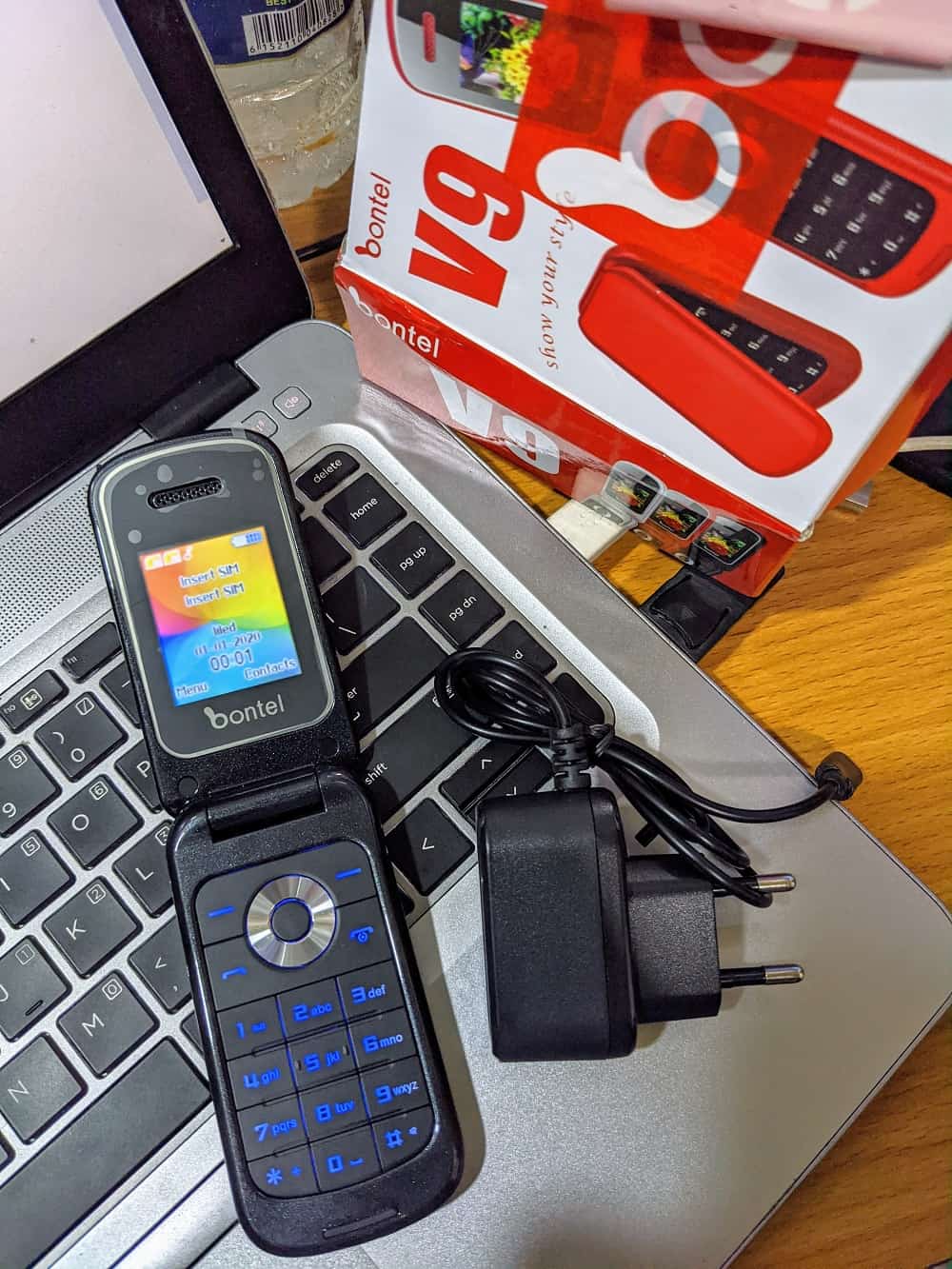
I recently purchased the Bontel flip phone on Jumia for about ₦5000. I thought it was really cheap and I wasn’t looking for anything huge. I just needed a phone with 2 sim slots, long-lasting battery life and small in size. The Bontel flip phone seemed like the best fit when I was checking Jumia. I also bought it because I miss flip phones.

Bontel Flip Phone Iammagnus

Here are some more details about the Bontel flip phone.

Specifications

FM Radio: Yes
Memory: support TF card (up to 32G each)
Multimedia: FM, MP3, MP4
Language: Multi-language
Battery: 1000MAH
Camera: 0.08Megapixels
Frequency: GSM850/900/1800/1900
Dimension: 121.8*57.5*17.65
Flashlight: No (The pack said it has but I don’t see it yet)
File Manager: Yes

Bontel Flip Phone Iammagnus (2)

Additional Information

It also comes with an option to browse the internet but I don’t think the makers created it with that feature in mind. The internet option is very basic. So, if you plan to buy it, don’t do so with plans to browse the web with it. You might be disappointed. The Operating system is not Android or any high-end OS, so you can’t install apps.

How to buy the Bontel Flip Phone

I would suggest using Jumia because that’s what I used. I use Jumia because I can file a return/refund within 7 days if I don’t like the product.

You can buy the red one by clicking here

You can buy the black one by clicking here

Let me know if you have any questions in the comment box below.

How To Download Your Udemy Course Certificate On Mobile

0

In my previous post, I talked about places to get expensive Udemy courses for 100% free. You can click here to check out that post If you haven’t.

In this post, I will be talking about how to download your Udemy course certificate on mobile If you have finished watching the course content. But before I proceed, I need you to know one thing.

You will not receive a certificate for all courses you take on Udemy. The free courses do not give certificates, but If you pay for a course or get it at a 100% discount, you will receive a certificate at the end of the course. You will know if a course gives a certificate or not in the description of the course. So, be sure to check the description before you start.

Now that that’s out of the way, let’s proceed.

How To Download Your Udemy Course Certificate On Mobile

You cannot download your Udemy certificates on the mobile app. So, I urge you to visit udemy.com on mobile browser or PC.

How To Download Your Udemy Course Certificate On Mobile

Make sure you have watched all the videos and read all the contents of the course. You will see a Trophy icon on the top-right-hand corner of your screen. Click on it to download your certificate. If you are on mobile, rotate your screen horizontally to see the Trophy icon. You might not see it in portrait mode.

That’s all folks. Don’t forget to check out my other posts on Udemy and Udemy courses.

5 Tools For Converting Blog posts to Podcasts and Audiobooks

0

Are you a better listener than a reader? Do you find yourself easily distracted while reading and would prefer to listen to written contents instead? Well, congrats. Because there are now several tools out there on the internet, specially designed to read out written online contents to you. Thanks to text to speech technologies, your articles can now be read to you and you also have no problem converting them to podcasts or audiobooks.

5 Tools For Converting Blog posts to Podcasts and Audiobooks

Some people have reading difficulties like vision problems, while some other people have concentration problems like in ADHD patients. These text to speech tools can be used to overcome the challenges of having reading problems. Check out our top five recommended tools below.

Audiblogs

Audiblogs is a platform where many content creators are able to publish their audio blogs for listeners. Audiblogs also allows users to convert web articles into audio blogs on the platform. The audio blogging platform has a podcast player that plays any web article of your choice in a human voice. Audiblogs posts are also timed, that is, they have durations so that users know how long an audio blog post will play for.

Audiblogs is for those who would prefer to listen to blog posts rather than read them. For some people, listening to blog posts are easier because you can go about cleaning, cooking, and other things while you are still assimilating information from the audio you are listening to. The platform also has a Chrome extension that you can use to listen to any article right from your Chrome browser.

Speechify

Did you know that you could have your emails, text messages, articles, blog posts, online letters and other written online materials read out to you through a tool? Speechify is is a web tool that is useful for everybody especially those with vision problems, dyslexia, ADHD, concussions and other reading difficulties.

Speechify converts your texts in whatever format, into speech. The platform was founded by Cliff Weitzman and it is the ultimate reading assistant for you. This reading assistant tool is available as an extension on Chrome, you can also visit their website for more details.

Podcastle

Just like the name suggests, Podcastle is a great option for you to consider because it does the job of converting your favourite news contents and articles into podcasts that you can listen to. Apart from the article to podcast conversion that this tool offers, it is also an audio blogging platform where you can publish your own podcasts and get your voice heard globally.

In order to use Podcastle in your Chrome browser, you need to open the webpage of the article you wish to listen to. Then, click on the Podcastle icon in your web browser and click on the “convert to podcast” button. It will take about a few seconds to convert and you can also adjust the volume to preferred levels.

Listnr

Listnr is a text to speech engine that will serve the purpose of converting your articles and blog posts into podcasts. If you also want to start publishing podcasts without recording anything, you can start by converting your own blog posts into podcasts. Listnr claims to be the world’s most advanced text to speech tool. You can confirm if this is true, by giving their platform a try to see for yourself.

On Listnr, you can browse through live radio, podcasts or audio messages to listen to. Also, currently, Listnr has almost 11 million streams monthly.

Tayl

Tayl is the perfect tool that gives online written contents a voice. With this tool, you can convert your articles, news contents and entire blog pages into podcasts. You can choose to listen immediately to these podcasts or listen later when you’re free. The Tayl reading voice is also almost completely human-like. The tool is available as a Chrome extension and as an add-on on Firefox browser.

Conclusion

The five applications suggested above are popular and tested options for you to use. Some of these tools are completely free to use while others are available at a paid price for users. Also, you might have to test out each one of them to see which application best suits your needs. Articles, PDFs and other written materials can now be listened to in a breeze through any of the five tools recommended. Happy listening.

5 Free Business Name Generators To Use Right Now

0

If you are about to launch a business, then you know that getting capital and planning your business launch can be very stressful. Now, if you add all that stress to the struggle of branding your business, any entrepreneur can get tired very quickly. People hire consultants and marketing strategists solely for the purpose of relieving this branding and naming stress.

5 Free Business Name Generators To Use Right Now

You don’t have to rack your brain to think up a creative and ear-catching brand name. Your business name can be easily generated by using one of the many available tools on the internet. You don’t even have to hire a brand manager or a marketing consultant at all. Just generate your name with any of the five tools that we have suggested below.

Looka

Looking for an effective online tool that can help you generate a catchy business name? Looka is a total bundle of joy for any start-up. Apart from being a useful tool for business name generation, Looka will also help you to design your brand from start to finish. The unique thing about Looka is that the platform uses an AI-powered system to generate the best business names, logos and brand identity for startups.

With Looka, you can start your business without worrying about branding. The platform promises to handle the creative branding burden of your start-up through the use of AI. Apart from business name generation, you can also bring your brand to life with beautiful logos and customised designs for your brand.

Namelix

Namelix is also a great option for business name generation. Namelix uses the aid of Artificial intelligence to craft the perfect catchy name for your brand. To start using the online tool, all you need is to enter the keywords related to your business into the search box and hit enter. You will be presented with different business name options that suit the keywords.

Namelix allows you to generate business names, but not only that. The website also allows you to filter your results down, save the names that you love from those generated for future purposes.

Namesnack

By just entering a series of keywords into the search box on NameSnack’s website home page, your unique and brandy business names will be generated automatically. NameSnack prides itself on using the combined power of machine learning keywords with other good naming techniques.

Crafting your brand name with the platform is 100% free and the best AI technology in the industry is used for generating names for the users. Also, after generating your business name for you, it will also help you to generate the best available domain name that is closest to your keyword.

Naminum

With Naminum, you can be on your way to discovering the best domain name for you. On the home page of the website, is a search box that you need to enter your business keywords into. Once entered, hit the Enter button and automatically you will be provided with cool business name suggestions.

Naminum allows you to generate an unlimited amount of business names through their platform for absolutely free. You can generate brand names, startup names, blog names, the ultimate name for your product and more.

NameQL

NameQL is a great online tool for generating your unique business name. Just like the other tools above, users should follow a similar process to use NameQL. On the website’s home page, you enter your keywords into the search box and you will get business name suggestions in return. The platform also has other resources for startups like informative articles and more. You can also save your favourite business name on the platform to be referenced later.

Bonus

DomainWheel

DomainWheel can be used to generate not just business names but also, domain names. DomainWheel promises that in a world of so many free business name generators, they are able to provide their users with absolutely usable business names and domain names. It boasts of using the best industry AI technology to generate the best possible domain name for your business.


5 Platforms That Let You Transfer Money From Ghana to Nigeria

2

Looking for the most effective means to transfer money from Ghana to Nigeria? Look no further. In this article, we will be listing five unique and efficient tools that will help you.

Many times, traditional banks charge exorbitant rates for the transfer of money out of the borders of a country. Using the traditional method to transfer money is not very cost-effective and productive. Hence the need for quicker and less costly options. With the advent of online banking, luckily, there are tons of options available to Africans to send money out of their borders. In this article, we will look at 5 major platforms available.

Bitsika

Bitsika also calls itself Africa’s Cash-App. With Bitsika, you can fulfil all the financial needs that you have in one app. Whether you want to put money on an app, send money to your friends, accept money from the public without revealing too much about your account details, or do whatever online bank transaction, Bitsika promises to be the solution you need. With Bitsika, you can transfer money from Ghana to Nigeria and Nigeria to Ghana as well. You can also buy airtime, or participate in giveaways no matter the origin in Africa.

Bitsika is available on the Google Playstore and Applestore. Bitsika even allows users to be issued virtual Visa cards online, that they can use for online shopping. The platform promises that their app can perform many financial transactions and you don’t need to download ten different apps to fulfil ten different financial services.

Chipper Cash

Chipper Cash is one of the best online financial solutions in Africa that you will love. With Chipper Cash, you can absolutely transfer that money from Ghana to Nigeria and even do much more. The main purpose of Chipper Cash is to send and receive money from all across Africa. The app was developed by Critical Ideas Incorporations and currently is available only on Google Playstore. The app has garnered over 1 million downloads from Google Playstore and rated above 4.2 stars by thousands of users.

Chipper Cash is free to use and very user-friendly. They also promise lightning-fast processing of payments and transfers. They offer very low cross-border rates of transfer and hopes to bring more Africans together as a whole, one financial transaction at a time.

Eversend

Eversend is another great option for Africans to transfer, send and receive funds from each other within the African border. The Platform allows its users to exchange money across borders. With the app, you can also buy airtime, get a dollar virtual card and has a very easy signup process. Their user interface is also very clear and easy to understand for users.

Eversend also allows users to save money from transactions with up to a 13% cut when they use the dollar virtual card. It is also not limited to those within Africa only. If you are outside Africa, you can still send money to your loved ones in Africa with the app. They also promise that they don’t charge any hidden fees.

Barter by Flutterwave

Barter is a smooth working app that is available both on Google Playstore and Apple store for your financial transactions within Africa. You can create dollar virtual cards that you can use for your transactions with Barter. Barter also allows you to receive US Dollars and get fantastic bonuses for dollar transactions. The app was created by Flutterwave. Request for money, send money, pay bills and more.

Payoneer

Payoneer is a very popular option for receiving and sending money all over the world. Payoneer is trusted by millions of people around the world to carry out quick and stress-free financial transactions. This means that you can send, receive and transfer money from Ghana to Nigeria also with the platform. To begin, just visit their website and sign up.

Honourable mentions

EcoBank is available all over Africa. Standard Chartered Bank and other banks around Africa as well.

Presentation: 6 Microsoft Powerpoint Alternatives You Can Use On Your Browser

0

Microsoft PowerPoint is a very popular presentation package owned by Microsoft Inc. The software was initially released in 1987 for Macintosh Operating System. But the software is now run only on Microsoft Windows OS. 

Microsoft PowerPoint is a part of the Microsoft Office Suite bundle which also contains Microsoft Excel, MS Word and other office tools for productivity. MS PowerPoint has a big advantage over other presentation tools because it has a bigger name and is a more popular brand and also has amazing presentation packaging features.

If you are looking for alternatives to the amazing MS PowerPoint program, then we have six also efficient alternatives for you. They will get your slides packaged and well presented.

Google Slides

With Google Slides, you can create amazing presentations wherever you are for completely free. Google Slides is a Google powered tool that allows students, content creators, entrepreneurs or any type of users, to create and edit presentation slides. 

Google Slides also allows you to collaborate with other users from wherever you are in the world. You can also present these slides as well right from your home or office. Google Slides is a very popular and legit alternative to Microsoft PowerPoint and many users attest to the effectiveness and ease of use of Google Slides. You can import your Powerpoint files to Google Slides and edit them there as well. That’s not all, you can present with Google Slides as well

Google Slides also has an advanced option for offices and workplaces for better collaboration called Google Workspace. Google Workspace is still Google Slides but with the added benefit of security and team control. 

Presentation templates by Pitch

Pitch is another presentation software that you can use as an alternative to Microsoft PowerPoint. With Pitch, you can make presentation slides that will also make perfect pitch decks. Do you have a business proposal that you need to pitch to an audience and you want to create the perfect pitch that will win their favour? Pitch promises to help you with that. 

Right on Pitch’s website home page, you will see different presentation templates from which you could choose. These presentation templates are fully customisable and very user-friendly. With these templates, you can choose which one matches your purpose best. From marketing slides to creative slides, to pitch slides and more.

Presentations by Canva

Canva is popular as a design tool all over the world but Canva also extends into providing presentation package services. With Canva’s presentation tool, you can design your slides, collaborate with other users and share the resulting slides with other members of your team to achieve your goals more smoothly. 

Canva promises that whether it is a product pitch, a keynote for a conference that you are to present or an assignment you are assigned, you are assured to find several presentation templates to start with. 

Adobe XD Presentation

This is a brand new plugin from the developers of Adobe. The plugin is used with Adobe XD and it is a cool tool that you can use to make beautiful presentation/slides easily. This plugin has lots of professionally designed themes that you can pick from for your slides. 

The default templates are fully customisable and each slide within a theme is very structured. The themes and slides are also crafted to suit a designer’s tastes. This plugin also has very useful elements that you don’t have to hunt for online. The elements are vector-based and include icons, shapes, photos and other elements. 

Slidesppt

Slides Ppt is another presentation tool that you can use as an alternative to Microsoft PowerPoint. Slides Ppt promises to save you time while they take care of the design aspect of your slides for you. They have unique presentation templates that have unique designs that you can use for completely free. They also assure you that all of their designs are under the Creative Commons license. 

Flowries

With Flowries, you can create compelling presentation slides that flow smoothly like you’re telling a story. You can edit your slide by using their very easy Online Editing tool, from anywhere. Flowries also has cool effects, elements and contents to incorporate into your slides to make them more appealing.

Conclusion

These six alternatives to Microsoft PowerPoint are available online and easy to use. With these alternative tools, you can still get the job of creating your presentation slides done smoothly.


Check out my YouTube videos

X