Sorting by

×
Home Blog Page 5

In Nigeria? 7 Reasons to Invest In Stocks Right Now

For about a year now, I and my friends have been talking about Stocks and why you should own shares of some tech companies. What have we done so far?

They are all free.

In Nigeria? 7 Reasons to Invest In Stocks right now

Now, at some point, you’ll have some money saved and think, “Wow, I probably should somehow invest this” and you should, In Stocks. Here are seven reasons why you should invest in stocks right now.

Own a part of your favourite companies

One of my favourite reasons for investing is being able to purchase parts of companies that you believe in. Plus, you can also buy high-risk company shares that you want. You can buy Amazon’s shares if you believe in the company Or maybe buy Tesla’s shares because you love electric vehicles (EV)

Grow your money

This is the easiest justification to invest and it’s also at the heart of why stocks are bought by anyone. When done correctly, over the long term, you will raise the money you spend by anywhere from 7% to as much as 1000% in a year. According to Investopedia, “The average stock market return is about 10% per year for nearly the last century.

Stock market investment is a well-worn road to making money work harder, but to get your feet wet, you don’t have to fork over thousands of naira. You can start by setting aside the few nairas that you would usually spend on a regular junk and investing in stocks or an index fund the monthly sum. It’s a painless way to use your income to service your future.

Choose your Investment style

You can be extremely selective in terms of selecting a style by purchasing individual stocks. For instance, you might want to develop a portfolio consisting solely of businesses involved in banking. It’s up to you. You have full power over it.

It is commission-free with many brokers

It was expensive and tedious in the past to own individual stocks because each time you purchase or sold stocks, you had to pay a fee. Plus, you had to buy shares or sell them entirely. Not anymore. Most brokers are currently commission-free, and many of them encourage you to invest in fractional shares. Indeed, as the majority of ETFs(Exchange Trade Fund)and mutual funds have an expense ratio, keeping individual stocks can potentially be cheaper.

Invest in Stocks because cash loses its value

You’ve probably read of inflation before, but it’s kind of an odd idea. Think of inflation as the slow but steady force that makes things cost more over time, to put it. Do you know how your grandfather was able to watch the ₦100 movie? Now it’s going to cost you ₦1500, ₦2500, or even ₦3000 to watch a movie. That’s mostly because inflation causes the price of goods and services to rise over time.

What that means to you is that, over time, your hard-earned money steadily loses its worth.
For instance, if you save ₦100,000 this year and place it for the next 10 years under your mattress when you take it back out, it will not be #100,000. I mean, yeah, it’s still going to be 100,000 naira, but it’s not going to be worth what it was worth when you won it for the first time. So if your ₦100,000 today will buy you an amazing trip around the world, it will only be possible to buy you two nights in a nearby hotel in 10 years when you take it out from under your mattress.

Reinvest dividends however you like

Most businesses pay dividends on a regular basis. If you’re just an ETF consumer, you have two options: either buy more shares of ETFs or take the cash out of your account. However, you can take the dividends and use them to purchase more of the company that sold them, or buy a new stock entirely, if you already buy stocks. It depends on you.

Invest in Stocks to diversify

You will diversify how your money is spent and how you make a gain for yourself and your family by buying stocks. What does “diversify” mean? Basically, the more ways you have to make money, the less you are at risk of getting into financial trouble if you disrupt any one method. You may have some money in the retirement plan of your company, or saved in a bank account, or invested in CDs, or something else. Another form of investment may be bonds, diversifying in any one field against possible trouble.

In Nigeria? You can buy Stocks with Bamboo, Trove, Risevest and more. I use Bamboo

Your Payoneer Issue Might Not Be So Serious

0

Your Payoneer issue might not be as serious as you think. Let me explain.

There have been cases where my friends receive a notification that their account was locked, they tried logging in through their PC and Payoneer said they needed to set up a new password, they did and they were able to log in. So, If the app isn’t working for you, try login in on the website. Do not panic.

If your Payoneer account still says “blocked”, don’t panic. Clear your cache or login on a different browser.

Your Payoneer Issue Might Not Be So Serious

The truth is, your Payoneer account is hardly ever blocked, especially if they never sent a mail to that effect or you already verified your account.

Again, don’t panic. The Customer Support team at Payoneer do their best as well… and they sometimes call me back. You can Google “Payoneer Customer Support” for numbers to call and ways to chat with the Support team.

Get Paid For Introducing Your Friends To Bamboo

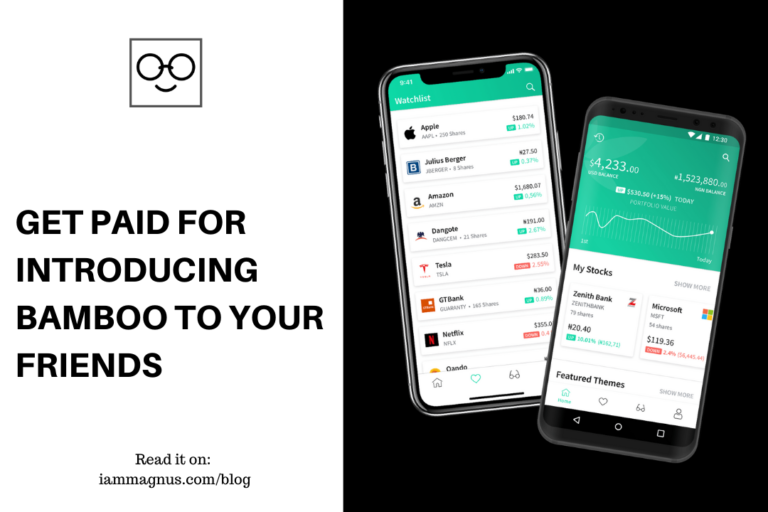
Bamboo or InvestBamboo recently rolled out their referral program and I thought to reblog the news. Before we start, If you want to learn about Bamboo and how to invest with as low as ₦1000, then click here.

If you share your Bamboo referral link with your friends and families, you will earn a 2.5% commission when anyone who signed up using your link makes their first $20 and above trade.

Which of my friends are eligible to refer?/Who can I refer to earn rewards?

Friends, family members, colleagues, acquaintances as long as they are above 18 years of age and have a valid NIN.

What conditions must I complete for me to earn the reward?

As a successful referee, you must have funded your account with at least $20.

What conditions must a referee complete for me to earn the reward? What counts as a successful referral?

A successful referral means your referee must use your signup link to register on Bamboo, deposit money into their Bamboo wallet and buy stocks worth $20 or more.

Where can I find my referral link?

Your referral link can be found in the ‘invite a friend’ section on your profile page.

Where am I allowed to share my referral link?

Anywhere.

How do I track my referral status (whether a referral is pending or completed)

From your app, navigate to “Profile” and the ‘invited friends’ section. You will be able to see referees who downloaded the app through your link. A green tick beside the name of your referee means registration and funding have been completed.

How many referrals do I need for each reward?

You get a reward for each successful referral you make.

How will I receive my reward?

In the first week of each new month, the amount to be rewarded to you will be calculated and paid into your Bamboo wallet.

Is there a limit to the number of rewards I can earn?

You earn once per person but there is no limit to the number of people you can refer. The more successful referrals you make, the higher your rewards.

What if a friend or family member signs up but forgets to use my link?

Your link will no longer be valid for them if they sign up directly.

Where can I reach out if my question wasn’t answered here?

Kindly reach out to support@investbamboo.com, we’ll be glad to answer any other question you may have.

5 Cloud Storage Software To Backup Your Files Automatically

0

You can create a file on your work machine, edit it on your phone on the subway home, and then finish working on the same up-to-date file from your desktop in your living room, thanks to cloud storage and file synchronization software. You can also share a 20 GB picture and video archive with colleagues who are halfway around the world in minutes. This is the internet virtual hard drive that ensures that on all your computers, the latest version of your files are ready. I will be sharing 5 cloud storage software to backup your files automatically.

Google Drive

Google Drive is a cloud storage and file syncing service that gives you a lot of storage options. It has both free and paid plans, The free plan gives you 15GB of storage space while the paid plan gives you up to 1TB of storage space. You can create, store, and edit your documents on any device that has Google Drive installed.

This means that you don’t have to be scared of losing your document because they can be easily accessed. You need to have a Google account to access the service. Google Drive can also be easily integrated with other Google services like Google Docs, Google Photos, Keep Note, etc.

Microsoft OneDrive

Onedrive is a cloud storage and syncing service from Microsoft. It is the default service for Windows 10 and Office 365 users. You automatically have access to the service if you have a Microsoft account. They give you 5GB free storage once you start using the service and you can pay if you need more storage options. OneDrive has Personal Vault, which provides an extra degree of protection to the files that you save on OneDrive.

You must use two-factor authentication to open it when you activate your Personal Vault. This can take the form of your username, phone, or authenticator app as a security code. BitLocker encrypts the files locally and locks them after a fixed number of minutes of inactivity, so you can’t accidentally share them.

DropBox

Dropbox is a cloud storage and file syncing service designed to reduce workload and improve your workflow. Most people use Google Docs or Microsoft Office to create or edit their documents, Dropbox offers integration with these services.

This allows for easy collaboration in real-time. It also has a rewind feature, If you are concerned about file changes, the “rewind” feature may be useful for you. You can roll back file changes with this file versioning feature. If you want to update a document or restore a deleted file, the rewind feature is for you. Dropbox offers 2GB of free storage and if you want more you can buy up to 5TB of storage space.

Sync

According to their website “With Sync you can backup your data, easily send documents and files to your clients, collaborate with coworkers, and share your photos with family and friends. No strings attached.” It is a Canadian based company. Sync gives you 6GB of storage upon signing up. You can register for free with Sync, but they also have higher levels for business and personal use, each with extra storage space and a certain number of users per account. With end-to-end 256-bit AES encryption, all files uploaded to Sync are secured. That means that the source is encrypted and the data key is managed only by you.

So, even though your files are online, since they will need the encryption key to understand it, they are useless to anyone.
This is also known as zero awareness privacy. However, because Sync.com doesn’t hold the encryption keys at all, if you lose your password and Sync can’t reset it, it means you’re in trouble. Sync helps you to jump a file back to an earlier moment quickly and work from there. Any file can be rollbacked to any prior date or period. They also give you 1GB storage for every friend that you refer up to 25GB

Mega

Mega carries a lot of appeals, especially for users who above any other considerations value privacy and protection. Having reviewed the different applications and features, we’d also conclude that navigating around the service and discovering all the tools you need is a breeze. Mega is able to appeal to both total cloud storage beginners and more advanced users who may need an encrypted chat or a command-line interface. It offers 15GB of free storage and for the paid version, you can buy up to 16TB of storage. It has both Android and IOS app or can be used directly from the web app.

Best Free Bio Link Tool in 2021: Step by Step Guide For Joy.link

0
I have been checking out a lot of bio link tools (or link in bio tools) for over a year now and I shared some of the amazing ones I’ve found in my previous post about linktree alternatives. After trying out over 10 link in bio tools in almost 2 years, I am happy to confirm that I have settled on one best free link in bio tool. It is called Joy.Link.
In this post, I will be talking about Joy.link, why it is one of the best free bio link tools out there and also one of the best linktree alternatives I have used in a while. Let’s get started.

What is Joy.Link?

Joy.link is a simpler, richer and highly customizable link in bio tool for Instagram, portfolios, payments, donations and more. The platform allows you to promote your social media profiles, products, projects, blog posts and any other media in one simple shorter link. It supports over 20 global social media platforms, instant messengers, and payment platforms. It is also completely free, and yes, you can use it to promote your Instagram.

Why use Joy.Link?

I understand you might have used other link in bio tools or Instagram marketing software and probably didn’t like them. I have too, and I can tell you for a fact that Joy.link is better because of it’s many free features – It comes with analytics for free and unlimited link placements as well as themes. You can literally sell, promote or share anything with Joy.link and also customize your link in bio however you want without restrictions.

It also has some visual effects like “mouse over effect” and themes that suit your profile… all for free.

How to use Joy.Link

First, visit joy.link or just click here to sign up and choose a username for free. Then we can proceed to the fun part.

LINKS

After you login, you will arrive at the main links page where you can add links to your content, product, portfolio, blog post etc. Please see image below:

The “Embed videos” option allows you embed a link to your video on Youtube or anywhere on the web. When clicked, the video plays on your joy.link page, so visitors will not need to leave your joy.link page while watching the video.

The Links page is also where you can add unlimited links and also enable the referral link to earn some money. You can add a thumbnail to each of your link as well, but that is not compulsory.

PROFILE

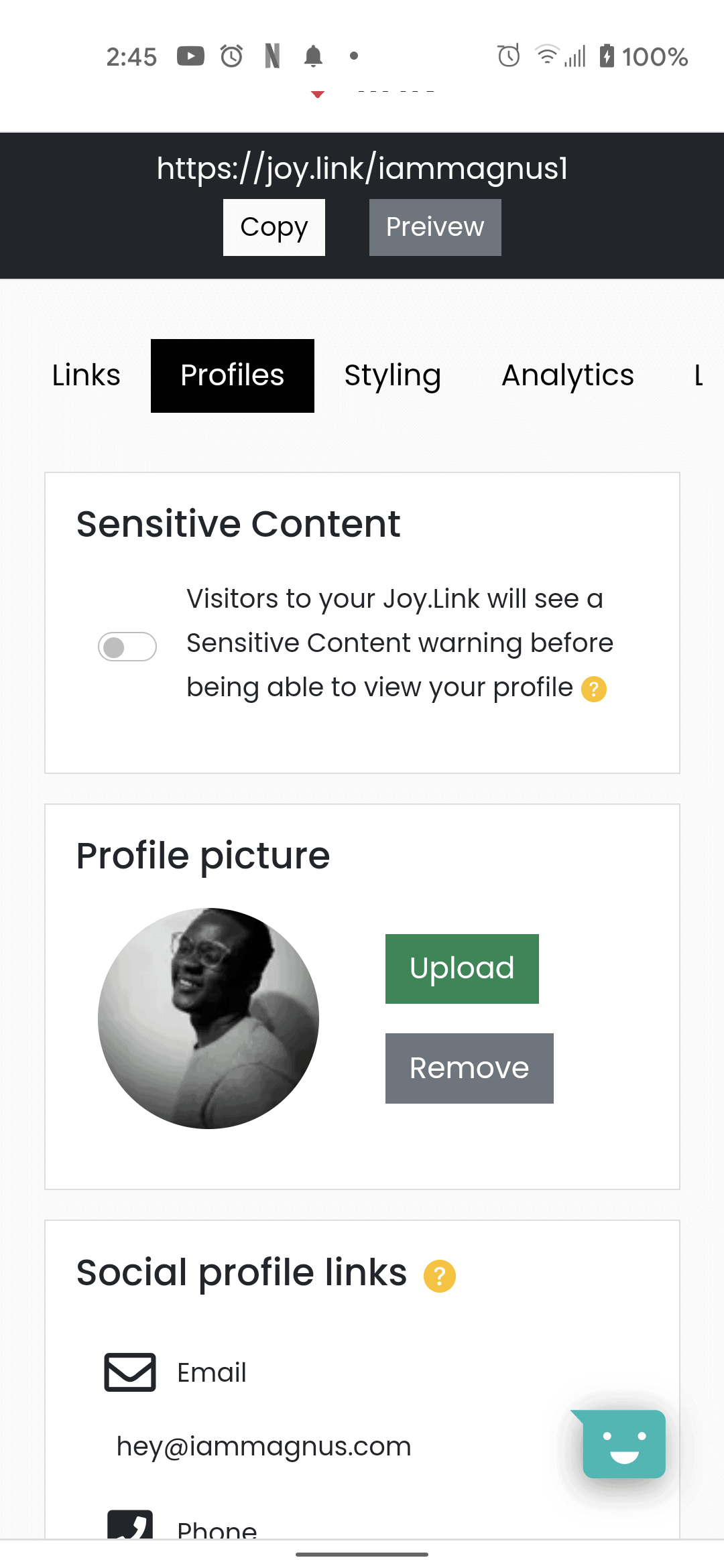
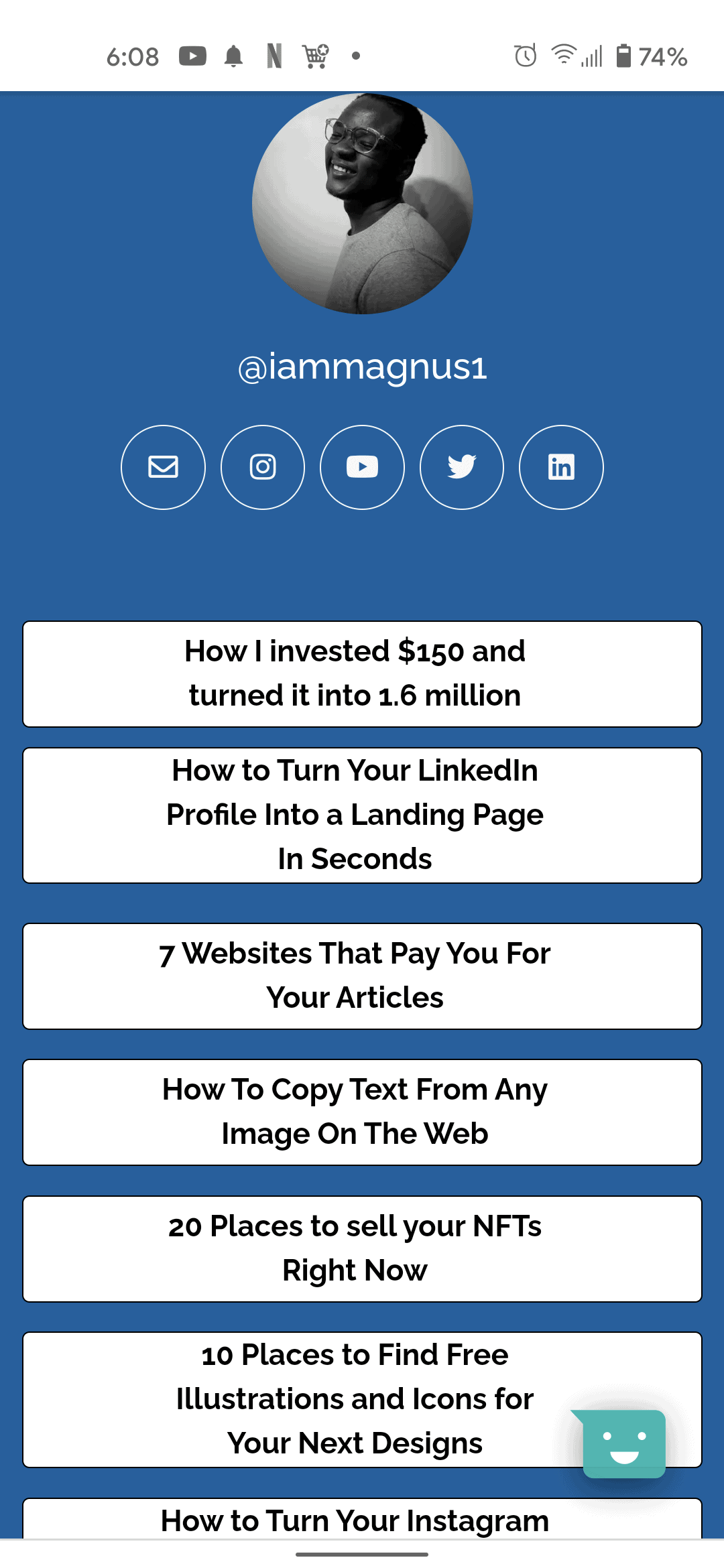
The Profile page is basically where you can add links and add what you would like to show when visitors check your joy.link profile. For example, you can see what my profile looks like in the images below. The image with the blue background is what everyone sees when they visit joy.link.to/iammagnus1

Joylink profile page iammagnus Joy link bio link tool link in bio (1)

STYLING

The styling page is where all the customizations happen. You can change the theme, background, font and may other details about your joy.link link in bio here. The image below will further explain what I mean.

ANALYTICS

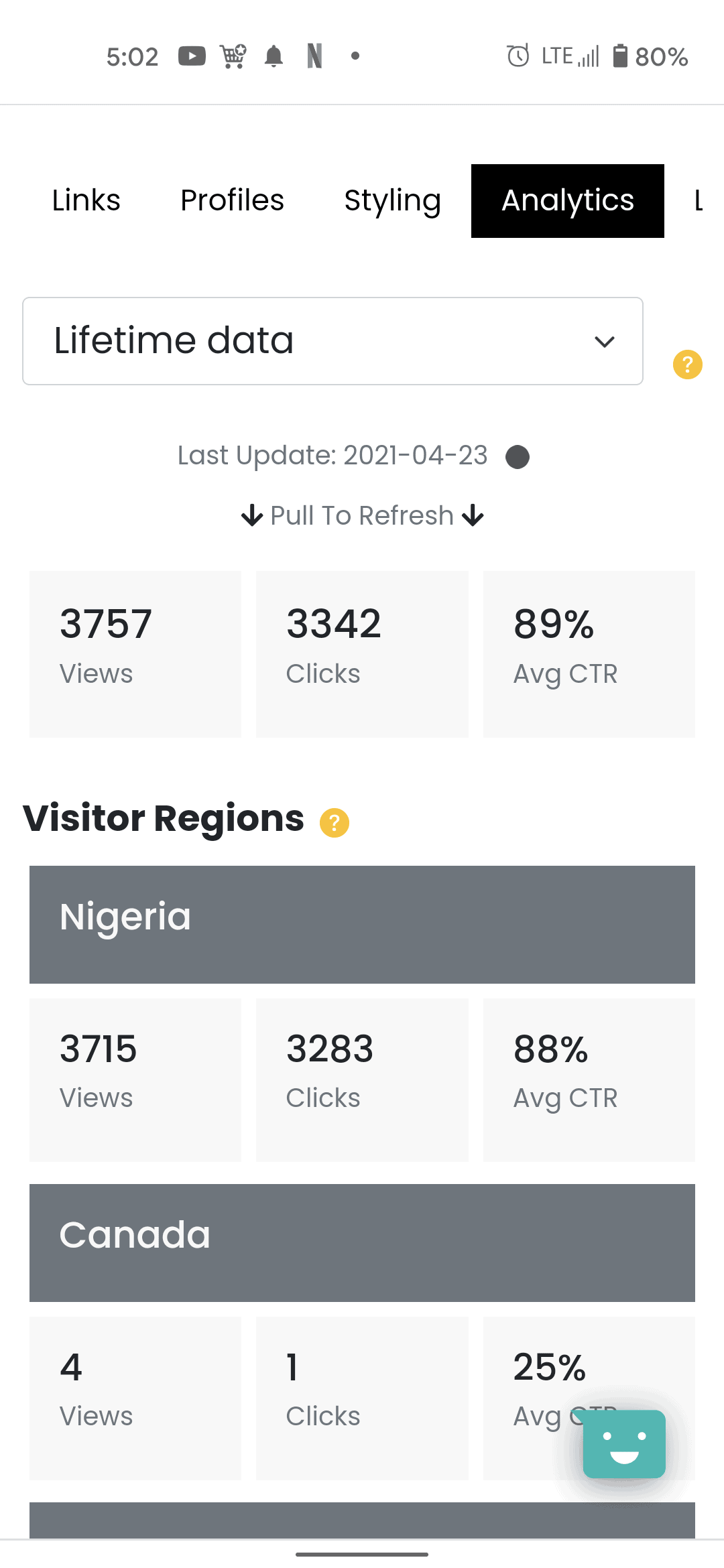
Joy.link’s analytics page is actually my favourite part of the tool because most link in bio tools (especially the ones for Instagram) charge a few dollars to show your analytics while using the tool. Joy.link comes with free analytics to show you where your visitors are visiting from and what they are clicking on. You also get to see impressions and Average CTR as well. Here’s an example in the image below:

Joy link bio link tool link in bio (3)

The benefits of using Joy.Link

It’s Completely Free: Joy.link is completely free to use. You don’t have to pay a dime to make it your link in bio for Instagram or use it to promote Instagram free.

Highly Customizable: The tool is really detailed, up to the point that you can add your payment links, embed videos to play without leaving your joy.link profile and also add thumbnails of any link you add as well. Other additional features include box colour, font, mouse over effect and many more.

Free Analytics: One of the things that many bio link tools like Linktree don’t offer for free or at all is analytics. With Joy.link, I can see impressions, clicks, what country my bio visitors are from and their average CTR.

All your Social Profiles in one place: Joy.link supports 20+ global social media platforms, instant messengers, and payment platforms.

Unlimited Links: Unlike so many Link in Bio tools out there today, joy.link allows you to add unlimited links to your profile. So, you can go ahead to add a link to all your blog posts there like I did or use it to list all your products. You can add as many links as you want, unlike Linktree and other similar link in bio tools.

Speed: The tool is very light and all its pages don’t take time or consume your data bundle to load.

Additional Languages: Joy.link is not only available in English. It’s available in over 3 languages.

Safe for everyone: Joy.link makes it easy to manage adult content as well. There is an option on the profile section for sensitive content. Visitors to your Joy.Link will see a sensitive content warning before being able to view your profile.

Earn Cash: Joy link has a referral program that you can participate in and earn cash when other users sign up through your URL. You can learn more about the referral program here

Joy link is the best free bio link tool I have used in a while and I’m surprised It’s completely free. Enough stories, you should check it out and thank me later. Click here to get started for free.

Why You Should Not Use Spotify For Nigeria Yet

0

I was using Spotify with a VPN before it was officially launched in Nigeria. We all did. And then, when it was finally available to Nigerians in Nigeria, I could no longer play some songs… because they are not available to Nigerians. See the screenshot below:

Spotify for Nigeria songs missing

What’s worse? There is a Spotify option to show unavailable songs in playlists. If you don’t enable that option, you will not know that some of your favourite songs are missing.

So, If you haven’t changed your country to Nigeria on Spotify yet, LEAVE IT! Continue using USA or wherever else.

Turn Your LinkedIn Profile Into a Landing Page In Seconds

0

In the past, I have talked about tools that let you turn your Instagram profile into a website and ways to convert your LinkedIn Profile into a resume. I hope you did not miss those.

What is a Landing Page?

A landing page is a page where users or visitors end up in when they follow a link or visit your website. It could contain anything to put there. It could contain your works, something you’re selling, a picture or anything.

Turn Your LinkedIn Profile Into a Landing Page In Seconds

In this post, we’ll be looking at how to turn your LinkedIn Profile into a landing page in seconds, or, rather, where to do that for free.

Stay with me. This is brief

  1. First, you visit vitaely.me
  2. Fill in your LinkedIn profile link (Don’t know how to get your profile link? Click here)
  3. Then boom! Vitaely turns it into a personal landing page for you.

It’s pretty easy. Just follow the link and instructions.

If you have any questions or need help, please leave your comments below.

20 Places to sell your NFTs Right Now

0

Canadian singer, The Weeknd recently raised 2 million dollars selling previously unreleased music as tokens priced at $490,000 and there are even more celebrities out there selling their digital content these days. Twitter founder and CEO Jack Dorsey, tweeted the first tweet on the microblogging platform in 2006; a short text that read “just setting up my twttr.” He recently sold that tweet as an NFT to Sina Estav, CEO of Bridge Oracle. Even though the original tweet is still in existence, Jack doesn’t own it anymore… So, what are NFTs?

What are NFTs?

NFT (Non-fungible Token) refers to digital assets with unique characteristics. Examples of NFT include crypto artwork, collectibles, game items, financial products, templates, domains and more.

NFTs can be used to represent virtually any type of real or intangible item out there. I’m talking about artwork, painting, song, virtual property, items you buy in video games, videos, websites and many more. You can learn more about NFTs by clicking here.

20 Trusted Places to sell your NFTs Right Now

Before we start, please note that you’ll need to connect your wallet to be able to access most of these sites, set up your profile and start minting NFTs. Each of the platforms will explain better when you’re about to connect your wallet.

OpenSea

OpenSea is currently the world’s largest NFT marketplace where you can buy, sell and discover all kinds of digital items. You need an Ethereum wallet to use OpenSea. I know you have questions on how to start buying and selling on OpenSea, but I’m pretty sure all your questions have been answered here.

Foundation

Foundation is a platform designed to bring digital creators, crypto natives, and collectors together to move the culture forward. Its primary focus is on digital art. Right now, you can use Foundation to discover and invest in digital artworks that are pushing the boundaries of creative expression.

Foundation is one of the largest digital content sale platforms out there today. It’s so big that other digital platforms reference it.

Rarible

Rarible is the first community-owned NFT marketplace. It’s also one of the largest platforms out there that allows you to create, sell or collect digital items secured with blockchain. You can collect digital items and also follow sellers on Rarible. It’s a really huge marketplace.

You can learn more about the platform and join their discord/Telegram groups by clicking here.

Decentraland

Decentraland is a decentralized virtual reality platform powered by the Ethereum blockchain. Within the Decentraland platform, users can create, experience, and monetize their content and applications. You can join the platform by following this link

Makersplace

Allows you to protect and sell your digital creations for free. The platform is free to use but they take 15% when you make a sale, plus an additional 2.9% for purchases made through credit card. You’ll also earn 10% every time your works are re-sold.

Niftygateway

This platform also lets you buy, sell, trade and display your Nifties, an informal way of saying “NFTs” – A Nifty is a digital item you can truly own. Nifties live on a blockchain, so no one can ever take them away from you, not even the person who created them. Nifty Gateway lets you buy, sell, trade, & display your Nifties. The platform is owned by Gemini. This means you can count on their world-leading security technology to keep your nifties safe. You can learn more about Nifty Gateway by clicking here

Mintable

Mintable is a dApp that’s designed to be your home for digital items. Built into it is a powerful Smart Contract creator that allows you to mint your very own Smart Contracts that you own and have complete control over. With Mintable you can create a contract in as little as 30 seconds

You can easily turn any creation into an item on the blockchain for free.

Atomicmarket

AtomicMarket is a shared liquidity NFT market smart contract that is used by multiple websites to provide the users with the best possible experience. Shared liquidity means that everything which is listed on one market also shows on all other markets. They have a Telegram channel. You can learn more about Atomicmarket by clicking here.

Myth Market

Myth Market is a series of convenient online marketplaces supporting various brands from Topps to Blockchain Heroes and William Shatner on the WAX Blockchain. You’ll find a couple of marketplaces when you visit the platform.

Mintbase

Mintbase allows people to create and trade digital items as tickets, art, music and much more. The Minting tool makes it easy to create a token on your own verified smart contract. You can set the token for sale and it will be ready to be bought or head over to OpenSea and it will appear in your items without having to do anything.

Basically, you can create a store with Mintbase, mint things on your store and watch your ETH wallet balance go up whenever you make a sale. You can learn more by clicking here.

SuperRare

SuperRare is currently in early access mode and only onboarding a small number of artists each month. You can submit your artist profile so you’re on their radar ahead of their full launch. You can submit your profile on the footer of this page.

When selling your artwork in a primary sale, you will get 85% of what the buyer paid for the token with the remaining amount charged as a commission by SuperRare. For secondary sales, creators receive a 10% royalty as a form of passive revenue if the artwork continues to get traded in the market.

CoinGecko or Rare Bits

Rare Bits was built to keep pace with all the innovative applications launching non-fungible tokens and to ultimately help users:
– Discover new crypto assets launching every day and provide insights on market-level trends (like Product Hunt!).
– Manage your own crypto assets in one place with a visualized wallet experience (think Pinterest).
– Buy and sell crypto assets with auctions (think eBay).

One thing that sets Rare Bits apart is that they are completely fee-free. On other sites, as a seller, you can pay upwards of 3.8% of proceeds in auction fees. They a are venture-backed team of serial entrepreneurs based out of San Francisco.

NFT Showroom

NFT Showroom is a digital art marketplace built on the Hive blockchain. Hive is a fast and feeless blockchain that scales, is globally accessible, and unlocks an entire ecosystem of services for artists and collectors! Our mission is to provide a platform that is easy to use, less expensive to transact for both the creator and collector and which solves existing problems in the crypto art sphere.

NFT Showroom will charge you a 10% commission when you sell your art for the first time, while, for secondary sales, it collects a 5% commission and gives 5% to the original artist.

Bakery Swap

BakerySwap is a DeFi protocol built on the Binance Smart Chain that offers tasty rewards. It works as a decentralized exchange (DEX) that adopts the automated market maker (AMM) model.

Stake and bake, create special NFT combos, get your own NFT pets, and more with the help of this guide!

KnownOrigin

KnownOrigin helps you discover and collect rare digital artwork. It’s basically like the other platforms listed here and the platform is secured by the Ethereum blockchain.

Every digital artwork on KnownOrigin is authentic and truly unique. Blockchain technology makes this new approach to digital ownership possible. You can use KnownOrigin to showcase and sell your work to collectors who care about authenticity.

Creators can submit digital artwork as a jpg or Gif to the KnownOrigin gallery, with all files on IPFS.

Enjin Marketplace

Discover, buy, and sell rare and unique NFTs. You can also get a custom domain for listing NFTs on your own branded blockchain marketplace—with customized features to meet your needs.

Enjin Coin has real-life value, meaning that all NFTs created with it have real-life value, too. Enjin Coin (ENJ) = $3.26 – Why should you use Enjin? Click here to learn more

Portion

Fun fact, sellers keep 100% of the sales they make through Portion. Portion is the premier online marketplace connecting artists and collectors through Blockchain technology to easily sell, invest and own art and collectibles with complete transparency. The platform looks really solid and transparent… you get to meet the makers and their mission when you visit the website.

Async Art

Async Art is a new art movement built on the blockchain. You can create, collect, and trade programmable art: digital paintings split into “Layers”, which you can use to affect the overall image. Launched in February 2020, the platform has seen $7.8M+ in bidding and $2.1M+ in sales volume.

Zora

Zora is a marketplace to buy, sell and trade limited-edition goods. All of these goods are launched as tokens. By dropping it as a token, Zora enables goods to be dynamically priced, fractionally traded and launched before the item even exists. You can learn more about Zora here.

Elixir Market

Elixir Market the first bitcoin NFT Market for gamers. Buy or sell skins using the Bitcoin Lightning Network Obtain Light Nite NFTs and sell them in the Elixir Market. Withdraw your bitcoin using the Lightning Network or +3000 stores worldwide.

Showtime

Showtime is a social network to browse and show off your NFTs across Foundation, Zora, Super rare and more!

On Showtime, you can: Check out trending crypto art, check out a leaderboard of up-and-coming creators, explore your favourite crypto art collections, like, comment and share NFTs, customize your profile and curate your collection.

Looking to sell other side projects? Here are 5 Places to Sell Your Side Projects

5 Free And Powerful Website Builders For Businesses

0

As your business grows larger, you would want to create an online presence. And you can do that with website builders. A website builder is an online platform that allows you to create websites without writing or editing code. It is relatively easy to work with a website builder since they provide a what-you-see-is-what-you-get editing interface, which ensures what you see when editing your website is what you would actually see if your website has been live and viewed in a browser.

5 Free And Powerful Website Builders For Your Business

The best website builders have many features, including professional website templates, drag-and-drop editors, and ‘onboard’ hosting services that are simple to work with. I would be sharing five popular ones with you.

WordPress

WordPress is a popular and powerful website builder that allows you to create your personal website, blog, or e-commerce store with little or no coding experience. There are two types of WordPress – wordpress.org which is self-hosted by you and wordpress.com which is free. A third of the Internet is run by WordPress and it has the best content management system. WordPress allows you to change the appearance of your website by using a set of templates called themes. Each theme comes with a stylesheet that defines how each section of a WordPress site is displayed. There are lots of free and premium WordPress themes available online.

To extend your website, it gives you access to a vast set of add-ons and plugins. This enormous access to specialized software allows you to do whatever you want. Due to its popularity, WordPress also has integrations available for almost all common third-party software like your email marketing program, lead generation tool, SEO tools, CRM software, and payment gateways. WordPress is one of the best website builders on the planet.

Wix

Wix is a powerful drag and drop website builder. It helps you to create and sell through your website with hundreds of templates and great tools. Friendly and flexible for beginners, Wix is perfect for everything from personal online portfolios to websites for small businesses.

The powerful template editor from Wix gives you total creative control without having to know a code word. Wix gives you two options: Wix ADI or Wix Editor. Based on your answers to a few questions, Wix ADI designs your website for you. You can then edit the final design, but this process is not ideal if you want absolute power. While, Wix Editor uses drag-and-drop tools, meaning you can reposition something on your website simply by clicking and holding the object, then dragging it where you like. Wix is also one of the best website builders out there.

Squarespace

Squarespace is a website builder targeted primarily at owners of small businesses. Thanks to a user-friendly content management system, users can create a professional site in a browser without coding and edit it easily. Squarespace supports third-party integration like Google Suite, Google Adwords, Mailchimp, PayPal, and Stripe Plugins. It also gives you the ability to add your own CSS style to customize the way your website looks.

All the templates provided by Squarespace are responsive meaning that no matter the device your website is viewed from, It would look aesthetically pleasing. Another useful feature Squarespace has is the logo designing tool. This lets you design a business logo from a vast selection of symbols and typeface.

Ucraft

According to their website “Ucraft is a drag and drop website builder for anyone who wants to create a professional and responsive website. Whether you are a small business owner, entrepreneur, artist, blogger, or anything in between, build a website, and present your brand in the best possible light.” They offer responsive designs that adjust themselves to various screen sizes and device types.

While Ucraft is not the most robust website builder on the market, it is a great choice of website design and online selling for users who are newcomers. And the platform’s free option works well for those on a slim budget. Since Ucraft is cloud-based software, you do not have to follow any hardware or software specifications. The most recent versions of Chrome, Safari, and Mozilla Firefox are supported by Ucraft. Internet Explorer isn’t supported by Ucraft.

Site123

SITE123 is a streamlined website builder that offers fundamental content building blocks that can be organized to accommodate a wide range of businesses. After answering a series of questions on sign-up, Your site will be generated automatically by their AI and it would be populated with background images and content based on the category you chose for your site at the beginning of the creation process. All sites generated are responsive, and it supports third-party integration for e-commerce.

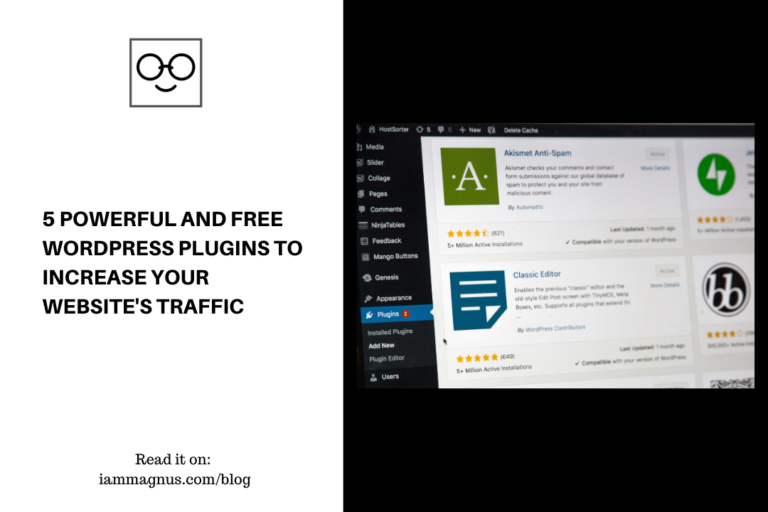
5 Powerful And Free WordPress Plugins to Increase Your Website’s Traffic

1

Without spending loads of cash, do you want to expand your WordPress website? A successful WordPress plugin has the ability to help you accelerate your company’s progress online. But the WordPress plugin directory is loaded with 55,000 + plugins, so the best free WordPress plugins for your website have been narrowed down by this guide.

Akismet

It’s a fact of life that everyone hates spam. You should expect spam comments to start showing up as soon as your WordPress website goes live. What’s worse, many of these spam comments are going to look authentic. Still, your website is clogged with comment spam and ruins the experience for your readers. And you risk losing readers and potentially destroying your brand if it’s not dealt with properly.
Fortunately for you, there is a secure, powerful plugin to take care of this.

Akismet is the official anti-spam plugin developed by Automattic, the parent company of WordPress. It has downloads of over 35 million, making it the most popular plugin of all time. There’s a reason why it’s famous, and you should be if you’re not already using it.

WPForms

A contact form is one of the simplest ways for people to contact you on your website. No one wants an email address to be copied and pasted so that they can email you, especially on a mobile device. This WordPress plugin has features that are extremely user-friendly and yet strong.

Here’s how to use WPForms drag and drop building. First, by selecting from the templates of the most frequently generated forms, you can save time. Then, by dragging and dropping the fields you need, you can customize the form. You may want to add a phone number field, for example, or remove the subject line message field. You can press the insert button at the top of the window once you’re done and paste the shortcode into the page where you’d like it to appear. The shapes come with simple styling tailored to your style. By design, they’re also open and mobile-friendly.

A good, basic alternative: Contact Form 7

MonsterInsights Lite

MonsterInsights Lite offers you an easy way to link your Google Analytics account to your WordPress website. Through it, you can see how your website is found by users and what they are doing while on your website. With this knowledge, you can capitalize on what visitors on the site love and keep them coming back for more. You can easily integrate, configure, and manage the website-tracking services of Google Analytics with the MonsterInsights plugin.

All of this can be achieved from inside your WordPress dashboard. It makes it much simpler to track your website with Google Analytics.
Originally created by Yoast, MonsterInsights was formerly called Google Analytics for WordPress. The plugin allows you to display all the basic statistics, such as bounce rate and sessions. In addition, you can set up monitoring for outbound links, internal links, and downloads. You can get additional features, such as e-commerce monitoring via applications if you choose to pay for the premium edition. WooCommerce and Quick Digital Downloads provide that.

New best alternative: Site Kit by Google – Analytics, Search Console, AdSense, Speed

OptinMonster

OptinMonster is the best WordPress plugin in the world for lead generation. As you can see from this list of the best WordPress popup plugins to blow up your email list, nothing else compares. For small business owners, writers, and every website, it’s literally a must-have. That’s because to expand your company online, this plugin comes with a treasure chest of useful functions. With this powerful plugin, you can convert site visitors who were driven to abandon your site into email subscribers instead. By personalizing campaigns depending on the position of your visitor, you will also get more leads.

MemberPress

If you’re going to create your own membership platform (or part of your platform) so you can make extra money from recurring purchases, MemberPress is the best WordPress plugin to use for membership. It helps you to easily restrict access to only paying members to unique content on your site. Best of all, it’s mostly automated, so the passive income just rolls in.

To get started, all you have to do is install the plugin, set up the payment gateways, add a product, and invite people. MemberPress integrates with loads of different resources, from Bluberry podcast to Amazon Web Services, and the most popular email marketing services such as Drip, ConvertKit, Mailchimp, GetResponse, AWeber, and Constant Touch, of course. You can also use BuddyPress a minor function of the WordPress plugin to manage your forums, allow your members to connect with each other on your web, and help each other out.

Check out my YouTube videos

X