Sorting by

×
Home Blog Page 11

7 Things to Know About Bamboo Before Buying Stocks

3

Bamboo or “Invest Bamboo” is an app that gives you unrestricted access to over 3,000 stocks listed on the Nigerian stock exchange and U.S. stock exchanges, right from your mobile phone. Let me break it down.

How does Bamboo work?

With Bamboo, you can buy Apple, Facebook, Disney and many other companies shares with your phone. Now, I understand you might not know how Stocks and Shares work, I did not too, at first. But the guys at Bamboo have created a couple of tutorials and ebooks to show you how these things work. Carefully go through this page, you will find some resources there. I would recommend you start with the Bamboo Investment Guide. You will find it when you check that page. The investment guide explains what stocks are and how to buy your first stock. There are also a bunch of other things there, so, check it out and learn as much as you can because this knowledge will change your life.

Bamboo Stocks InvestBamboo

Now, let’s dive into some things you might want to know about Bamboo.

There is no Web App yet

At the time of writing this article, there is no Bamboo website out there where you can buy or trade stocks. Everything is done on the app. You can install their app through Google Playstore or Appstore for iPhones.

Anyone can use Bamboo

If you have a BVN, then you can use the Bamboo app. It’s not for any special kind of people out there and you can fund your wallet with ₦10,000 and buy shares with any amount. And that’s another thing, you don’t have to have millions.

Why is BVN Required?

For regulatory purposes, Bamboo must verify all users before opening their Bamboo accounts.

They need your BVN to verify that you are who you say you are. Bamboo does not share your BVN with any third party entity nor do they use the information on your BVN for anything other than identity verification.

Is Bamboo Insured?

“Protected by NG & US SEC – Accounts are held by our partner, a firm duly registered by the Nigerian Securities and Exchange Commission and our U.S. brokerage partner is a member of the United States SIPC, which insures each user’s account up to $500,000.” – InvestBamboo.com (source)

Fund with your Naira Card

You can fund your account/wallet with your Nigerian bank account or bank card. I added this bit because I don’t want you to feel like Bamboo is a very foreign platform. It’s not. It’s very Nigerian like your Piggyvest and similar platforms.

Bamboo Is not like MMM

You can’t put 8000 and expect 16000 in a month. It doesn’t work like that. The value of investments can go up as well as down depending on how well the company is doing. You will understand these things and how to withdraw when you check out the resources I shared above or when you register on the App.

You can Gift Stocks with Bamboo

There is an option on the Bamboo app that allows you gift stocks to anyone. I like this option because one of the best gifts you can give anyone these days is a Stock. Yes, I said it 😀

Where Is Bamboo’s Office?

Plot 1, Block, 22,
Babatunde Anjous Ave, Lekki Phase 1,
Lagos, Nigeria

and

981 Mission Street #10
San Francisco, CA 94103

I have more questions

Bamboo has an FAQ page. Click here to check it out

How do I start?

You can click here to Sign up for free. Then Carefully go through this page, you will find some resources there.

Here is a video of how the App works and how to use it

I use Bamboo and it has been a great experience so far. Another thing I like about the platform is how fast their Customer Service team responds when you reach out to them.


Recommended Content: 6 Tools For Hosting Live Classes and Managing Students

Get Remote Jobs Faster with WWR Learning Portal

0

It doesn’t matter the job you’re looking for, WWR has you covered!

I shared a couple of places you could find remote jobs earlier this year and one of them, in fact, topping the list is WeWorkRemotely.com or (WWR). Now overtime, WWR has evolved beyond vacancies and jobs you might be interested in. I’m happy to announce that you can now learn about remote work and kickstart your remote life with WWR’s Learning Academy.

WeWorkRemotely’s Learning Portal has a couple of resources to help you transition from your traditional 9-5 to a remote life. Some of these resources include Cover Letter Templates, Resume Templates, Outreach Email Templates and Job interview questions and tests.

That’s not all, there is also an Event Calendar section for upcoming webinars and other events you could join to progress as a remote worker. This is where you will also find remote jobs faster while nurturing your skills.

They are also offering CV reviews, 1 on 1 coaching and more opportunities that would help you grow. Check out the portal and go remote!


8 Places to Find Free Music for Your Youtube Channel

2

Free music for Youtube and other platforms!

The internet has a lot of things to offer, and there’s free music among them. You can find a lot of websites that offer free downloadable music, but not all of them are legal. So if you’re looking for songs that can be used safely and cost-free, we’ve handpicked the best music websites for you.

Music for Makers

With MusicForMakers, You get royalty-free music for your podcasts, videos, and more. You can use their music in as many personal and commercial projects as you like, without having to pay royalties or include attribution. Their music are copyright-cleared and Podsafe, That means you can use it on any video platform (e.g., YouTube, Facebook, Vimeo, Twitch) and in podcasts with zero risk of running into copyright issues.

CC Hound

CC Hound is a curation of CC-licensed music from various artists and genres for you to use, however you like with correct attribution, in your creative projects. The web is full of free music, the creators of which are not against its use in other people’s projects. However, not all of it is of good quality. Therefore, the CCHound website was opened, the creators of which set themselves the goal of collecting the best free music in one place.

Benten Sound

Benten Sound is a decentralized platform for completely free stock music for your videos. It is powered by blockstack a new internet for decentralized apps. All the website asks you to do is to link the original musicians who composed the track as a way of paying tribute to their work. There is an inline media player on the website that helps you to play the audio files before downloading them to your computer. The music collection is not large as it is not so popular yet we expect it to catch up soon and act as a huge royalty-free music library.

Icons8 Music

Icons8 is a well-known repository of free icons and photos. Now the creators of the resource have expanded their assortment and offer a large selection of free music. The catalog is well structured by genre, themes, and mood, so you can easily find the right soundtrack for your comedy or horror movie. You can download MP3 files freely, but you would have to pay the WAV file. Icons8 Musical Themes present a diverse list of aims you may use the track for and the atmosphere it is needed for. So, here you will find music for business and entertainment, streaming and vlogging, games and commercials, there are tracks on food, holiday, lifestyle, meditation, sport, technology, and even horror themes.

UnMinus

Unminus gives you premium free music for your project royalty-free. It clear for YouTube and it was inspired by Unsplash. Unminus Support is excellent and useful. It helps people follow up with interest promptly. Unminus allows you to focus on the most important things. It’s friendly to use you will love it.

Bensound

Bensound.com was created by Benjamin TISSOT also know as Bensound, a Composer and Musician based in France who has been creating music for more than 10 years. You can download royalty-free stock music for YouTube and your multimedia projects. You can use Bensound’s music available under the Free License in your multimedia project (online videos, websites, animations, etc.) for free as long as you credit Bensound.com.

Mixkit Music

Discover astounding free stock music tracks from a growing audio library to use in your next video editing project. All audio clips are royalty-free and can be used with no attribution or sign up required. Find perfect tracks for background music for YouTube videos, podcasts, and online advertising. Enjoy unlimited downloads across genres such as hip-hop, lofi, cinematic, and more. Attribution is appreciated but not required.

Ashamaluevmusic.com

Ashmaluevmusic provides the best of music for content creators and filmmakers. You can find and download free instrumental background music for your creative projects. The website has a variety of genres such as cinematic, corporate, pop, rock as well as children’s styles.

7 Time Tracking Tools for Freelancers

2

Golance, Upwork, and other freelance platforms provide a time tracking tool to work with. But what if you’re a freelancer who doesn’t use freelance platforms then here are 7 time tracking tools you can use for your projects.

TickTick

TickTick is a time tracking tool that allows you to organize everything in life whether it is a work-related task or a personal goal, TickTick helps you manage all your to-dos. It is easy to set a reminder to ease your mind off worrying about missing deadlines from now on. It has flexible calendar views, so you can check and handle your schedules more conveniently.

It also makes collaborating with others a breeze, from family weekend plan to teamwork, share lists, and assign tasks on the go. TickTick’s cross-platform apps enable you to manage tasks on all your devices such as iOS, Android, and Chrome. Besides, it allows you to backup & sync tasks on TickTick.com, where you can elegantly arrange your time & schedule. TickTick is also one of the very first to-do list apps to creatively integrate features such as Calendar, Pomodoro Timer, Habit, into one functional app.

Hubstaff

Hubstaff is a time tracking tool with several productivity features that help freelancers save time and increase their profitability. Its intuitive app lets you easily track time and switch between your projects with a few clicks. The app is extremely lightweight and has apps for Mac, Windows, iOS, and Android.

Hubstaff comes with multiple proof of work features: app and URL tracking, activity monitoring, and optional screenshots. These allow you to focus on completing your work without losing track of what you’ve already worked on. They also provide assurance to your clients that their projects are moving forward.

Additionally, Hubstaff lets you create invoices and send them to clients straight from your timesheets. They will also be able to send the payment through the app as well.

Hours

Hours is also another time tracking tool that can be used by individuals and teams. Hours makes real-time tracking easy by keeping a running list of timers that you can switch between with one tap. Hours Invoicing also makes it easy to get paid. Quickly customize your invoice, add your hours, and even include timer notes from our friendly interface.

Hours team features transform Hours from a personal tracking app to a service that teams can use to track, analyze, and report time. And you can process your team’s data and glean new insights from thoughtfully designed visualizations that show your data in ways you have never seen it before. The timeline feature makes accounting for every hour painless. Quickly identify mistakes and make adjustments by simply dragging the start or end time of a time block. Hours is available on Android, iOS and on Web as well.

And.Co

And.Co is a smart, seamless freelancer tool to build, manage, and grow your business. With And.Co time tracking app you automatically generate your invoices based on your tracked time. It automatically creates tasks based on your deadlines, projects, and contract terms. It also automates keeping track of your expenses, files them, and get the reports you need for tax time. You also get detailed overviews on all your income, invoices, expenses, and billable expenses. No matter if it was paid via AND.CO or another service. You can also easily create new proposals with just a few clicks. Add your branding, images, and custom slides that sell you and your work.

Bonsai Time Tracker

Bonsai is a robust time tracking tool made for your workflow. With Bonsai you can track time on projects with your collaborators and see how many hours still need to be billed. You can also set an hourly rate per-project for tracking time and automatically invoicing the completed timesheet. Bonsai is available on the web, via mobile apps, macOS app, and Chrome Extension. Bonsai has international coverage across the United States, Canada, UK, Australia, and more, with 180 currencies supported.

Timelogger: Time Tracking for Freelance & Routines

Timelogger is a convenient, simple, and easy to use time tracking app, to improve your productivity with a quick tap on your iPhone. you can have multiple tasks, you can also have multiple timers running at the same time. you can also have multiple tasks, you can also have multiple timers running at the same time. There is also the ability to export your task time entries in CSV format. Having in mind the freelancers, you can define billing rates to easily track your earnings. You can also define geofences for your tasks to remind you to start or stop timers.

Klokki for Mac

Klokki is an automatic time-tracking solution for freelancers and makers. It requires macOS 10.13 and up. With Auto-Tracking, Klokki starts the timer for you without taking away your control over it. You only need to define a few rules for Klokki by which it will be guided. After that, Klokki will work completely autonomous start and pause the timer depending on what you do.

Timely

Timely gives a flawless digital record of all project and team time all without the hassle of manual timers and note-taking. Automatically record all the time you spend in different work apps to create an infallible timeline of your day. Then get AI to draft accurate timesheets for you. You can visualize and schedule project resources effortlessly from one intelligent space. Then track budgets, pull reports, and see how time is spent across your client portfolio. You can also keep everyone’s work visible with real-time dashboards and synchronized scheduling. Quickly review logged and missing hours, overtime, weekly capacity, and activities for everyone on your team.


5 Email Subject Line Generators and Testers

0

The importance of having a great email subject line cannot be over-emphasized these days. This is especially true if you are a brand that is sending official emails to your potential customers and email subscribers. Apart from business owners who are using email marketing to promote their brands, another set of people need a killer and action-driven email subject lines are people searching for employment or freelancers in general. Depending on how promising and “hooking” your email subject line is, you can get more conversions, more leads, more customers, more clients, more job offers, etc, just by getting your email subject line right.

If your email subject line is not appealing enough and does not look promising from a glance, your target audience might not even bother themselves to open your email. And this is disastrous for brands, freelancers, business owners, etc. So, do you see how important it is to get the email subject line right? We bet that you do now. We’ll be sharing the top 5 effective email subject line generators and testers for your business.

Mails.wtf

This website is a good place to generate high converting email subject lines in just seconds. The online tool allows you to generate good subject lines that have high open rates in just seconds. All you have to do is fill in the input boxes on the home page. You will be asked to input the type of service you provide, for example, SEO services. Then you will also be asked to enter the name of the company you are targeting, for example, Apple Inc. Once you have entered your information, click on the “Generate” button. And in seconds, your best high converting email subject lines will display right before you.

PersisIQ

Cold Email Generator by PersistIQ will help you map out and create a compelling email marketing campaign very easily and as fast as possible. Cold Email Generator has cold email templates that you can use to cold-pitch your potential clients and customers. To get started, you will be asked to choose your target buyer persona. That is, who is your email recipient? Whichever persona you pick, you will be presented with 5 unique email templates you can use to reach out to your recipient. You can have the 5 templates emailed to you as well.

Send Check It

Send Check It is a great online web tool to use to test those email subject lines you have crafted. Test those subject lines you have written to know if they can stand out in your target recipient’s email inbox. If you want to get more people to open your emails just because of an inviting email subject line you wrote, then you can use this tool to check if your lines will hit. You can just paste your email subject line into the box on their home page and the subject will be tested for its scannability, reading grade level etc.

Mailshake.com

You can increase the readability and engagement with your target audience and clients by using the Mailshake web tool. The website deals, especially in email copy analysis. Right on their website home page, you get quick tips on how to write the perfect email pitches. The web tool helps to ensure that your email does not end up in the recipient’s spam folder. All you have to do is paste your already drafted email campaign or texts in the box and let the system analyze it for you.

Test Subject

TestSubject by Zurb is an online web tool that helps you test your email subjects and will show you how the subject line you have written will display on different popular mobile devices. Because most mobile devices shrink your email subject lines, your email might not send the message you want to the recipient. Why? Because the email subject line does not hit the spot. So, with Test Subject, you can preview and test the way your subject line will look on most popular mobile devices.

BONUS

Formatted Email Subject Lines by Cloud HQ

This is a Chrome web extension that allows you to change your email subject lines to have different formats like, bold, italics, bold italic, underline, strikethrough, black bubble etc. It sounds cool, right? The Chrome extension has up to 8,000 users. All you need to do is, add the extension to your desktop and follow the prompts to use it effectively.

These 5 email subject line generators and testers we recommended above are good options for you if you want to get better at email marketing.


10 Powerful URL Shorteners You Didn’t Know Existed

0
URL, an acronym for Uniform Resource Locator, are links to pages and websites on the internet. Many times, URLs in their original forms are very long. And sometimes, people will add that URLs are not only long but complex and ugly. URL shortening is a technique that recently emerged with the purpose of shortening these long URLs, “beautifying” the links for easy readability and so on.
URLs are usually long because web developers while creating and developing web components, add a whole lot of information to the URL to represent paths, hierarchies etc. But these URLs are not desirable, not easy to remember or share. A social media platform like Twitter, for instance, has even developed its own URL shortening service due to the limited number of characters in a tweet. But that service is limited to Twitter only.
If you also want to know how to shorten those awfully long URLs, you are at the right place. In this article piece, we will recommend 10 effective and powerful URL Shorteners on the web that you can use to shorten and beautify that link. Let’s take a detailed look.

Bitly and Google’s now-defunct Goo.gl are the most popular URL shorteners on the planet but there are other similar tools that are even more powerful and most of them are even free.

MergeURL

MergeURL allows you to shorten up to 5 URLs for free. You get to merge as well as shorten these links. If you are sick of posting many URLs, MergeURL is the solution for you. At MergeURL, your links will be merged and then shortened. Once it is done merging successfully, it will display the merged link for you to copy and use. You don’t need to have a user registration to merge and shorten up to 5 links. Many times, users get irritated when they have to log in or sign up to shorten links but on MergeURL, you don’t have to for up to 5 URLs.

LinkMoji

LinkMoji is different in some sorts. It turns your URLs into emojis. Yes, you will get your URLs shortened but after the https:// start of the URL, the rest will be a combination of different emojis. Once you enter your URL or link in the home page link box, your link will be processed and shortened into emojis in seconds, You can also customize a URL if you don’t fancy the emoji thing.

CHL.Li

CHL.LI is a very modern URL shortening service. CHI.LI which is a short acronym for Chline Link, is a very free and privacy-respecting URL shortener available for you to use on the web. All you need to do is, paste a very long URL that is pissing you off into the URL box on their home page, and click on the ‘shorten URL’ button. You can also specify the type of ending you want for your shortened link. Whether it is .ink, .mo, .pizza, or dot of anything. This is all free. Also, the shortened links never expire.

Cuttly

Cuttly is a good web service to shorten your URLs with. You will be able to simplify long URLs/links, track these simplified/short links, and then manage the links. All on Cuttly. You need to register and log in to have access to their unique URL shortening and tracking service. On their home page, lies the ‘shorten’ box and the ‘shorten’ button which you should paste the long URL into and click the button. They also help you to measure the performance of your links.

Short.io

With short.io, you can shorten and personalize (customize) URLs and then share the final link produced with your brand audience. It’s a free web service that you should employ to shorten those long URLs for you. You also get real-time analysis and tracking of your shortened links.

RB.GY

RB.GY is a free URL shortener that brands URLs for you, gives you detailed analytics reports of these shortened links as to how the links are performing, number of clicks, leads etc. The service is a premium one that costs just $9 per month. You can also sign up for their service for free too. You can also brand your domain for a token/year.

Linkfox.io

Linkfox allows you to shrink unnecessarily long links for free. Just go the Linkfox.io home page, enter the URL into the box and click ‘shorten’. In seconds, your shrunk/shortened link will be displayed back for you after processing. You can also track links, bundle them etc.

Miny.app

Miny.app is a free tool that reduces long links into a short, custom and easy to share links. Miny.app is a 100% privacy-focused tool, it does not track or store any personal information. They do not track users or clicks on a shortened link.

0x.now.sh

This URL shortener is powered by Ethereum blockchain. Once you visit the web page, paste the long URL into the box and click on ‘go’. Your shortened link will be returned to you in seconds. No log in or sign up. Easy and fast.

cmpct.io

This web service allows you to customize your shortened links. After you have entered the long URL into the box and shortened it, you can also customize it further. There is also a ‘history’ tab for all your past URLs and their shortened links. The shortened links are safe and you can share them.
These 10 URL shorteners are good choices we recommend. You had probably not heard of some of them prior to reading this piece. Well, now you know them. You have no excuse at all to share ugly and long URLs to your brand audience. Haha

6 Tools For Hosting Live Classes and Managing Students

1

Live classes are virtual classrooms designed specifically for education delivery. They reduce the workload of the teachers, making the teaching impactful, enabling personalized attention, and enhancing learning outcomes. With this post, I would be sharing 6 tools that can help you host a live class and manage your students.

Google Classroom

Classroom by Google is a free live class service for schools, non-profits, and anyone with a personal Google account. Google Classroom makes it easy for learners and instructors to connect inside and outside of schools. Google Classroom also saves time and paper and makes it easy to create classes, distribute assignments, communicate, and stay organized.

The integration of Google Drive and all the Google applications makes it accessible and quick to edit and share documents. Multiple live classes can be made, making it easier to find every notice, documents, coursework tasks properly arranged in one place. Each classroom has a classwork tab that enables quick access to all the documents and pending tasks for the particular classroom. It has an easy to use user interface with a satisfying experience.

Microsoft Teams for EDU

Microsoft Teams for EDU is a tool that allows your school or institution to create collaborative classrooms, connect in professional learning communities, communicate with school staff, coordinate research across institutions, or more easily facilitate student life efforts like clubs or extracurricular activities all from a single experience. Because it’s built on Office 365, schools benefit from integration with their familiar Office apps and services.

It delivers enterprise-grade security and compliance that is extensible and customizable to fit the needs of every school. This allows you to focus on your role as an educator. Teams can be used by any student and teacher to accomplish many of the tasks that normally require multiple accounts with multiple logins.

Tutr Instruct

Tutr Instruct is a live class platform where tutors can create paid classes. With Tutr, you just need to set your schedule and price and share a link with your students to host live classes. You can also just share your profile link with your students, and they’ll be able to book & pay for a class that works for your schedule. It is in the beta phase, so it limits access to the service to only teachers that already have students they are teaching online.

Skype

Skype is a video-conferencing application that can be used for hosting live classes. With Skype, you can connect with other classrooms around the world to work on joint projects or community curated tasks. You can also invite guest speakers like celebrated authors, technologists, humanitarian, and more who are eager to share their knowledge with your students. It can be used over the Phone, Web, and Windows App. you can add many people to calls and files of any format can be shared during the call session.

If you are an Outlook user or have a Microsoft account, you can use the service immediately. The interface is user friendly and will not present a challenge to access the service. With screen sharing, it makes collaboration easier, and it yields productive results.

Zoom

Zoom is a video communication tool for today’s collaborative classrooms, it offers HD Video and Audio exceptional clarity and quality for virtual and hybrid classes. You can record classes and lessons to allow students to learn at their own pace. Zoom supports integrations with Moodle, Canvas, Desire2Learn, Sakai, and Blackboard. With Zoom, you can create and repurpose video content into easily digested hosted videos that allow students to learn at their own pace. Zoom has enhanced collaboration features such as one-click content sharing, real-time co-annotation, and digital whiteboarding. Zoom also has robust security settings for teachers and admins to ensure disruption-free virtual classes. Zoom also ensures that everyone can take part easily with closed captioning and keyboard shortcuts.

Peergrade

Peergrade is an online platform that allows students to grade each other and provide feedback. Peer feedback helps students engage in self-reflection, critical thinking, and gives them a deeper understanding of the subject. In Peergrade, students submit work, give feedback using a teacher-created rubric, and then they receive personalized, effective feedback from their peers. Teachers create the assignments, rubrics, and get an overview of the entire process! Built-in features such as anonymity, feedback on feedback, and flagging ensure that students feel comfortable and confident in giving peer feedback.

Be sure to check my other article on: 7 Time Tracking Tools for Freelancers

10 Linktree Alternatives That Are Actually Better

1

Linktree is a freemium platform that allows brands, musicians, athletes, and influencers to create their social media reference landing pages that they can embed into other platforms like Instagram, Twitter, and Facebook. It has a lot of customization options but they all come at a price. In this post, I am going to share 10 alternatives that offer the same features as Linktree.

Joy Link

Joy.Link is a bio link marketing tool to market yourself or your business. You can promote your new releases, social profiles, and contents in one simple link. The platform supports 20+ global social media, instant messengers, and payment platforms. It’s completely free to use and highly customizable.

With Joylink, you can change your profile’s font, Thumbnail style, text colour, background colour, font type, mouse-over effect and even more. You also get free analytics to see clicks, impressions and more. Joylink is a very rich tool and it’s completely free.

Singlelink.co

Singlelink is a free and open-source alternative to Linktree, they don’t have a lot of features like their other counterparts but their basic customization option is free to use and since it is an open-source product, more features are being added to it as time goes by.

Linkin.bio by Later

Linkin.bio by Later is also another alternative to Linktree. They have both paid and free plans, but most of their features can be used without paying for it. Linkin.bio by Later supports Shopify so you can sell your product from your social media feed. They also give you analytics on your post so you know each post generated exactly how much traffic or sales. Schedule your posts with Later, or add links once your post is published.

WP MyLinks

WP MyLinks is a WordPress plugin that allows you to create a micro landing page that contains all the links you want to share to your audience with the tool you’re using and the domain name that reflects your brand. You can easily target the customers by creating infinite personalized landing pages for each channel anywhere you wish to reach them.

WP MyLinks allows you to fill your landing page(s) with links to sell your content, products, or whatever you want to create your brands. They also provide analytics so you can see how many times every MyLinks page is viewed. You can add custom scripts such as Google Analytics, Google Tag Manager, Facebook Pixel Tracking Code, or any scripts you choose to use in the MyLinks page header or footer.

Onelink.to

Onelink is a free short link generator for app download created by Appsflyer. Onelink generates one single smart link that redirects users to the link that contains the app-specific to their platform. The onelink process allows analytics and tracks where each of your users came from and was redirected to. They help to generate a QR code to your app no matter if it is on Apple Appstore or Google Play, instead of printing several QR codes to each app store, you only need one QR code. You can call it SmartURL, but for apps and pages, not music.

Manylink

Manylink puts all the links you want to share to one simple, pretty page so that you only have that. Manylink allows you to pick from multiple themes and customize them if you want with their inbuilt CSS selector like Linktree. It also allows you to see how many people visited your page and clicked on your links. Manylink also generates dynamic links to make sure that your links are always up to date.

Everlinks

Everlinks lets you create multiple pages and manage them all from one account. With Everlinks you can create a page with unlimited links, video, text, or custom embeds. You can also add a video to your EverLinks page in a snap by pasting in a YouTube or Vimeo link. Everlinks also has its text editor so you express yourself & create beautiful content by using the full-featured WYSIWYG editor on your EverLinks Pages. It also supports link scheduling so you can make the links on your EverLinks page appear & disappear at specific days/times.

Hypel.ink

Hype.ink is also another alternative to linktree that helps you market your content, brand, and product. They offer integration with Google Analytics, Facebook Pixel, and Mailchimp. You can also use your custom domain name instead of their URL

Disha Pages

Disha page lets users create instant one-page websites, that look great on every screen size, directly from their phones with no coding knowledge. you can share your favourite links, images, videos, and more content with your audience. Style your page, get traffic statistics, light & dark mode, and custom domain.

SnappyCard.io

SnappyCard lets you promote who you are and what you do in one link. With unlimited links, you’ll be able to share all of your latest articles, social posts, videos, websites, podcasts, and more which means all of your content will be seen and heard online in a single link. You can also see in-depth analytics so you can find what engages your audience which means you can create better content. SnappyCard is quick and easy to use even if you’re non-techie

Contact in Bio

Contact In Bio solves a problem of multiple links for Instagram bio with a one link that contains a group of other links and content as a contact form, text, video, images, and many more. Create smart links for messengers like Whatsapp, Telegram, Facebook, Skype, and Viber which allow you to contact those platforms in one click. Increase orders and contact queries from social media using messenger links. Design your page to match your brand by adding your logo, changing the background colour, links size, link colour, and background colour.

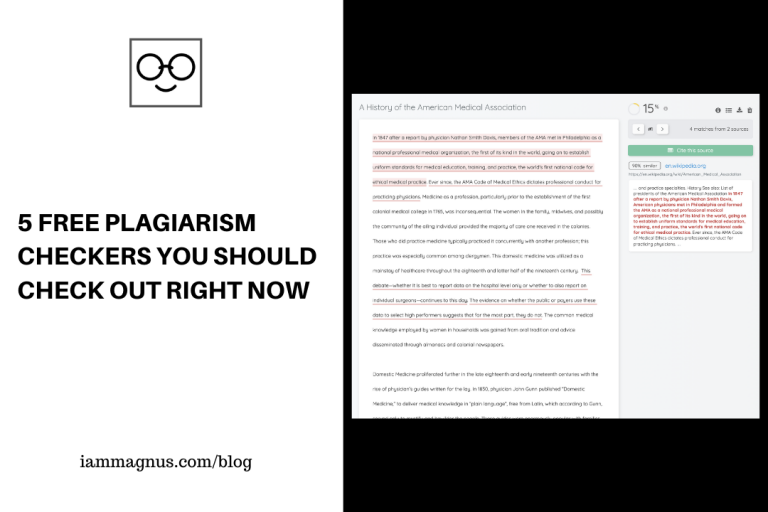
5 Free Plagiarism Checkers You Should Check Out Today

1
If you are a content creator on the world wide web, then you definitely know the importance of publishing contents that are 100% free of plagiarism. It is not an option but a necessity. Also apart from content creators, people in the education field like lecturers, teachers and students also need to be aware of plagiarism in their written works.
It is to this effect that plagiarism checkers were created. There are many plagiarism checkers available on the web but not all of them are free to the public. Some require that users register for a paid membership to have access to use their plagiarism tool. But there are also completely free plagiarism checkers available on the internet as well. Lucky for you.
So, in this article, we will be looking at 5 of the best free plagiarism checkers available on the internet that you can use to check your written works or projects. Let’s talk about them below. Links to the online plagiarism checking tools are also added for reference.

Plagiarism Detector

Plagiarism Detector is an online tool that allows you to paste up to 1000 words of texts into the plagiarism checker box and within seconds, the results will be displayed to you. Depending on the level of plagiarism of your texts, the plagiarism extent will be returned in percentage unit. So, if your work is totally unique that is, free of plagiarism completely, it will display 100% unique as a result. You can also filter the plagiarism tool to exclude specific URLs or check the text for plagiarism at a particular URL. Plagiarism Detector also helps you check for grammar. The online plagiarism tool is accurate, performs a thorough search, counts the number of words in your text for you, very easy to navigate, and all your data and information remains safe. The service is available in Pro version and free version.

Small Seo Tool’s Plagiarism Checker

Small SEO Tools is an online plagiarism checking tool that allows you to check up to 1,000 words of written content at a time. All you need to do is, paste the text (should be equal to/below 1000 words) into the box on the home page of the site and click the “check plagiarism” button just below it. In seconds, your article will be scanned for any signs of plagiarism and the result will be displayed back to you. You can also check plagiarism through a particular URL or exclude a URL as well.

Dupli Checker

Dupli Checker allows you to search 1000 words of text at a go. You can also upload files in .tex, .txt, .doc, .docx, .pdf etc., formats. These files will be scanned for plagiarism in no time. You can also check for plagiarism through a webpage URL. Dupli Checker is an invaluable online tool as it has so many free features for you. There are text analysis tools, IP tools, web management tools, domain tools, SEO backlink tools, image tools and more. You can also run your text through the grammar check tool on Dupli Checker.

Freeplagiarismchecker.pro

Free Plagiarism Checker is a very effective plagiarism checking tool. The minimum number of words you can check is 15 words while the maximum is 1000 words. Once you have pasted the text into the box, click the button to run the search. Your result will be displayed within seconds. This tool is entirely free to use for everyone including students, SEO specialists, website owners, teachers, lecturers and more. The online tool promises to run real-time search through your content to ensure that it is free of plagiarism.

Grammarly Plagiarism Checker

Grammarly is undoubtedly one of the best plagiarism tools on the internet. To use Grammarly, you need to be a member of the website by registering with them. Once you have registered, then you can log in to the site with your account and have access to premium web tools. Grammarly does not only check for plagiarism, but it also checks for grammar errors in your content/text. The Grammarly tool runs through the whole internet of up to 16 billion web pages to check for plagiarism. And plagiarism results are returned in just seconds.

Bonus

Quetext: Is a modern plagiarism checker & citation assistant. It is very rich and intuitive. You should check it out!
In conclusion, these plagiarism checkers are good tools that you can employ to check for plagiarism and understand how unique your written texts actually are.

10 Places to Create Ready-to-Print Certificates For Free

1

So, I have had a couple of people ask me where to generate, design or simply create certificates for free. This blog post is the answer. We will be looking at 10 places to create a ready-to-print certificate for free.

What are Certificates?

A certificate is a type of award given for good work, completion of something or another type of rewardable actions or behaviour. They’re great ways to reward your students or employees for their hard work.

Here is the list of 10 places to create a ready-to-print certificate for free:

Designer by Sertifier

Choose from templates – or upload your own design then create your certificate automatically. Sertifier’s designer is that simple. You can design your certificates and badges using this application. It’s completely free and you can generate bulk certificates by uploading your lists. You can download the certificate designs as PDF or PNG. You can add texts you want and upload images on your certificates too. After downloading the certificate designs you have created, you can
print them directly.

Visme Certificate Maker

You can design custom certificates quickly and easily with Visme’s certificate maker equipped with tons of beautiful design elements, fonts and more. Once done, you can quickly and easily download your created certificate as a PDF with bleed marks to print. You can also share it with recipients who have won something or generate a shareable link to share with the recipients online. You can also download your certificate as an image to send in emails.

Canva Certificates

Canva, one of the most innovative platforms on the planet, are constantly developing templates for anything you could possibly design. You can create certificates for every award under the sun with Canva’s free drag and drop certificate maker.

Certificate Magic

You can create your own personalized certificates in an instant with Certificate Magic. Just select your favourite certificate design, enter your personalized text and then download your certificate as a PDF, ready for printing on your home printer or anywhere else. You can use Certificate Magic as many times as you like, and it’s completely FREE!

Adobe Express

You can make unlimited free certificates using Adobe Express (Formerly Adobe Spark) certificate creator. It’s online and you don’t have to download any software to use it. You can resize your text, move it around the page, add special effects filters, make elements transparent, and change border configuration. The magic layout function moves your text as you experiment with different layouts, so you always see what your design will look like. The certificate generator guides you through each design choice, one at a time, taking care of all the technicalities behind the scenes.

Venngage Certificate Maker

Pressed for time before you need to deliver an award? No problem. Venngage certificate templates are ready to go – all you have to do is plug in your own text. All of their templates can be customized as much or as little as you want. Keep the certificate as is, or customize the design by changing the font, swapping out the background, and tweaking the colour scheme. Cut out the painstaking design process and create a beautiful certificate in minutes with Venngage. Export your certificate as a high-quality PNG or PDF. Their certificate templates are formatted for standard A1-A5 papers, making the design-to-print process seamless.

Bannersnack Certificate maker

You can create stunning certificate designs quickly and effortlessly with bannersnack’s certificate maker. They have a drag-and-drop editor, so it’s easy to design a professional-looking certificate in minutes, but you have to sign up though. Sign up is free

Crello Certificate Creator

Templates, fonts, objects… Crello has everything you need, from basic editing tools to more advanced design tools for making a certificate to be proud of.

Creative Certificates

With Creative Certificates, you can create a custom award certificate template online in under 2 minutes. No registration is required to create or download the certificate template. Just follow these simple steps, and your printable certificate will be ready in no time at all. You can use each editable certificate for any purpose since you can customize the text.

Microsoft Office Certificates

You can also create certificates with Microsoft Word or Powerpoint. Clicking on the link above would take you to Microsoft’s certificates template page for Microsoft Word and Powerpoint. The templates are free for Micorosft 365 subscribers.

CertifySimple

CertifySimple helps you create & send certificates in bulk with Google Slides/Gmail

Check out my YouTube videos

X