Okay, i suppose you already know about Okadabooks. Well, if you don’t, checkout my previous posts on it’s impact and usefulness HERE.
If you have suggestions, contributions or corrections, kindly leave a comment! Thank you
Okay, i suppose you already know about Okadabooks. Well, if you don’t, checkout my previous posts on it’s impact and usefulness HERE.
First Of all, we’d write down the scoring and grading system used by the school. The example below is used by Foodtech Building School (FBS).
|
Score Range (%)
|
Grade
|
Score Range (%)
|
Grade
|
|
|
75 – 100
|
A1
|
40 – 44
|
D2
|
|
|
70 – 74
|
A2
|
35 – 39
|
E1
|
|
|
65 – 69
|
B1
|
30 – 34
|
E2
|
|
|
60 – 64
|
B2
|
25 – 29
|
G1
|
|
|
55 – 59
|
C1
|
20 – 24
|
G2
|
|
|
50 – 54
|
C2
|
0 – 19
|
F
|
|
|
45 – 49
|
D1
|
No Entry
|
NE
|
|
|
Sick
|
SS
|
|||
REM Program to input score and compute grade
REM using SELECT CASE… END SELECT structure
CLS
DIM Score AS INTEGER, Grade AS STRING
INPUT “Please Enter Student’s Score Here: “, Score
SELECT CASE (Score)
CASE 75 TO 100
Grade = “A1”
CASE 70 TO 74
Grade = “A2”
CASE 65 TO 69
Grade = “B1”
CASE 60 TO 64
Grade = “B2”
CASE 55 TO 59
Grade = “C1”
CASE 50 TO 54
Grade = “C2”
CASE 45 TO 49
Grade = “D1”
CASE 40 TO 44
Grade = “D2”
CASE 35 TO 39
Grade = “E1”
CASE 30 TO 34
Grade = “E2”
CASE 25 TO 29
Grade = “G1”
CASE 20 TO 24
Grade = “G2”
CASE 0 TO 19
Grade = “F: Student might have fallen sick (SS)”
CASE ELSE
Grade = “Invalid Score: No Entry (NE)”
END SELECT
PRINT “The Student’s Score Is: “; Score
PRINT “The Student’s Grade Is: “; Grade
END
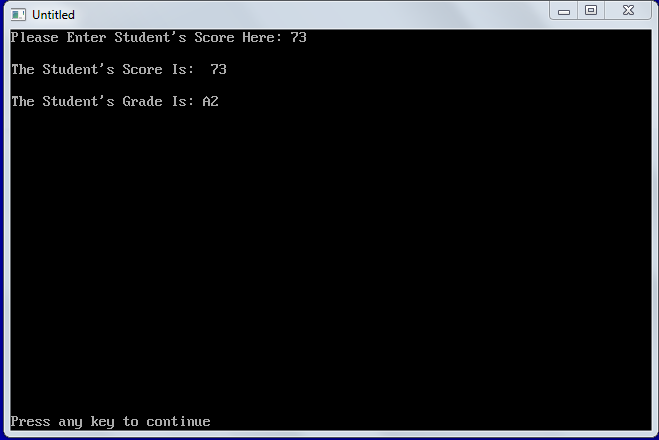
See the Output Image below:
Before I forget to mention its free… It’s FREE!
Gokive could be used to find the closest Products, Goods or Services around you. It’s a web application (Webapp) with a GPS that shows the nearest products/businesses around you. So, you could use it to locate a business/product you’re looking for or you could simply register the location of your shop, cinema, office or products for other users to find it. If you’re stranded somewhere or you’re simply new in the block and you don’t know where to get a product, Visit http://www.gokive.com/ and search your way through…
Search Examples:
— Where can I get Airtime
— I want a saloon and a hair cream with Vaseline
— Where can I buy bread with Noodles and 2 eggs
— rice, okra, garri, pepper, beans
Gokive uses an embedded Map to show you where to get what you want without stress and you can also add your product or business to the Map. Awesome!?
One thing that makes Gokive Unique is that you could add any business for free, no matter how small the business is, provided it’s got an Address. Even if you don’t have a business name; you could still use Gokive for people to locate your shop/location. If you have a business you wish to add no matter how small it is, visit http://www.gokive.com/add/ to add. Don’t have a business name? No problems! Leave the business name empty, Gokive will generate a unique name for you and you’d appear in their result(s) page. Add your goods/services separated by commas then your address. It’s as simple as touching a dimple… if you’ve seen anyone with any lately. 🙂
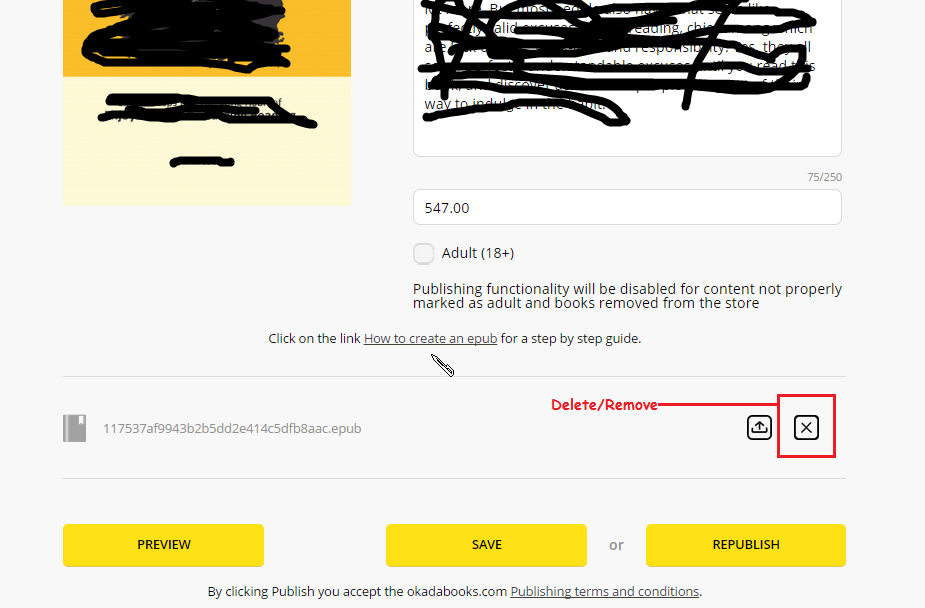
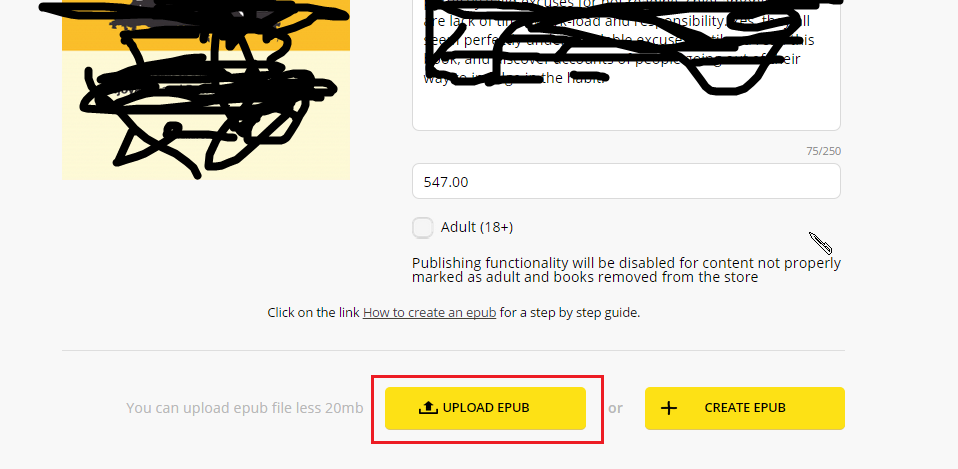
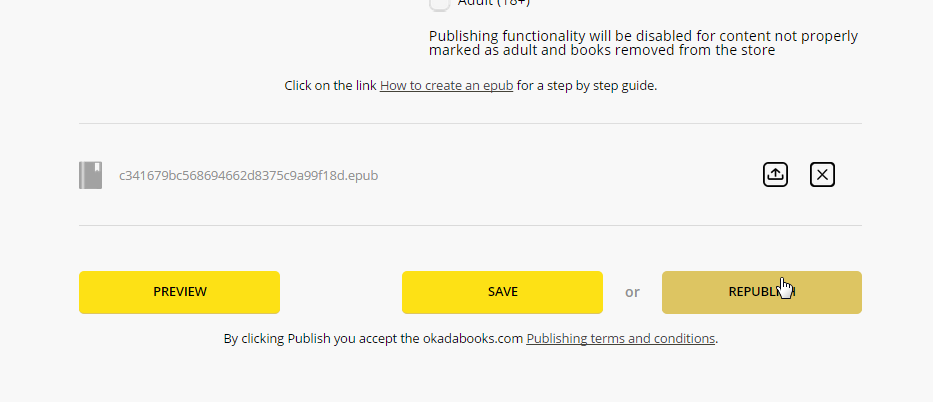
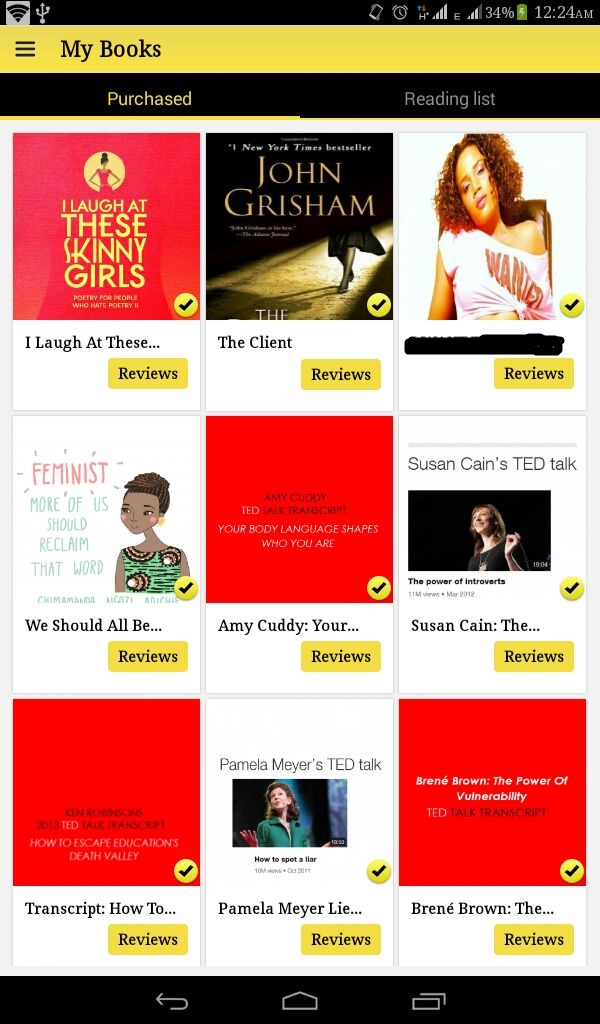
Yes. Okadabooks 3.0 has a new feature, actaully a lot of features. If you recently updated your Okadabooks App and you’re wondering what the Purchased and Reading List features are, they are… well, new features. But what makes them so important? Where are they?
The Purchased and Reading List features are on the recent version (3.0) of the Android Application (works on Blackberry). You’ll find this feature on the MY BOOKS section of the App. See screenshot below
“No one is going to hand me success. I must go out & get it myself. That’s why I’m here. To dominate. To conquer. Both the world, and myself” – Ibitola Ojoye Adebayo
I was an ordinary woman living an ordinary life in an ordinary town . But now every time I wake up I close my eyes again just to make sure I’m not in a dream.
No one, is born extraordinary. We all start out average. The difference between the average and the extraordinary comes down to the path one decides to take.
Today I want to challenge you to be different.To stand out in a way no one has. If you don’t want something bad enough then stop trying. It’s a waste of time. But once you come across a cause or goal that truly matters to you, anything’s possible. Find something that truly matters to you and go for it!
NOTE: You get what you put in – Ibitola Ojoye Adebayo
Before Okadabooks 3.0 there were some features i couldn’t cover in my Okadabooks tutorials and this topic is one of them…
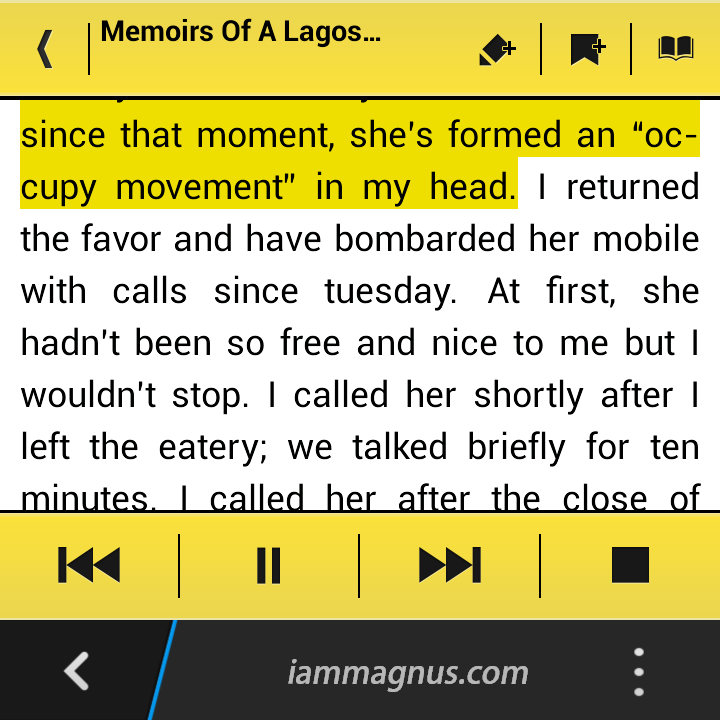
While reading with the Android app, you could switch to night mode, change fonts, increase/decrease brightness, highlight text or even make the app read an entire story for you… Read out loud!
In this tutorial, i’d show you how to highlight text, bookmark a page or switch to read out loud mode.
Login to the Android App,
Go to “MY BOOKS”
Open any book of your choice
Go to a page or text you’d love to highlight in story… then TAP the Middle of the page. The Title bar with functions will display like the one in the image below.

Tap the Pencil Icon and drag your finger across the text you’d like to highlight. (See Image Below)… The text-highlight colour is yellow, watch out for it. Once you’ve highlighted the text you want, hit “OKAY” at the foot of your screen.
To Bookmark a page. go to the page and hit the “Page Bookmark icon.” See the image above.
The Read Out Loud feature is the last… at the top right-hand corner. Simply hit the Speaker icon and PLAY. You can also pause, rewind, fast forward and stop it anytime. See image below
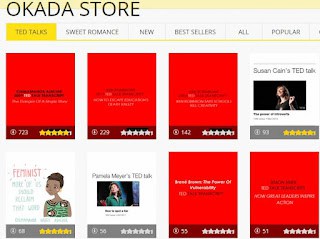
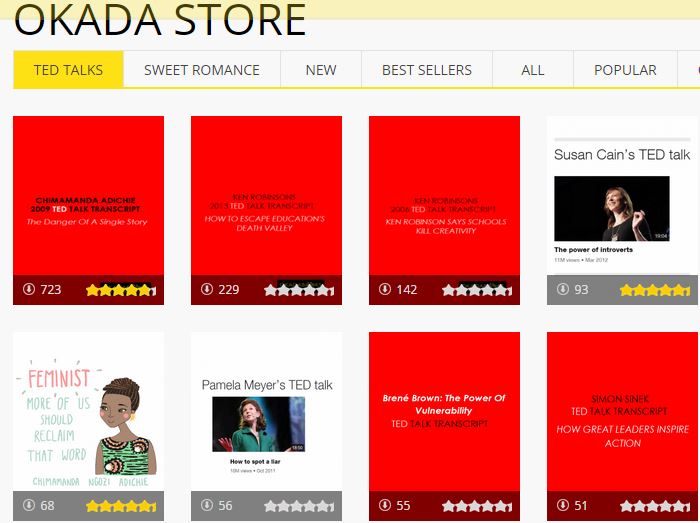
In case you missed the recent updates, TED Talks is now available on Okadabooks. With Ideas worth spreading from your favorite speakers, writers and inspiring individuals across the globe, for free. Download the app for FREE on: Android Playstore || Blackberry || or from the Website
| Credits: kelliederuyter |
Your turn. What disability affects a woman most and why?
The Acceptance teaser trailer I’m about to share was posted on the 25th of May. I wonder why I miss it all these days. Anyways, if you’re wondering what this is about… It’s a teaser trailer of one of the most amazing books we’ve ever read – Acceptance. Personally, I’d say the book is disturbing because you won’t want to drop it when you pick it up.
“When i read the blurb for Acceptance and i saw the book trailer, i was so wowed to tagging it Nollybook – The author’s visual interpretation of Acceptance is an indelible, positive strike on the contemporary mind, just the nibble of it, the trailer.”
Yes. I just quoted myself from my review on the book in November 2014.
Yes. That book is about to be a must watch Movie with stars like Idris Elba, Genevieve Nnaji and others as casts…
